
I compared Perplexity vs Grok for a full day using the same research, coding, and image prompts, plus a live X question. Perplexity won on sourced research and speed. Grok won on live X coverage and image speed.
Perplexity vs Grok comes down to a sourced answer you can double-check, or a live feed of what's happening on X right now.
I spent a full day testing both tools head-to-head on the same research question, a coding task, image prompts, and a live X question.
This comparison covers which tool wins for sourced research, which wins for live trend-watching, and what each plan costs.
Perplexity vs Grok: TL;DR
- Pick Perplexity if: You need an answer you can show your work on, like research, a market question, or a fact you'll cite somewhere else. Perplexity cites nearly every claim, so you can check the facts yourself. Grok only cites when it searches the web, and bundles those sources under one button at the end.
- Pick Grok if: You want to know what's happening on X in real time. Grok is SpaceXSI's chat assistant built into X, and developers can use its Grok 4.7 coding gains through Cursor, Grok Build, or the API.
How I tested
I sent both tools the same questions on research, coding, and what was trending on X, plus two image prompts. I spent the rest of the time checking each tool's current pricing and docs.
The research question I typed into both tools was:
What are the three biggest AI funding rounds from the last 30 days? Give me the dollar amount and the date for each one.
For coding, I gave each tool the same basic question: write a function that checks whether a number is prime, then test it on 97 and 91.
For images, I asked for a plain product photo and a 16:9 pastel scene with a golden retriever puppy. And for the X question, I asked what people on X were saying about whatever was trending at the time.
Meet Perplexity: Features and highlights
Perplexity searches the web to answer nearly every question and shows its sources alongside the answer. It's the pick people reach for when the goal is research you can trace back to a source, whether you're checking one fact or compiling a full report. That reputation holds up in other roundups of research tools, too.
Beyond search, Perplexity adds a few extra features:
- Computer: An agent feature on the Pro plan and up that can build a simple app, spreadsheet, or presentation from one prompt.
- Comet: A browser agent on Pro and Max plans that clicks through pages and takes basic actions for you. It now ships as a downloadable browser across four platforms (Mac, Windows, iOS, and Android).
- Model picker: Pro and Max users can pick which model answers a question. Options include models from OpenAI, Anthropic, Google, and Moonshot AI, plus Z.ai and SpaceXSI's own Grok, right inside the same interface.
- Credits for heavier usage: Computer's heavier usage is billed through its own credit system, on top of normal plan access. Pro adds a one-time 4,000-credit bonus that expires in about 30 days. Max adds 10,000 credits every month, plus a 35,000-credit bonus that also expires in about 30 days.
Meet Grok: Features and highlights
Grok is the chat assistant from SpaceXSI, SpaceX's AI company (formerly xAI). It's built directly into X and usable on its own at grok.com, pulling straight from what people post on X as it happens.
Grok is built for live updates on whatever's unfolding on X, and developers can use its newest model for coding. It answers directly, without a lot of hedging.
Beyond chat, SpaceXSI's Grok lineup also includes:
- Grok Bot: A separate SpaceXSI app that runs always-on AI teammates on a cloud computer powered by Cursor's infrastructure, handling tasks like inbox triage and expense management. It's included with Premium, Super, and Ultra on The X Subscription. The entry-level Plus plan doesn't include it.
- Four entry points: The X app, grok.com on its own, and dedicated iOS and Android apps. One SpaceXSI account syncs your history across grok.com, iOS, and Android. Inside the X app, though, Grok runs as X's own service, tied to your X account.
- Teams, Enterprise, and Government editions: A self-serve Teams plan for companies, plus a custom-priced Enterprise plan and a separate Government edition.
This comparison sticks to grok.com's free tier and public plans, not Grok Bot or the custom Enterprise and Government editions. It separately mentions API costs for developers.
Perplexity vs Grok: At a glance
How the two stack up, side by side:
| Feature | Perplexity | Grok |
|---|---|---|
| Best for | Sourced research and fact-checking | Live X context, plus coding for developers |
| Citations | On nearly every claim, click to verify | 75 sources behind one button at the bottom |
| Real-time data | Full open web search | Live X posts plus web search |
| Logic and coding | Model picker, including Grok 4.7 | Grok 4.7 in Cursor, Grok Build, and the API |
| Speed | About four seconds on my test query | About 24 seconds on my test query |
| Starting paid price | $20/month | $8/month |
Perplexity vs Grok: Feature-by-feature comparison
Research and citations
Perplexity answered a real funding-news question in about four seconds and cited 26 sources, laid out as a dated comparison table. It even flagged a borderline case on its own: whether a cloud-infrastructure raise tied to AI spending should count as an AI deal.
A citation sat under nearly every line. The source panel let me click straight through to check any one of them myself.
I ran the same question on Grok's free tier. It answered in about 24 seconds with 75 sources, naming specific deals and investors. All 75 sources sit under a single button at the bottom.
Grok only adds citations when it searches the web, which it typically does for a research-style question like this one, but not for every message.
Perplexity is the better fit if you want facts you can check line by line. Grok fits better if you want a more direct, conversational answer with live context.
Winner: Perplexity. Grok turned up more sources this time (75 to Perplexity's 26), but matching a claim to its source takes extra clicks. When the answer needs to hold up line by line, Perplexity's structure still does that better.
Real-time data and live search
Perplexity's own web search also surfaces which pages it pulled from. Its Deep Research mode can run dozens of searches on its own and compile a longer, structured report for a bigger question.
Grok has direct access to posts on X, so it can surface live reaction as events unfold.
Grok's web-search and X-search tools let it check multiple sources before answering a harder question, and developers can set how hard Grok 4.7 thinks before it answers.
Grok had the edge on a live X question about Avengers: Doomsday's new marketing push, answering in about 48 seconds with hype, character details, merch, and competing rumors about the film's tone.
Perplexity answered the same question in about one second with specific, current detail of its own, including a reported $16.5 million first-day ticket-sales figure and an explicit note on which claims were confirmed versus rumor.

Winner: Grok for X coverage, Perplexity for a verified, sourced answer. Grok's direct X access is why it covered so many angles, while Perplexity was faster and flagged which details were confirmed versus rumor.
Logic, code, and math
SpaceXSI built Grok 4.7, its newest model, for coding and knowledge work. SpaceXSI's own Grok 4.7 benchmarks show a jump over its prior version in both coding and terminal tasks (commands a developer runs on a computer).
Perplexity adds advanced models from OpenAI, Anthropic, and others for deeper reasoning. Grok 4.7 is one of the models Pro and Max users can pick from, so you get its reasoning without leaving Perplexity.
Both wrote correct, working Python and got the right answer: 97 is prime, and 91 isn't, since it's 7 × 13. Perplexity answered in about one second, Grok in about six seconds.
Winner: Tie for chat users, since both tools got the prime-number test right and Perplexity answered faster. Developers get the most from Grok, since SpaceXSI launched Grok 4.7 in Cursor, Grok Build, and the API first.
Image generation and multimodal input
Perplexity now generates and edits images right from a prompt, quietly picking whichever model fits best among GPT Image 1, Nano Banana, and Seedream 4.5. How much you can generate depends on your plan, from a limited number of generations on the free tier up to the most generous allowance on Max.
Perplexity handles file and photo uploads right in the chat too, summarizing a PDF or answering a question about an image.
Grok handles files and images inside the same chat, and adds its own image and video generator, Grok Imagine, which sits in a separate Imagine tab on grok.com for creating visuals from a prompt.
Grok Imagine's editor adds templates and controls:
- Ready-made templates: Turning a product photo into an e-commerce hero shot, building a mascot or emoji from scratch, or uploading an existing photo to edit directly.
- Per-generation controls: A toggle between a faster render and a slower "Quality 2.0" pass, plus a choice of aspect ratio before the image renders.
Perplexity picks an image model for you by default, but you can also choose your preferred model in settings. Grok's Imagine models are built in-house, while Perplexity's run on third-party models.
I generated two images on each tool's free tier. Grok returned both about three times faster, in 16 to 17 seconds; Perplexity took 47 to 48 seconds.
Perplexity's images looked more realistic than Grok's in my testing.

Winner: Depends on what you need. Grok is about three times faster and offers templates, a quality toggle, and aspect-ratio choices before you generate. Perplexity's images looked more realistic, but its free-tier image limit runs out fast.
Speed
Perplexity was faster on every text test: about 4 vs 24 seconds on research, 1 vs 6 on code, and 1 vs 48 on the X question.
Grok was faster on images, at 16 to 17 seconds against Perplexity's 47 to 48.
Winner: Perplexity, for text answers, by a wide margin across every test. Grok was the faster one for images.
Cost
Perplexity and Grok both start free, and both get expensive fast once you add daily usage.
- Standard (Free): Includes three Pro searches a day and one research query a month
- Pro: $20/month ($17/month, billed annually), more advanced search with multi-step reasoning and a choice of top models
- Max: $200/month ($167/month, billed annually), the highest usage limits and earliest access to new features
- Education Pro: $10/month requires student or educator verification through SheerID. Perplexity doesn't publish an annual rate for it
- Enterprise Pro: Starts at $40/month ($34/month, billed annually) per seat
Perplexity's pricing page lists only the annual rates. The monthly prices for Pro and Max are in its help center instead.
Grok's plans:
- Free: With limited Chat and Voice usage
- Plus: $8/month ($7/month, billed annually), Grok's introductory plan with a shared weekly usage pool measured by percentage used
- Premium: $30/month ($25/month, billed annually)
- Super: $100/month ($84/month, billed annually)
- Ultra: $200/month ($167/month, billed annually)
- Teams: Starts at $30/month per user
Grok's free plan caps Chat and Voice usage, though SpaceXSI doesn't publish the number. Perplexity's free plan has practically unlimited basic searches, but its three-a-day limit on deeper Pro Search still pinches.
A research session can burn through that limit in three questions. That pushes you toward the $20 Pro plan sooner than you'd expect.
Winner: Perplexity, for what the first paid tier buys. Pro's $20/month buys deeper, multi-step search reasoning plus a choice of top models. It's also the cheapest Perplexity plan open to anyone who pays for it (Education Pro runs cheaper, but only for verified students and educators).
Grok's entry plan costs less upfront at $8/month, but larger usage limits start at Premium, which runs $30/month.







What real users are saying
Grok
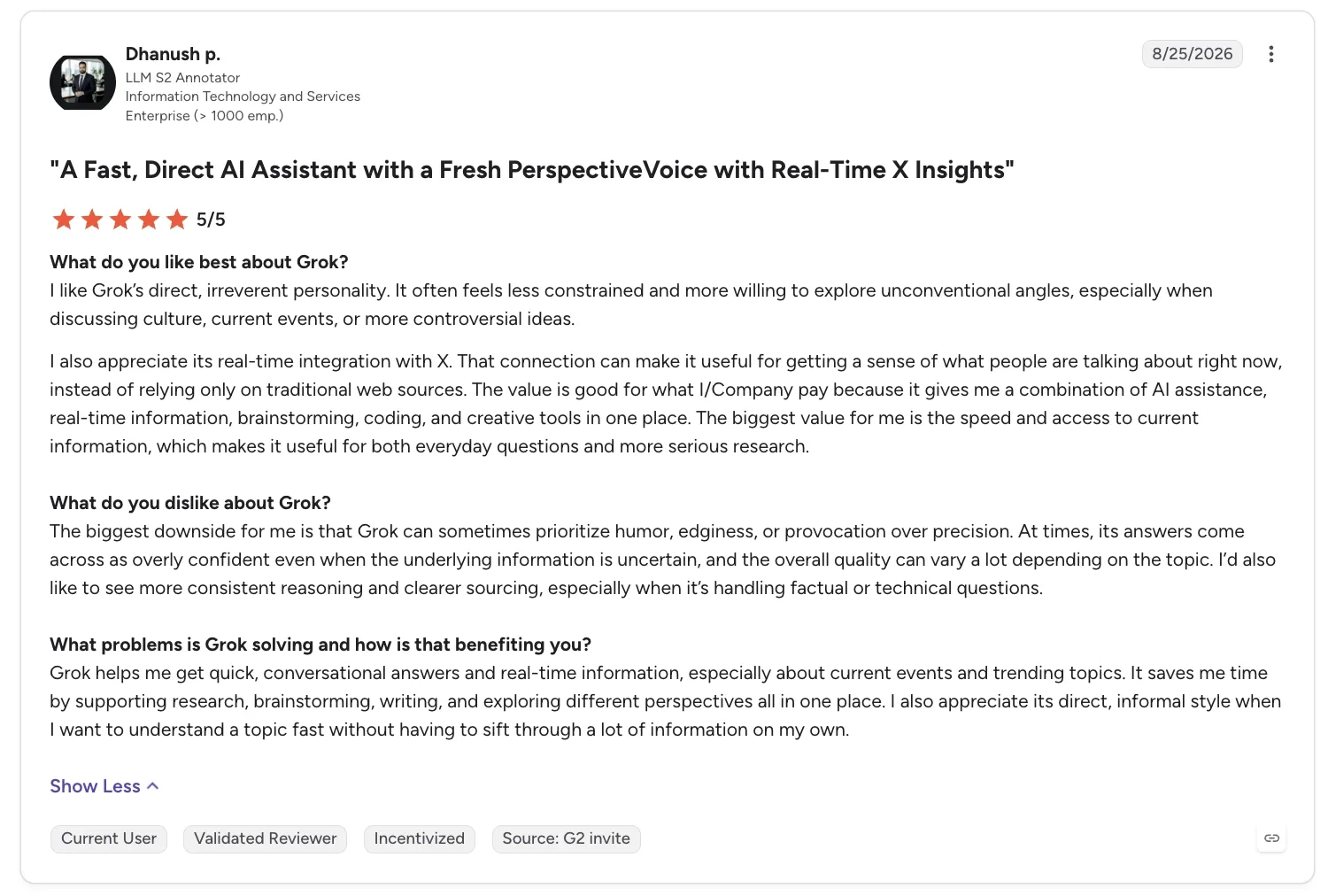
“Its conversational style makes it easy to ask follow-up questions and refine the response instead of starting over.” - Huda Y., G2
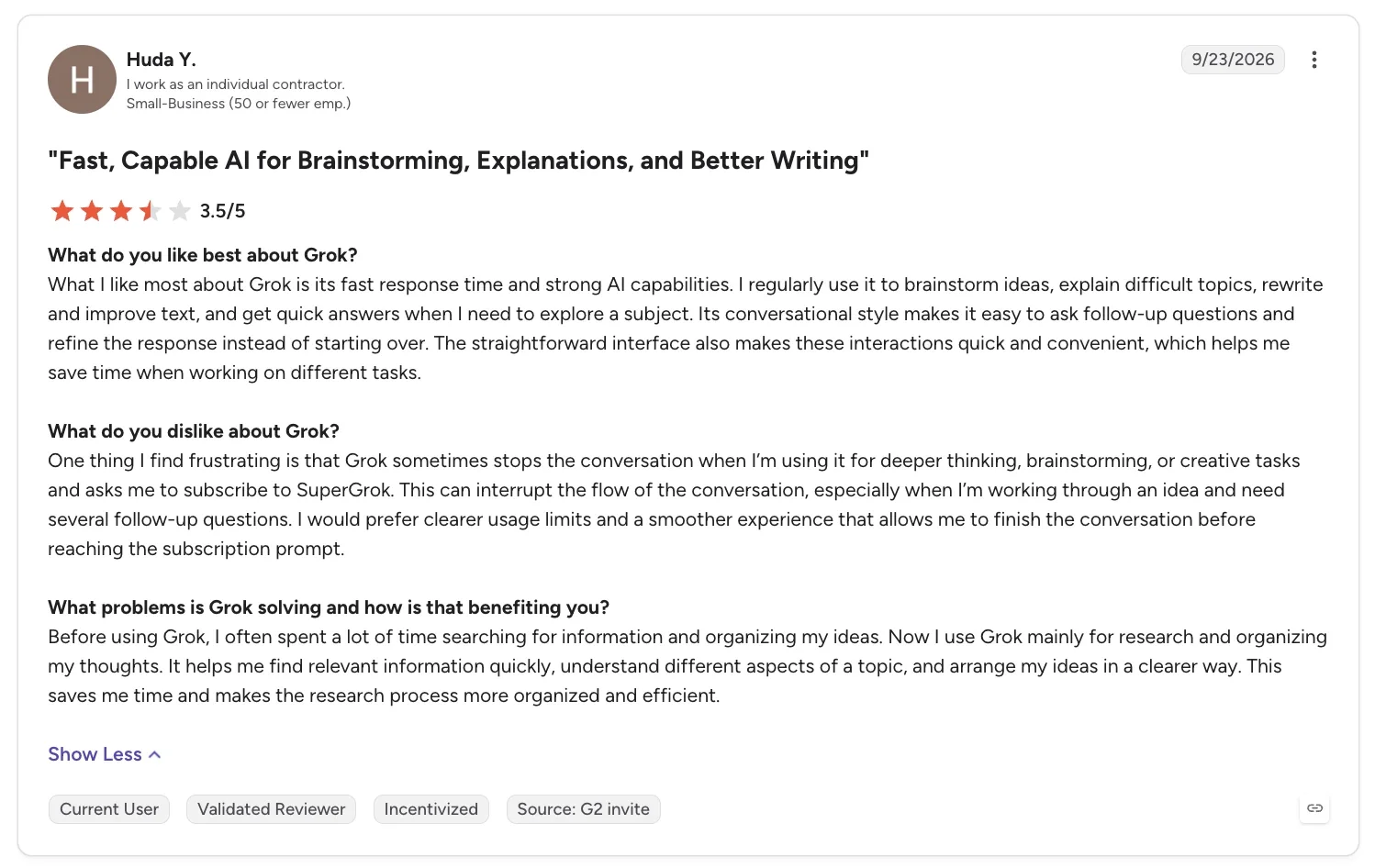
“At times, its answers come across as overly confident even when the underlying information is uncertain, and the overall quality can vary a lot depending on the topic.” - Dhanush P., G2
Perplexity
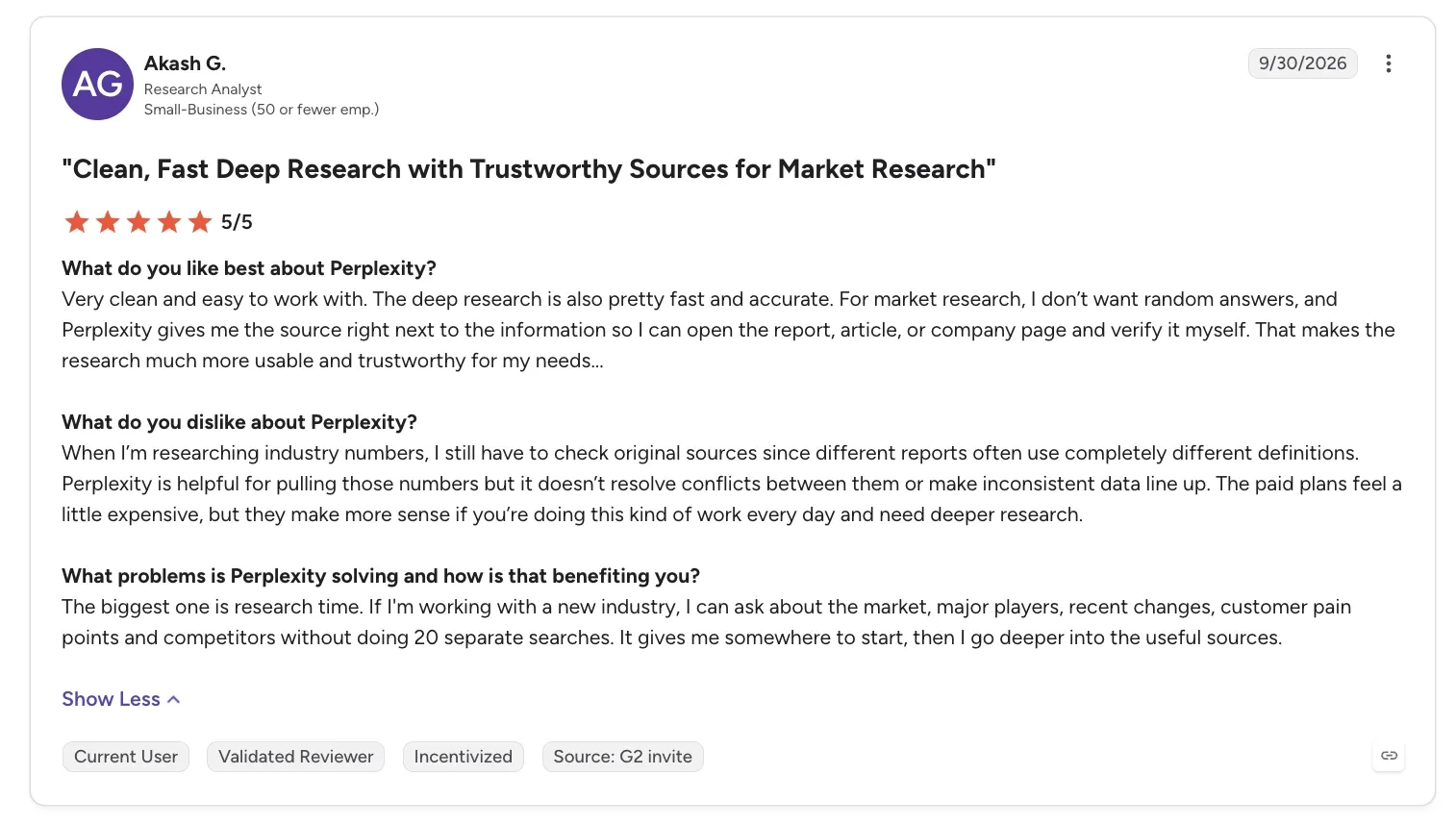
“For market research, I don’t want random answers, and Perplexity gives me the source right next to the information so I can open the report, article, or company page and verify it myself.” - Akash G., G2
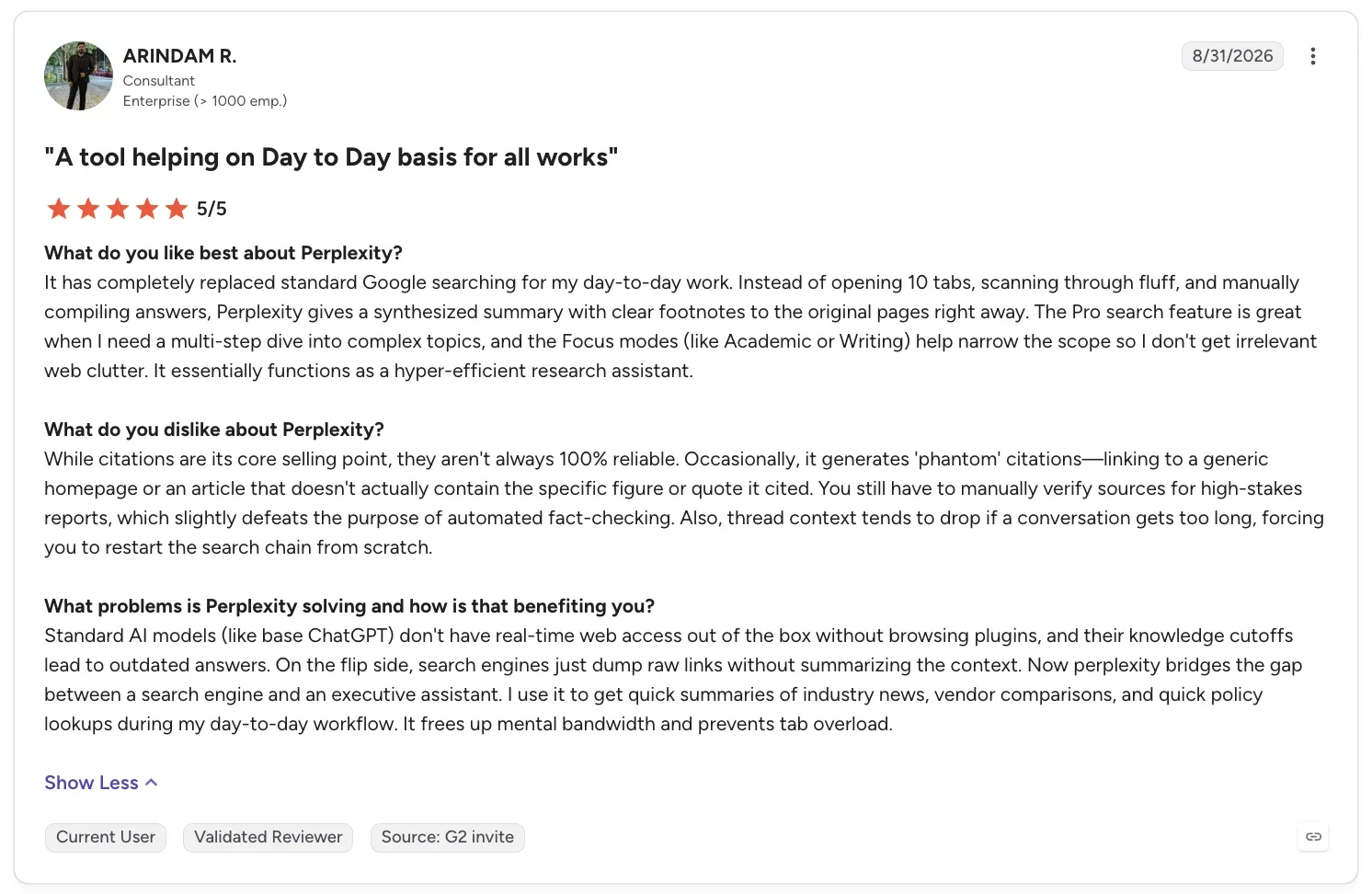
“Occasionally, it generates 'phantom' citations—linking to a generic homepage or an article that doesn't actually contain the specific figure or quote it cited.” - Arindam R., G2
How to make your choice
Perplexity fits research you need to cite. Grok fits keeping up with news as it breaks on X.
Perplexity is better for students and research you cite
Perplexity's sourcing advantage is most useful for students and professionals: the source panel turns a quick search into something you can cite directly in a paper or a work deck, and Perplexity's own Education Pro plan is built for exactly that.
Grok is better for live X news and developers
Developers get the most value here: Grok 4.7's API pricing undercuts several rival models on a per-token basis, giving technical teams a cheaper way to build coding and reasoning features.
Perplexity and Grok are only two names in a much bigger field of AI chat assistants. If neither one matches what you need, a wider roundup of that field covers the rest.
My verdict
Perplexity is the one I'd keep, after a full day testing both tools. A sourced answer I can check claim by claim beats one where the sources are harder to match up, for most of the research questions that land on my desk.
Grok still earns its place for anything unfolding on X, and for developers building with Grok 4.7 in Cursor, Grok Build, or the API. Keep both open. Send Perplexity your research, and send Grok your questions about what's happening on X.
Try the one that fits your work
Perplexity's free plan covers the sourced search and clickable citations I tested, plus one research query a month. Start there if you'd rather have a checkable source than live X chatter. Grok's free plan covers Chat and Voice with capped usage. Start there if you want live X context without paying.
Frequently asked questions
Is Perplexity better than Grok?
Yes, Perplexity is better than Grok for sourced, checkable research, since it cites nearly every claim and lets you click straight through to the source. Grok pulls ahead on live X context, and developers can use Grok 4.7 for coding through its API. Pick based on which job matches what you need.
What is the Perplexity controversy?
Perplexity's biggest controversy is a string of lawsuits over how it uses other sites' content. News Corp sued it in October 2024, accusing Perplexity of "massive freeriding" on Wall Street Journal and New York Post content. Reddit sued it in October 2025 over scraping its posts, and CNN followed with its own copyright case in May 2026.
Did Jeff Bezos invest in Perplexity?
Yes, Jeff Bezos invested in Perplexity through a funding round announced in January 2024, alongside Nvidia and other backers, when the raise valued the company at more than $500 million.
How much do Perplexity and Grok cost?
Perplexity costs $20/month for Pro, its cheapest paid plan open to everyone ($17/month billed annually). Education Pro drops the rate to $10/month for students and educators who complete ID verification.
Grok's cheapest paid plan, Plus, costs $8/month ($7/month, billed annually), though its more capable Premium tier runs $30/month. Both get pricier once you're using them daily.
Is my data private with Perplexity and Grok?
No, not by default, though both let you opt out. Perplexity lets Pro, Education Pro, and Max users opt out of AI-model training and never uses Enterprise data for training. Grok's privacy policy sits on x.ai, and its data controls are under Settings in Grok, so check both before connecting anything sensitive.
About the editorial team

Marvin is a Growth Engineer at Lindy focused on AI agents, automation, and product-led growth.

Lindy leads GTM at Lindy and is the team’s most prolific automation builder. She publishes weekly educational videos and articles on building AI assistants – And yes, she’s a real person!
