Taskade Review: Features, Pricing, and Alternatives in 2026
Lindy reviewed Taskade's Genesis app builder, AI agents, and automation tools, weighing real-time collaboration, credit-based pricing tiers, and setup effort for teams.


I tested Taskade across project planning, AI drafting, automation, and team collaboration to see how it performs in real workflows. Taskade is flexible enough to support different setups, but that flexibility also comes with more setup, more decisions, and more ongoing maintenance as your system grows.
Taskade review: At a glance
| Category | Takeaway |
|---|---|
| Overall verdict | Taskade is a strong fit for teams that want to build and manage their own project workflows inside one AI-powered workspace. It works best when someone is actively maintaining the structure, automations, and day-to-day organization. |
| What makes it different | It can generate full project systems, not just tasks. AI drafting, agents, and automation live inside one shared workspace. |
| Where it shines | Fast project setup, flexible views (list, board, mind map), built-in automation, and collaborative editing in one place. |
| Where it struggles | Requires ongoing maintenance, limited advanced reporting, no strict task dependency enforcement, and activity-based AI credit limits. |
| Pricing model | Flat monthly plans with bundled users. Cost scales more with AI usage and automation activity than with headcount. |
| Best for | Startups, small teams, and operators who want control over how work is structured and automated. |
| Not ideal for | Teams needing strict compliance, complex reporting, deep dependency tracking, or hands-off execution across many external tools. |
| Alternative to consider | Lindy, if you prefer delegating coordination and execution instead of managing the workflow system yourself. |
What is Taskade?
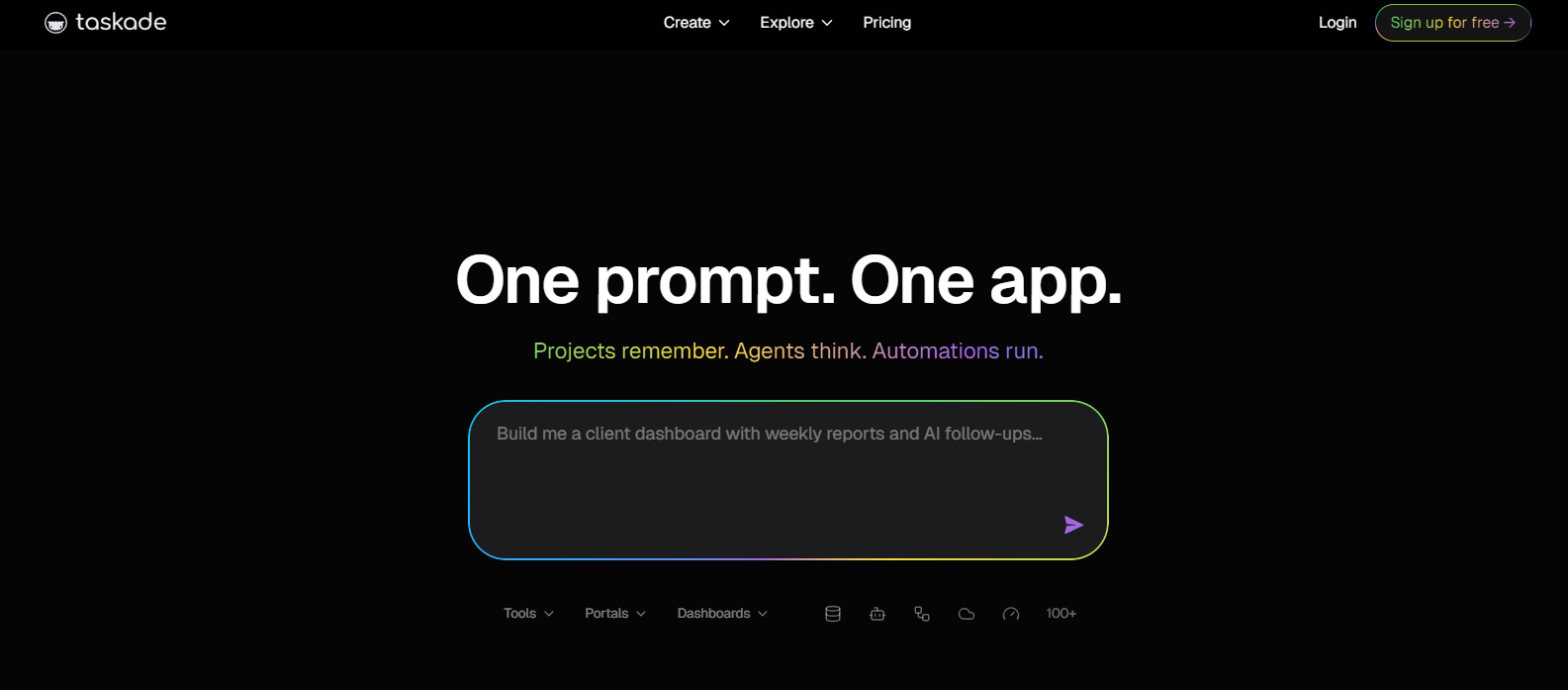
Taskade is an AI-powered workspace that helps teams organize tasks, manage projects, take notes, and automate workflows in one place.
You create projects, switch between list and board views, and use AI to turn ideas into structured task lists. Simple rules can trigger actions when something changes, such as a deadline or status update.
Teams can plan, discuss, and track work inside the same workspace without switching tools.
Taskade works best for teams that want to actively shape how their work runs. If you prefer a tool that handles execution for you, it may not be the right fit. In such cases, reviewing popular taskade alternatives can help you find a platform better aligned with your team's needs.
How does Taskade work in practice?
Taskade organizes work inside layered workspaces that bring projects, tasks, AI tools, and automation into one system. This means that planning, documentation, and workflow rules all live inside the same structure.
Here’s how that structure works:
- Create a workspace: A workspace is the main area for a team or client. It holds all projects, files, and automation rules in one place.
- Add projects: Each project contains task lists, notes, and AI-generated drafts. Folders help group related projects as work expands.
- Manage tasks: Tasks are where execution happens. You assign owners, set deadlines, and switch between list or board views depending on how you prefer to see progress.
- Use AI and automation: You can type a goal and let AI create a draft task list. Simple rules can also trigger actions when something changes, like a status update or due date.
Once properly structured, the system runs smoothly. The ongoing work is keeping the system organized as projects expand.
For example, a marketing team might brainstorm in mind map view, move to board view to assign tasks, use AI to draft a content outline, and set an automation to notify teammates before deadlines.
Taskade works by combining structured organization, flexible views, built-in AI drafting, and rule-based automation inside one shared workspace.
What are Taskade’s main features?
Taskade’s main features combine project management with AI workflow generation and built-in automation inside a single workspace.
Here’s what shapes the platform in daily use:
- Real-time collaboration: Multiple users can edit a project at the same time. Changes sync instantly across web and mobile. Comments stay attached to tasks, and mentions notify teammates. This works best for remote teams that need shared visibility. Solo users may not feel the full impact.
- AI task and workflow generation: Taskade can turn a prompt into structured task lists or full project setups with tasks, workflows, and basic automation logic. The outputs work best as starting points that teams refine as work evolves. For teams evaluating other automated assistants, exploring a sintra ai review software guide provides useful insight into alternative platforms. For organizations comparing specialized voice agents, reading a detailed bland ai review can clarify automated calling capabilities.
- Task automation: Taskade uses simple trigger-and-action rules. When a task changes status or reaches a deadline, actions can run automatically. It handles reminders and recurring flows well. More complex logic takes manual setup and ongoing oversight. For teams considering enterprise-level integration platforms instead, exploring options for the best workato pricing can clarify your automation budget.
- Integrations: Taskade connects with over 100 tools, including Slack, Gmail, HubSpot, and Salesforce. It also works with Zapier and Make for broader automation. This helps teams sync project work with external tools, but it’s not built for deep enterprise orchestration. If you need enterprise-level automation within Salesforce, reading an agentforce review can help evaluate your options. If you want to evaluate third-party automation builders, checking a detailed make review can explain how it expands integration capabilities.
- Cross-platform support: Taskade runs on web, desktop, and mobile apps. Work syncs across devices, which helps distributed teams stay aligned. The experience is consistent, but the core value still comes from how you structure the workspace.
genspark review software guide offers additional context.Together, these features position Taskade as a structured collaboration system with built-in AI drafting, real-time coordination, and rule-based automation inside project management. For a detailed comparison with other AI-driven productivity tools, reading a
Taskade AI capabilities and automation tools in 2026
Taskade’s AI is built as a layered system inside the workspace. Instead of acting as a single writing tool, it connects structure, memory, execution, and automation.
Here’s how those layers work together:
Genesis: Taskade’s AI app builder
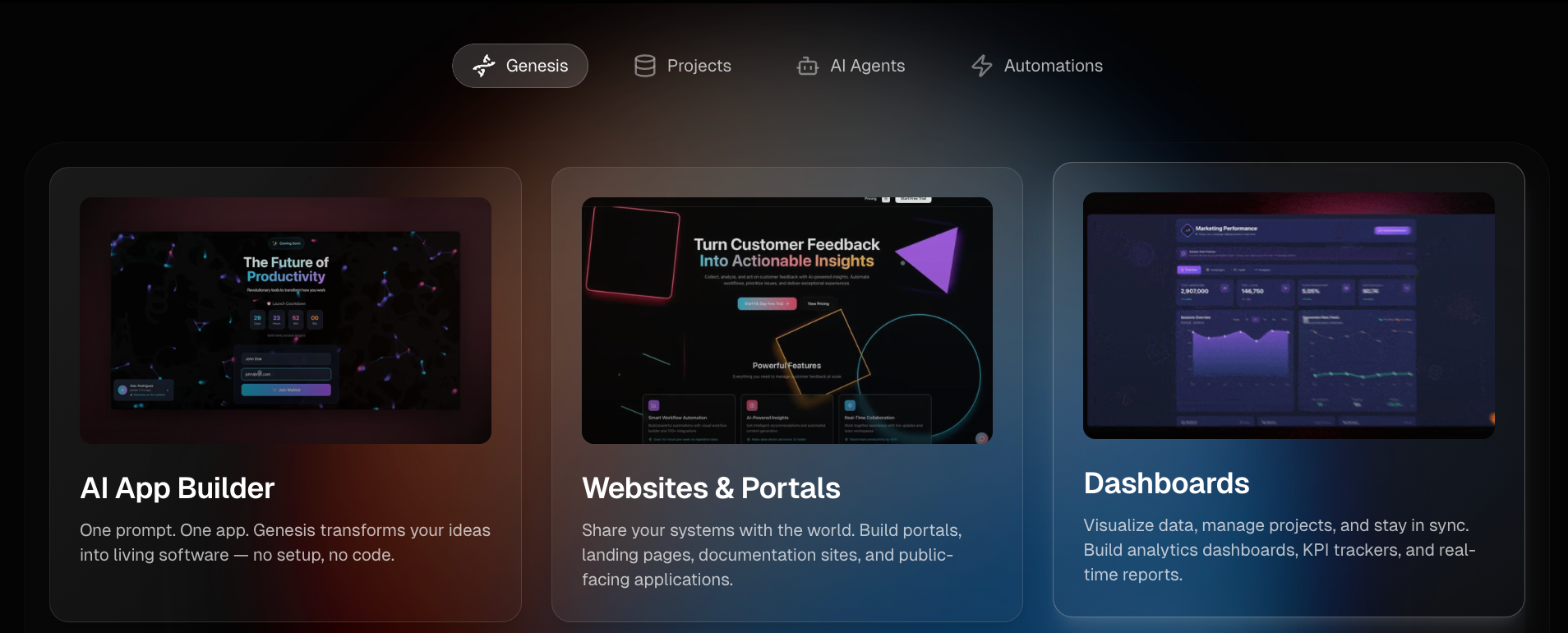
Genesis turns a short prompt into a working project setup. I tried typing “Create a customer feedback system,” and it generated task boards, intake sections, and basic workflow rules within seconds. A founder I spoke with used it to build an internal tracking system for user feedback. He said it saved hours of setup, but still required hands-on adjustments to fit his team’s process.
Projects: Where work and memory stay
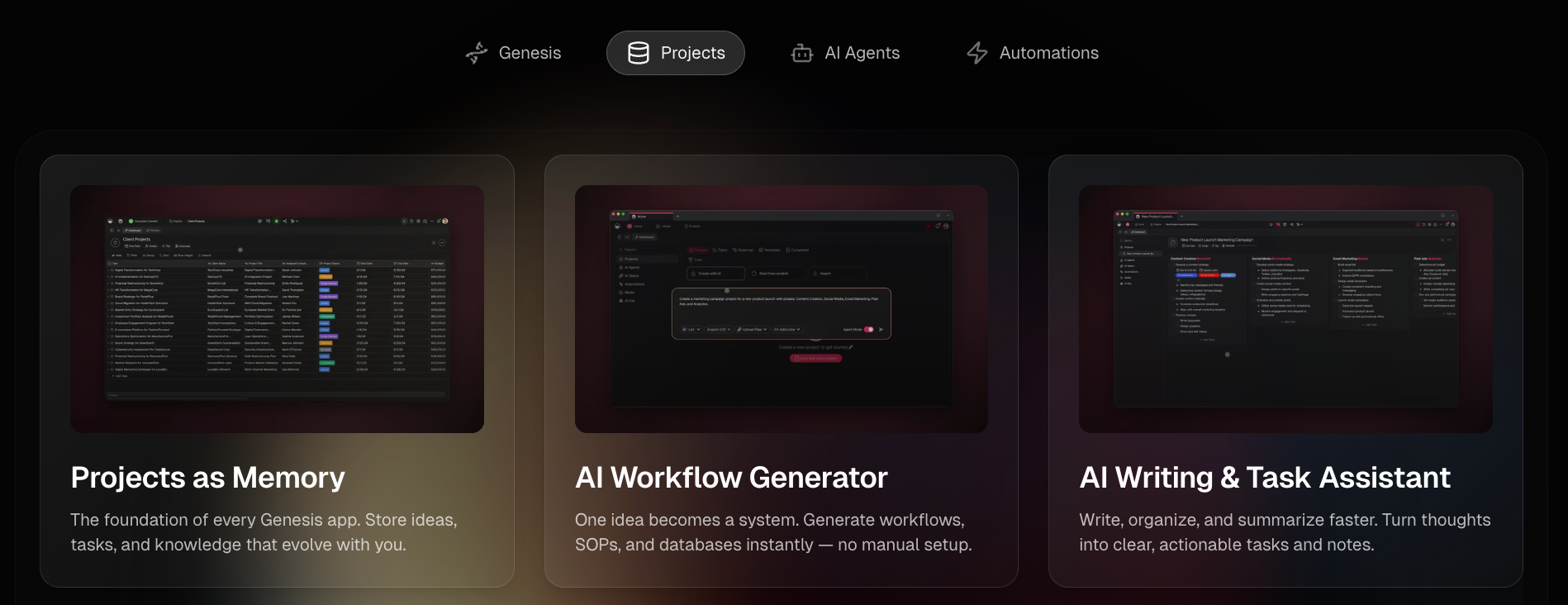
Projects store tasks, notes, files, and drafts in one place. As more work is added, new task lists can pull from earlier notes and updates. For example, in a product launch, feedback from early tasks can shape later tasks because everything stays in the same workspace.
This helps teams avoid repeating the same decisions. Still, as the project grows, someone needs to review and keep the structure clear so important updates do not get lost.
AI agents: Carrying out defined logic
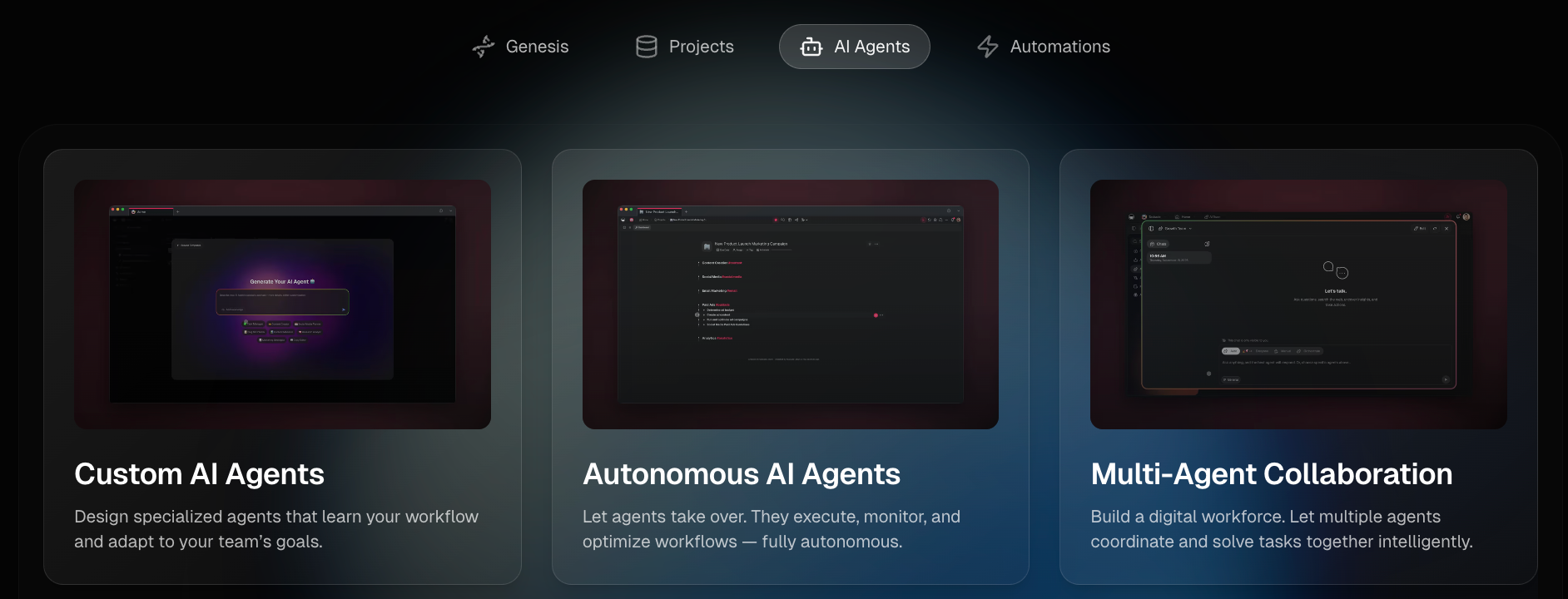
Agents can be assigned roles and connected to tools. They monitor changes and trigger actions in the background. One product team using agents for feedback sorting found that small rule gaps caused tasks to be misrouted. The system worked, but only after the logic was tightened. Loose rules lead to loose outcomes.
Automations: Keeping work in motion
Automations run on simple triggers like status changes or deadlines. For example, when a task moves to “Ready for Review,” Taskade can notify the right teammate and create a follow-up checklist automatically. That cuts down on manual reminders and keeps work moving.
But automation is not something you set once and forget. As workflows change, rules usually need small updates so they keep matching how the team actually works.
Taskade’s automation helps structure execution. It keeps tasks progressing, but people still decide priorities and direction.
How Taskade pricing works
Taskade pricing is based on flat-rate monthly plans that bundle users and allocate a set amount of AI credits per month. Costs primarily scale with how much you use AI features and automations, not with the number of users.
For example, creating four large AI task lists per day adds up to about 120 generations a month. If 20 tasks change status daily and each change triggers an automation, that’s around 600 automation runs monthly. Credits reset each month, but frequent drafting and automation can use them faster than expected.
If usage stays moderate, pricing feels predictable. As AI generation and automations increase, activity becomes the main cost driver.
Here’s what that looks like in practice:
- Free ($0/month): Includes 1 user, limited automations, and a very small monthly credit pool. Useful for testing the workspace and basic drafting. Credits run out quickly if used daily. Best for individuals exploring the tool. Not built for ongoing team workflows.
- Starter ($6/month): Includes up to 3 users and a higher credit allowance. Works for small teams that use AI occasionally for planning or outlining. Daily generation and automation triggers can exhaust credits before the month-end.
- Pro ($20/month): Includes up to 10 users, unlimited automations, and expanded integrations. This tier supports structured team workflows. Credit usage still scales with how often tasks are generated and updated.
- Business ($50/month): Includes unlimited users, admin controls, and API access. Seat growth is no longer the main concern. Usage volume remains the variable that affects scalability.
- Enterprise (Custom Pricing): Includes SSO, advanced security controls, and compliance features. Designed for organizations that require governance and infrastructure support beyond standard plans.
Taskade vs competitors: Which one makes sense in 2026?
Taskade mixes project planning, AI tools, and automation in one place. To see where it really fits, it helps to compare it directly with other popular tools.
Here’s how it compares across the areas that matter most:
| Tool | Best For | Primary Focus | Integrations | Collaboration |
|---|---|---|---|---|
| Taskade | Teams building AI internal systems | AI workspace for building structured workflows and internal tools | 100+ native integrations | Real-time editing, shared workspaces, multi-agent teams |
| Lindy | Individuals and teams reducing ops coordination | AI assistant that handles tasks across your tools | Hundreds of integrationsacross business apps | Works alongside individuals and teams by handling external coordination |
| ClickUp | Teams needing layered project control | Centralized project and team management platform | 1,000+ integrations and enterprise connections | Advanced permissions, whiteboards, and team hierarchy |
| Notion | Teams centralizing company knowledge | All-in-one workspace for docs, databases, and knowledge | Integrates with major tools plus enterprise search | Shared pages, comments, and granular permissions |
| Trello | Teams wanting simple visual task tracking | Visual task tracking with simple boards | 200+ integrations, + the broader Atlassian ecosystem | Board collaboration with comments and task syncing |
If you’re choosing between them, it comes down to how much you want to manage yourself. Taskade gives you the structure and tools to design your own workflows. Lindy focuses on handling coordination for you across your existing tools.
For example, a team might plan campaigns and track tasks in Taskade while still managing outreach and updates manually. With Lindy, those follow-ups and updates can be handled in the background.
Taskade vs Lindy: What you actually pay for
Most project management tools charge per user. Add another teammate, and the cost increases. Team size becomes the main pricing driver.
Taskade changes that. Users are bundled into each plan, so pricing stays stable within limits. Instead of tracking seats, you track activity. AI credits reset monthly, but frequent task generation and automation can use them faster than expected.
Lindy works differently. You’re not managing seats or credits. You tell Lindy what needs to be done, and it handles emails, meetings, follow-ups, and updates across hundreds of integrations. The focus is execution, not system design.
If you enjoy building systems, Taskade makes sense. If you want results without managing the system, Lindy fits better.
Who should use Taskade in 2026?
Taskade works best for people who want to organize their work themselves. It gives you structure, but you still decide how everything moves.
This setup makes the most sense for teams like these:
- Startups and small teams: Teams running product sprints, launch checklists, or feature rollouts can use Taskade to map work in one place. In early-stage setups I’ve seen, founders often use it to turn loose ideas into structured task lists before handing work to the team. It works well when someone owns the structure and keeps it organized.
- Remote and async teams: A colleague runs a distributed content team across time zones. They use shared boards and timelines to track campaigns in one place. Since tasks and updates stay inside the workspace, they rely less on meetings and long email threads. It works well when everyone can see progress clearly. Someone still needs to keep the boards clean as work grows.
- Individuals using AI for productivity: If you like breaking big goals into smaller steps, Taskade can help organize your thinking. It turns rough ideas into clear task lists. The drafts give you a starting point, but you still decide what matters most and what gets done first.
Taskade works best when someone is actively shaping and maintaining how work moves forward.
{{templates}}
Who should avoid Taskade in 2026?
Taskade offers flexibility in how you plan, structure, and automate work, but it is designed as a collaborative AI workspace rather than a full enterprise control system. That distinction matters depending on how complex your environment is.
It becomes more selective in scenarios like these:
- Advanced reporting needs: In enterprise environments I’ve worked around, deep reporting and workload tracking are required. Taskade does not provide advanced analytics, portfolio oversight, or layered approval systems. Teams managing complex reporting chains may find the visibility limited.
- Complex task dependencies: Some projects depend on tasks happening in a fixed order. Taskade supports timelines, but it does not enforce strict dependency rules or critical path tracking. For operations-heavy workflows, that flexibility can become a limitation.
- Strict compliance requirements: Regulated industries often require detailed audit logs, formal certifications, and region-based data controls. These needs usually go beyond standard collaboration tools. They may require dedicated enterprise infrastructure.
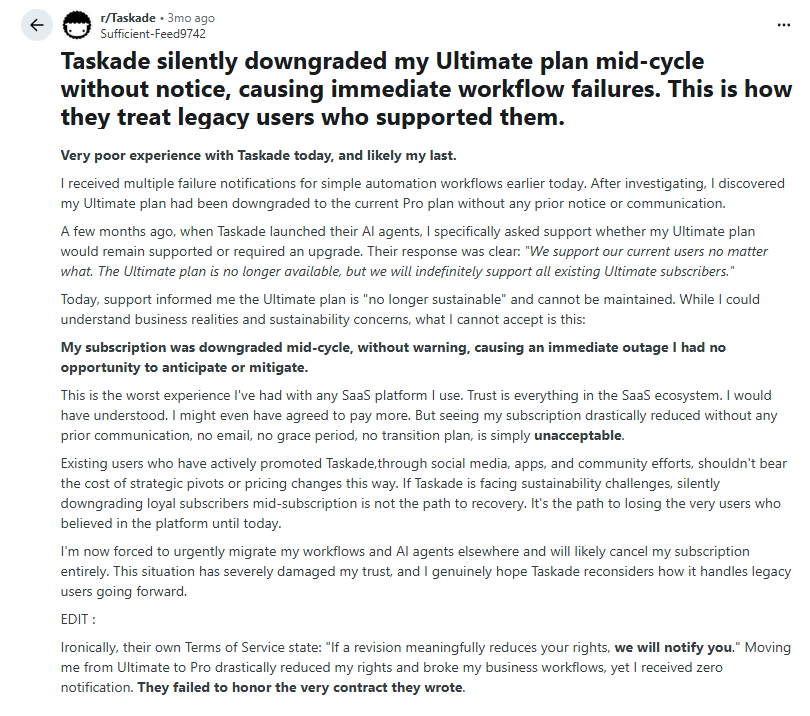
- Teams sensitive to usage limits: Usage increases with activity. In one Reddit thread, a user described a downgrade affecting active automations. That does not prove a pattern, but it shows why teams running critical workflows should review plan limits before scaling.
Teams that require deeper reporting, complex dependencies, or strict compliance controls should review those needs carefully before deciding.
Taskade.com reviews: What real users are saying in 2026
Taskade works well within its design focus. Teams that actively manage structure tend to get the most value, while passive setups can feel harder to control over time.
Pros
- Faster project setup: Many users say Taskade speeds up planning. Templates and AI help turn ideas into structured task lists quickly. Instead of spending time outlining from scratch, teams can move faster into assigning and executing work.
- Real-time collaboration: Shared boards and live editing help teams stay aligned. Multiple users can work on the same project without constant back-and-forth messaging.
Cons
- View-switching friction: Some users report friction when switching between layouts like table, board, and list views. The flexibility is useful, but it can feel inconsistent during daily use.
- Occasional AI glitches: There are some reports of AI response issues after updates. These are usually minor, but they can interrupt drafting or agent flows.
- AI credit tracking concerns: Some users raise concerns about credit tracking and unexpected usage drops, especially when automations are running in the background. Monitoring becomes more important as activity increases.
How to get started with Taskade
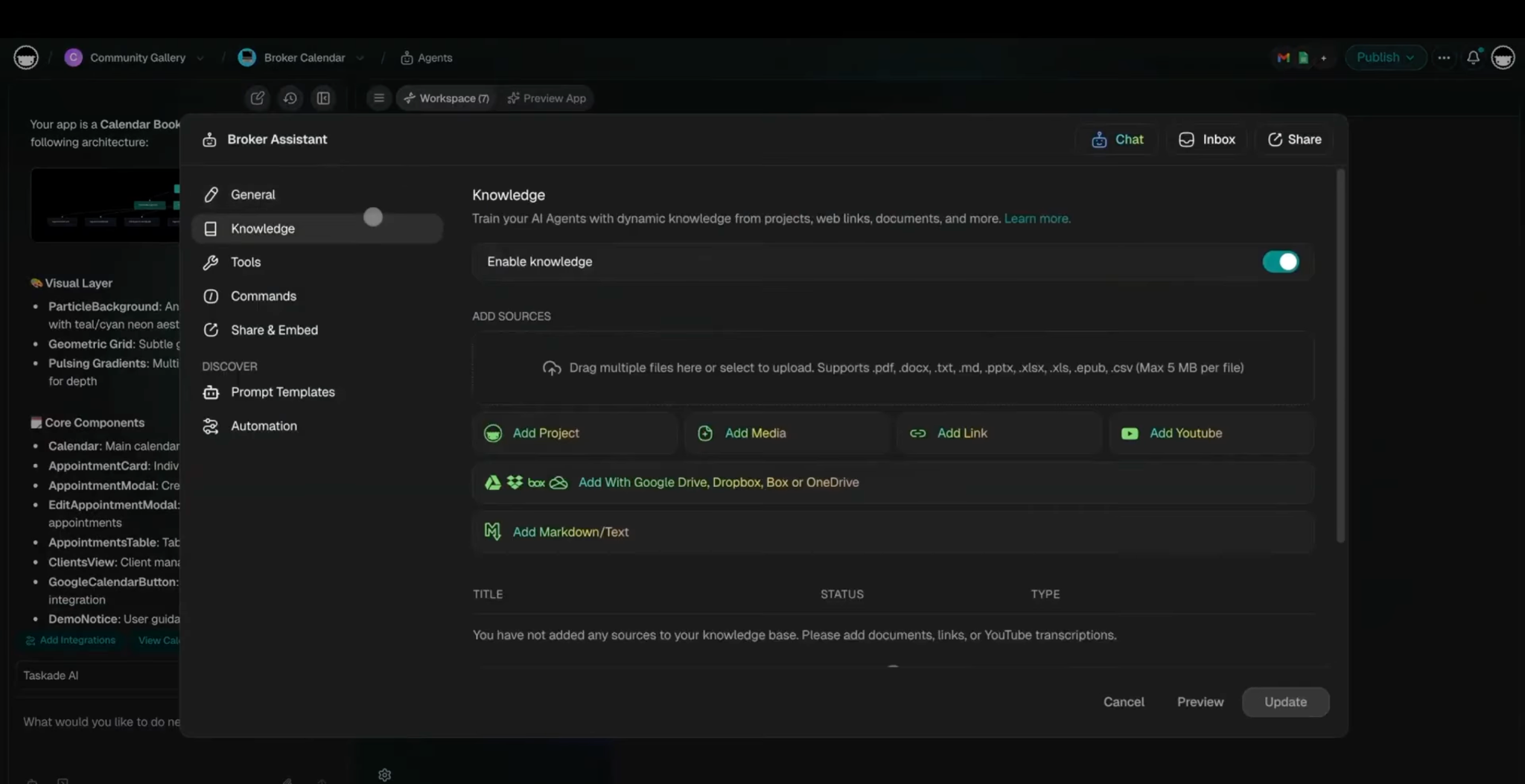
To get started, create an account, set up a workspace, and launch your first project. From there, you can use AI to generate a task list, adjust the structure, and invite teammates once everything feels organized. The setup is straightforward, but the real value comes from how you shape the workflow over time.
Here’s how the setup works step by step:
1. Create an account
Sign up with email, Google, or Apple. You can begin on the free plan and explore the basics before upgrading. Once inside, you’ll land on the main dashboard, where projects and templates are easy to access. In early use, the layout feels simple, but the structure becomes clearer after creating a small test project.
2. Create your workspace
Taskade follows a simple structure: Workspace → Projects → Tasks.
Click the plus (+) to create a workspace and give it a clear name. Many teams create one workspace per client or department. If you’re working solo, one workspace is usually enough. In smaller setups, keeping everything in one workspace reduces early confusion.
3. Start your first project
Create a new project using a blank page or choose a template. Templates are helpful if you want structure without starting from scratch. Teams that begin with a template often avoid reorganizing later.
4. Use AI to complete tasks
Type a short goal into the prompt bar, such as:
- Plan a 30-day product launch
- Create a weekly content calendar
- Build a simple sales pipeline
Taskade will generate a structured task list. Think of it as a draft you can edit, expand, or reorganize based on your needs. In most cases, refining the AI output leads to better results than accepting it as-is.
AI actions use monthly credits. Light use fits comfortably within the free plan, while larger projects may require monitoring usage.
5. Invite your team
Once your workspace feels organized, invite teammates. You can control access at the workspace or project level. It’s often easier to test the setup first, then bring others in once the structure feels clear.
I’d suggest starting with a small project first. It makes it easier to switch views, try the AI tools, and see how tasks actually flow before committing to a larger setup.
After that, daily habits matter more than the initial structure. Keeping tasks updated and reviewing AI output consistently tends to shape the real value over time.
Bottom line
If you want to design and manage workflows inside one workspace, Taskade makes sense. If you’d rather delegate outcomes, Lindy works differently. You tell it what needs to be done, and it handles the coordination across your tools.
Taskade rewards involvement. The right choice depends on how much of the system you want to manage yourself.
The best Taskade alternative in 2026: Lindy
Lindy is one of the best conversational AI assistants out there. Instead of configuring triggers or building complex systems, you simply tell Lindy what you need in plain English.
Whether it’s managing your inbox, scheduling meetings, updating your CRM, or following up with leads, Lindy handles it. If you are evaluating top taskade alternatives, comparing how various AI tools handle automated tasks can help you decide.
Here’s what that looks like in practice:
- Get answers instantly: Text Lindy to pull information from your email, calendar, or CRM without digging through tabs.
- Send emails and follow-ups automatically: Ask Lindy to draft, personalize, and send outreach and handle replies.
- Take meeting notes and share summaries: Lindy joins meetings, writes structured notes, and sends action items afterward.
- Update your CRM without manual entry: After a call, Lindy logs notes and fills in missing fields automatically.
- Find and qualify leads in minutes: Tell Lindy your ideal customer profile and get curated lead lists ready for outreach.
- Works with hundreds of integrations: Lindy connects with the tools you already use, so everything stays in sync.
{{cta}}
FAQs
1. What is Taskade used for?
Taskade is used for task management, project planning, and team collaboration inside an AI-powered workspace. In this Taskade review, the platform helps users create structured task lists, switch between visual project views, and generate outlines with built-in AI. Teams use Taskade to centralize planning and manage workflows in one shared environment.
2. Is Taskade free?
Yes, Taskade offers a free plan with limited features. The free version includes one user, restricted integrations, and a monthly allocation of AI credits. Taskade pricing expands with paid plans that increase user limits, automation capacity, and AI usage. Enterprise-level controls require custom pricing.
3. How good is Taskade AI?
Taskade AI is useful for generating structured drafts, task lists, and summaries based on user prompts. It supports brainstorming and planning directly inside projects. However, Taskade AI does not replace human decision-making. Users still manage priorities, structure, and final edits.
4. How does Taskade compare to Notion?
Taskade and Notion serve different purposes. Taskade focuses on structured task workflows with multiple visual views and built-in AI drafting tools. Notion focuses on documentation, databases, and knowledge management. In short, Taskade emphasizes task execution, while Notion emphasizes content organization.
5. Is Taskade worth it for teams?
Taskade is worth it for teams that want structured collaboration with AI-assisted planning in one workspace. It works best when someone actively maintains project structure and updates tasks consistently. Teams looking for hands-off automation across multiple external tools may evaluate alternatives based on workflow complexity.









