What Are ChatGPT Dots? Pricing, Setup, and Who Can Get One


ChatGPT dots are OpenAI's newest agents, launched at DevDay on September 29. Each dot gets its own cloud computer, keeps working after you close the chat, and answers in ChatGPT, Slack, or Teams.
TL;DR
- Choose ChatGPT dots if you have a recurring job that spans several apps and a plan that includes one.
- Choose ChatGPT Work if you'd rather set up each task, schedule, or trigger yourself.
- Choose Codex if the job is coding.
- Choose a ChatGPT scheduled task if the steps and timing stay the same.
Your plan and your region decide whether you can get one. Pro and Business Premium include a dot; Enterprise workspaces can turn on a beta, and Pro users in the EEA, the UK, and Switzerland can't get one yet. Texting works only for US Pro users, as a limited test.
To check those rules, I read OpenAI's launch post, feature page, setup docs, help center, safety write-up, and both pricing pages, then compared every plan and regional rule against them on October 2, 2026.
Then I went through the r/ChatGPT discussion where early users argue about whether a dot does anything ChatGPT Work or Codex can't.
In short, test a dot if your plan already includes one, and hold off on upgrading just to get it. A dot takes on a recurring task inside ChatGPT and checks in when there's something to review.
Plans with a dot start at $100 a month. Since dots only launched on September 29, start with the "Ask before taking action" rule.
What are ChatGPT dots? The 30-second answer
ChatGPT dots are AI agents inside ChatGPT that take on ongoing work, use their own cloud computer and browser, and check in when a decision needs you.
You give a dot a responsibility, like sorting incoming customer feedback or watching a project's deadlines. It continues between conversations and brings finished work back for you to review.
Each dot runs on GPT-6 Astra, the top model in OpenAI's GPT-6 lineup. GPT-6.1 Sol, which OpenAI announced the same day, is a cheaper option for Work, Codex, and the API. Dots still run on Astra.
OpenAI writes "dots" in lowercase, so I will too, though some headlines call them OpenAI dots.
Key features of ChatGPT dots
Each dot comes with its own cloud computer, access to your apps, and a set of approval rules, and all of them have limits you should know before you assign it a job. Here's what each dot includes:
- Its own cloud computer: OpenAI hosts a browser and workspace where your dot handles research, coding, and data analysis. Select Take over to use the mouse and keyboard yourself, then give control back when you're done. The dot can't see your local files unless you connect your own machine.
- One identity across channels: the dot that answers in ChatGPT also answers in Slack, Teams, and voice calls, with the same saved notes about your preferences and decisions, though each channel keeps its own message history.
- Over 4,000 apps: OpenAI says its plugins reach that many. Your dot uses the plugins you've installed, with the accounts and permissions you already gave them.
- Background research: when you're not working with it, it looks through your connected information for ways to help. Any follow-up action still goes through your permissions and rules.
- Custom Rules: each type of action gets one of four rules, from "Take action without asking" and "Take action when you say so" to "Ask before taking action" and "Hand off to you." OpenAI's safety checks still apply on top.
How to set up ChatGPT dots in five steps
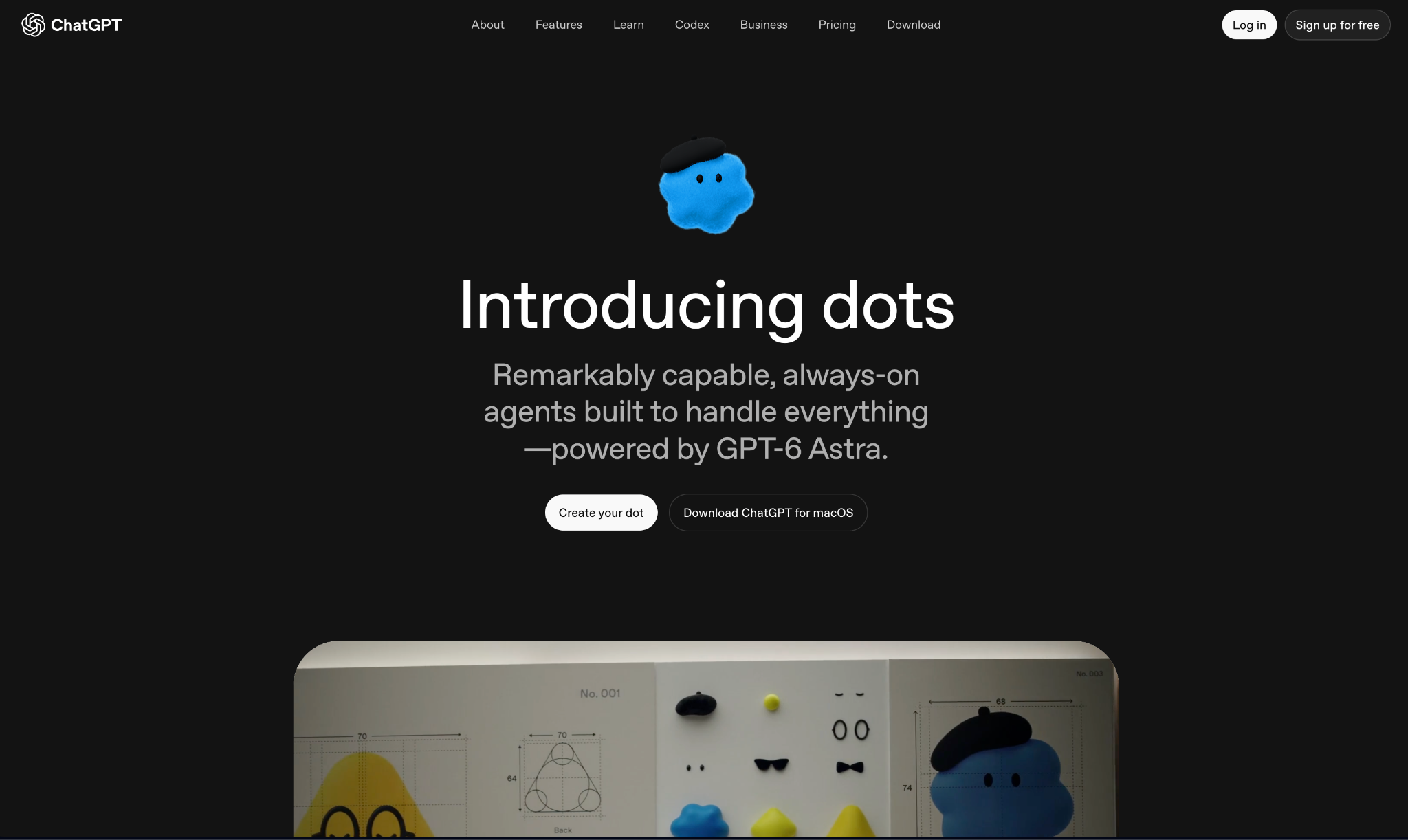
You need a Pro or Business Premium plan, or an Enterprise workspace where an admin has turned dots on. Setup is limited to the ChatGPT desktop app or a desktop browser, according to OpenAI's dots docs, and mobile web isn't supported.
If you're an Enterprise admin, go to Workspace settings > Permissions & roles, then Permissions > Workspace default > Workspace capabilities, and turn on Use dots (Beta). It's off by default for Enterprise workspaces.
Workspace capabilities also has the controls for local computer access, browser use, the password manager, and the Slack and Teams connections. OpenAI's workspace help article lists each one.
1. Open ChatGPT on your desktop and create your dot
Sign in to the ChatGPT app or chatgpt.com on your computer, then select Create your dot. If you're on Pro and don't see it yet, check again later, since OpenAI is still rolling dots out to eligible accounts.
2. Name it and choose an avatar
Your dot starts with a handle like @yourname-dot. Rename it, and the handle follows, so a dot called Alfred becomes @yourname-alfred. You also pick a character or pet avatar (Wired described the launch lineup as cute blobs).
3. Connect your apps
Your dot can use any supported plugin you've enabled in ChatGPT. Start with the two or three the job needs (say, Gmail and Google Drive), and add more once the first outputs look right.
4. Add Slack or Microsoft Teams
Open your dot's profile and select Add to connect a channel. In Slack, you can send it a direct message, or add it to a channel and mention it in a thread. The channel docs list Microsoft Teams too, but OpenAI says Teams access is an invite-only alpha for now.
5. Set its rules and decide on computer access
Pick your Custom Rules before you hand over important work, since they decide which actions the dot can take without you (more on those below).
The second decision is computer access, which is optional and off by default. To connect a computer, select Allow access under Computers in the dot's profile. The dot can use it only while that machine is online with the ChatGPT app open.
Once setup is done, give your dot its first job. The tasks guide suggests spelling out what to check, when, which changes deserve a message, and where results go. The guide's example reads like this:
Check the connected planning channel each weekday at 9 AM Pacific for the next four weeks. Update the project checklist when a deadline changes. Message me in ChatGPT only if a deadline is at risk or you need a decision. Confirm the schedule.
{templates}}
How ChatGPT dots work
Once you assign a job, a dot splits the work among background agents that run in parallel while you keep chatting. The tasks it starts show up as threads you can open and follow up on.
The dot's Activity tab shows each task's progress, files, and results, plus any request that needs your input. The profile also sorts tasks into In Progress, Scheduled, and Completed.
Behind that work, a dot's context comes from two places. It starts with what's in your ChatGPT memory, then keeps separate notes on your preferences, decisions, and ongoing work, which follow it into Slack and Teams.
Each channel keeps its own message history, so a thread you started in Slack stays there. For that reason, I'd keep each project's updates in a single channel. In shared channels, the dot also checks permissions before repeating anything from your private chats.
What a dot can do
OpenAI's launch post gives five example jobs:
- Development: it watches customer feedback for bugs, then brings you a tested pull request with a video of the change.
- Product launches: when the launch scope changes, it revises the marketing materials based on what it knows about your audience and positioning.
- Research: each time new data lands, it reruns the analysis and updates the documents that depend on it.
- Enterprise sales: it checks a customer's requirements against your product and puts together a proof of concept for the proposal.
- Content: from an interview, it pulls the best clips and drafts the show notes and social posts.
The feature page adds a finance lead whose dot tracks metrics and refreshes the investor deck, and an engineer whose dot maps the dependencies of an API migration.
Outside OpenAI's examples, one r/ChatGPT user asked their dot at 10:30 PM to review six projects that were about 80% complete and draft a master task list. They checked the next day and found the list ready, and said it used 7% of their weekly allowance.
Another frequent ChatGPT user in the same discussion found its reasoning "less sophisticated than just using regular chat." Both posts are from launch week, so I'd treat them as first impressions.
How ChatGPT dots differ from ChatGPT Work and Codex
One person in that Reddit discussion wrote, "I don't understand what dots can do that work mode or Codex can't." The confusion makes sense. A dot can start Work and Codex tasks itself, and those tasks count against Work and Codex usage limits like any other.
With Work and Codex, you set up the task and whatever starts it. A dot owns the job and decides when to pause and resume, so it doesn't need a fixed schedule from you.
Plan details come from OpenAI's ChatGPT Work page and Codex docs.
Scheduled tasks are the lighter option. On any ChatGPT plan, including Free, eligible accounts can use one to run a job with fixed steps at a set time.
On Plus and up, Work tasks can also run on a trigger when something happens in a connected app, like a new email or a pull request. Dots are for the work neither option handles well, the kind that spans several apps, changes week to week, and has no set procedure.
ChatGPT Space and specialist dots
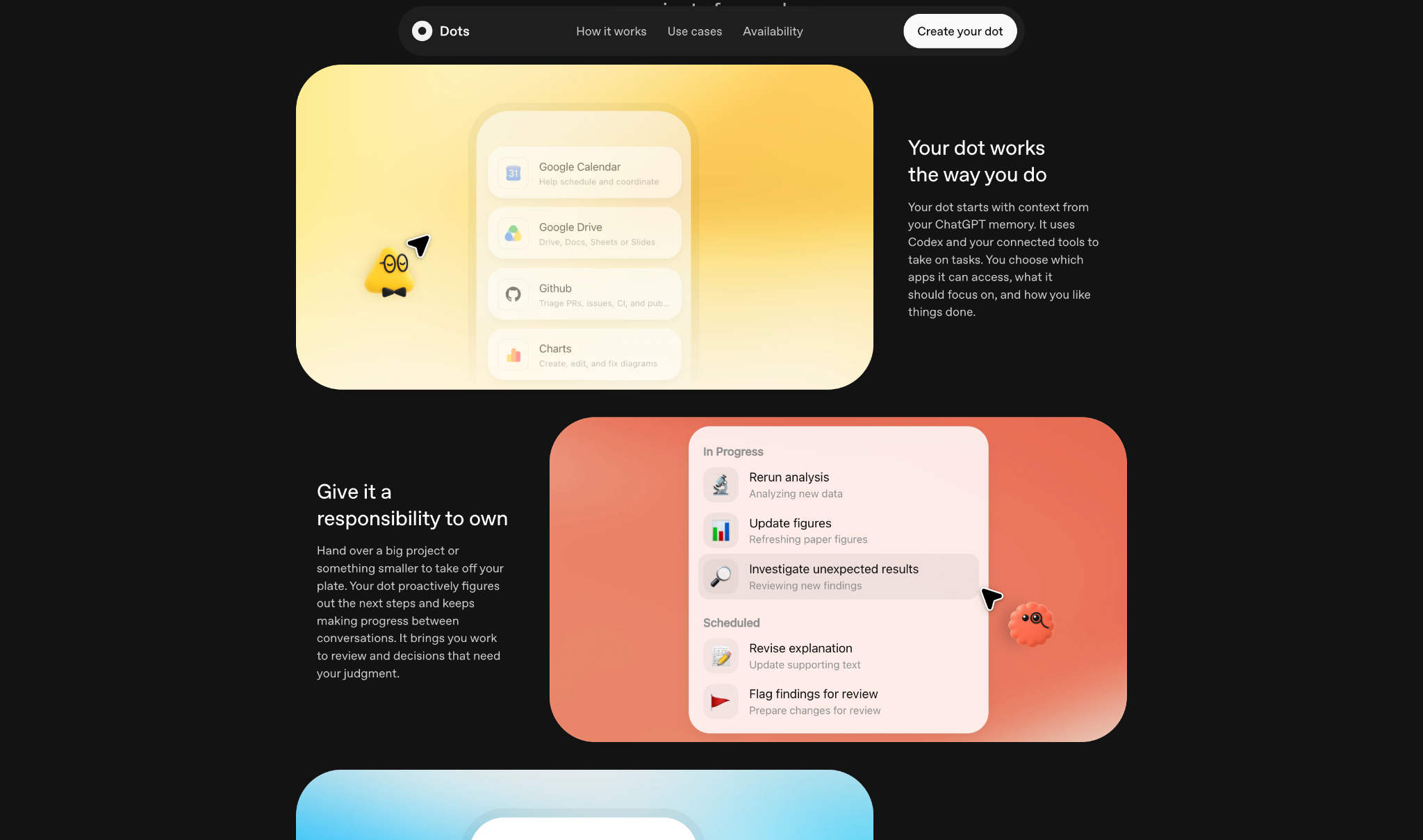
Two related products work with dots. ChatGPT Space lets a dot edit team pages, and specialist dots are company-owned versions assigned to a single job.
What is ChatGPT Space?
ChatGPT Space is a shared workspace for the pages and files you create in ChatGPT, and it replaces Library. A page is an editable document with text, images, charts, and interactive tools, and your team can edit it alongside ChatGPT at the same time.
You can tag ChatGPT or your dot in a Space comment to ask for changes, or ask your dot to keep a page up to date as plans change. Automatic page updates aren't available yet.
The Space feature page lists it on Pro, Business, and Enterprise. You can create and edit pages on web and desktop, while the mobile apps let you find, read, and share them until editing arrives.
What are specialist dots?
Specialist dots are owned by an organization, and each one has a defined job, its own identity, and company-provided credentials. The first examples are procurement, invoice processing, email marketing, customer support, and commercial contracting.
For now, they run as focused enterprise pilots, where OpenAI engineers scope each dot's job and approval steps with the customer. OpenAI is also working with Microsoft to bring specialist dots under the governance and security controls in Microsoft Agent 365.
Of the two, only Space is something you can try today.
ChatGPT dots pricing and availability
ChatGPT dots pricing comes down to your plan: the first dot is included at no extra cost on Pro and Business Premium. Here's what each one costs as of October 2, 2026:
Pro tiers bill monthly only, with no annual option. Business workspaces need at least two paid seats, and you can mix Standard and Premium seats. The cheapest workspace with one dot is 1 Premium + 1 Standard seat. That runs $150 a month billed monthly, or $120 a month billed annually.
Free, Go ($8/month), Plus ($20/month), and standard Business seats don't include dots. OpenAI says Edu and Healthcare workspaces can join the Enterprise beta too. For every plan side by side, see our ChatGPT pricing breakdown.
A few details change what you'll pay in practice:
- Where usage counts: conversations with your dot don't count toward ChatGPT usage limits, but tasks it starts or manages in Work or Codex count toward those products' limits.
- Launch month runs on extended limits: OpenAI raised allowances for the first month and hasn't published what happens after it.
- One primary dot, for now: OpenAI says you'll be able to add more dots and scale each one's speed or monthly workload later, with no price yet.
- Business Premium gets 5x a standard seat's usage: OpenAI's premium seats announcement puts it at 5x the usage of Standard, with no five-hour limit.
- Your training setting carries over: Business, Enterprise, and Edu conversations aren't used to train models by default. On personal plans, your "Improve the model for everyone" setting decides.
ChatGPT dots pros and cons at launch
Dots launched on September 29, so this list draws on OpenAI's docs, its announcement, and early Reddit reports. I haven't run a dot through a full work week.
Pros (what works)
- It keeps a job between chats: a dot holds the responsibility and reports back, so the Monday prompt you used to rewrite each week becomes a standing instruction.
- Slack and Teams with memory: you can mention the dot in a team thread, and its saved notes on your project come along. Microsoft Teams is in an invite-only alpha for now.
- Approval settings you can adjust: start cautiously and loosen control one action type at a time, with an Auto-review check before consequential actions.
- No add-on fee: the first dot comes with Pro and Business Premium, so trying one costs nothing beyond the plan you already pay for.
Cons (what's missing at launch)
- No setup from your phone: creating a dot requires the ChatGPT desktop app or a browser on your computer.
- Region restrictions: personal Pro plans skip the EEA, the UK, and Switzerland.
- Texting is US Pro only: the help center describes it as a limited beta, while OpenAI's channel docs still say "coming soon."
- Post-launch limits are unpublished: OpenAI hasn't said how heavily dot work will count once the launch allowance ends.
- Stopping or deleting leaves finished work in place: a stopped task keeps what it already did, and a deleted dot's messages stay delivered.
- Early quality reports conflict: the two Reddit posts I cite above point in opposite directions.
Should you use ChatGPT dots? My take
If you have an eligible Pro account outside the EEA, the UK, and Switzerland, or a Business Premium seat, I'd set one up. It costs nothing extra, and a recurring task from your current workload makes a good first test.
Upgrading from Plus just to get a dot is harder to justify today. Outside the restricted Pro regions, moving from $20 Plus to $100 Pro costs $80 more a month, for one agent whose post-launch limits OpenAI hasn't published.
ChatGPT dots make sense if you
- Use ChatGPT daily.
- Work mostly in Slack or Teams and want one agent that carries the same saved notes from direct messages into team threads.
- Handle recurring tasks that involve several apps, like pulling numbers from a spreadsheet into a weekly report and posting the summary to a channel.
- Want regular reviews of items like a stale ticket queue or a deadline moving in a planning channel.
Skip dots if you
- Pay for a personal Pro plan in one of those regions.
- Only need one fixed routine, which a regular ChatGPT scheduled task handles on any plan.
- Need per-task cost control, in which case building on the API with GPT-6.1 Sol gives you usage-based token billing.
If the job centers on your own inbox and calendar, our test of AI personal assistants covers tools made for email and scheduling. For team-wide help, the AI coworker guide compares team assistants, and Lindy, an AI teammate you message in Slack, is one of them.
{{cta}}
ChatGPT dots best practices: approvals, safety, and rules
OpenAI's launch post warns that "dots can still make mistakes, so always review consequential work."
Several guardrails are handled for you. Each dot runs in a separate sandboxed cloud computer, and background research uses read-only tools. On supported sites, secure sign-in sends your password straight to the browser without the model seeing it.
If safety monitoring detects a problem, it pauses the work and shows you a warning. Permanently deleting data requires your confirmation each time, and password changes are left for you to make yourself, per OpenAI's safety write-up.
Four habits make a dot safer to use:
- Start on "Ask before taking action": apply it to anything that sends messages or edits shared files, then give the dot more autonomy one task type at a time.
- Write scheduled jobs the way OpenAI's example does: name the check, the timing and end date, the trigger for a message, and the destination.
- Read the output, even on "Completed": the docs warn that a finished run doesn't prove the result was achieved or delivered.
- Keep local computer access off: turn it on only when a task depends on files that live on your machine.
Pause and Stop also do different jobs. Pause halts the main task only. To stop everything, also stop the delegated tasks in Activity and turn off any schedules.
My verdict on ChatGPT dots
With dots, ChatGPT can continue a task after you close the tab. For a product this new, four Custom Rules plus an Auto-review check give enough control for a first trial. It's too early to judge how well a dot behaves in a busy team channel.
Usage limits after the launch month are the bigger unknown, followed by quality, since the two Reddit posts above disagree.
If your plan already includes a dot, test it for a week before you rely on it. If you're on Plus, wait a month or two for published limits and independent testing before you pay $100 for one.
Next steps: give your ChatGPT dot one job this week
Run a one-week trial before you decide:
- Pick one recurring job you do weekly across two apps, like a Monday status summary from Slack and Drive.
- Keep your starting approval rules for the whole week, so each send or edit still reaches you first.
- Open Activity after each run and note what it got right, what it missed, and how much of your allowance it used.
Once it saves you an hour or more in a week, add a second task. Otherwise, the trial costs you some setup time and no extra money.
Frequently asked questions
What are ChatGPT dots?
ChatGPT dots are AI agents in ChatGPT that take on ongoing work for you. Each dot runs on GPT-6 Astra, has its own cloud computer and browser, connects to your apps, and checks in when a decision needs you. OpenAI launched them at DevDay on September 29, 2026.
How much do ChatGPT dots cost?
ChatGPT dots cost nothing extra on Pro and Business Premium, since your first dot comes with the plan. Pro costs $100, $200, or $500 a month, and Business Premium costs $125 per user per month, or $100 per user per month billed annually, with a two-seat minimum per workspace. Enterprise access is an admin-enabled beta with custom pricing.
Are ChatGPT dots available on ChatGPT Plus?
No, ChatGPT dots aren't available on Plus. They come with Pro, Business Premium, and admin-enabled Enterprise workspaces, so Free, Go, and standard Business seats are left out too.
Can I use ChatGPT dots in Slack?
Yes, you can use ChatGPT dots in Slack through direct messages or by adding your dot to a channel and mentioning it in a thread. Connect Slack from your dot's profile with the Add button. Microsoft Teams is in an invite-only alpha for now.
What is ChatGPT Space?
ChatGPT Space is OpenAI's shared workspace for pages and files in ChatGPT, and it replaces Library. Teammates edit pages together at the same time and tag ChatGPT or a dot in comments. They can also ask a dot to keep a page up to date. It's on Pro, Business, and Enterprise plans.









