
Enterprise AI solutions all promise the same thing in a demo. Here’s a side-by-side look at 10 platforms and where they start to differ.
A new hire starts Monday and needs a laptop, a badge, and a working email account by the time they sit down. Someone still has to notify the manager and confirm the request actually closed. I lined up 10 enterprise AI solutions against that exact scenario to see which ones could handle it end to end, and which ones just talked about it.
I spent five days testing six enterprise AI platforms firsthand and researched four more. I grouped the ten into three categories, so I could compare each one only against others in the same category.
Below, you’ll see which category fits your team, and which platforms you can try without a sales call.
Enterprise AI solutions: TL;DR
Workplace copilot suites
- Microsoft 365 Copilot: Best for teams that already live inside Word, Excel, Outlook, and Teams.
- Gemini Enterprise: Best for teams standardized on Google Workspace and Google Cloud.
AI embedded in core business systems
- Salesforce Agentforce: Best for sales and service teams that run their day inside Salesforce.
- SAP (Joule): Best for SAP customers who want AI built into the ERP and finance tools they already run.
- ServiceNow AI Agents: Best for teams already running IT, HR, or customer service on ServiceNow.
Foundation-model and agent-building platforms
- Claude Enterprise: Best for teams that want detailed, published governance controls and self-serve sign-up.
- IBM watsonx Orchestrate: Best for regulated industries that need deep AI governance and compliance options.
- AWS (Bedrock and AgentCore): Best for engineering teams that build custom agents on their own AWS stack.
- Oracle (AI Data Platform): Best for teams that already run on Oracle Cloud Infrastructure and want AI built straight from their own data.
- C3 AI: Best for large enterprises and governments that need industry-specific AI applications fast.
How I researched and compared these platforms
I ran the same new-hire scenario through most of the tools listed. A laptop, a badge, and an email account need to be set up, the manager notified, and a confirmation sent back only once it's all actually done.
The request touches the HR system, the IT ticket queue, and a calendar (three systems that don't share one owner). A platform that only answers questions, or that only reaches one of them, fails as soon as it has to touch the others.
I tested this scenario against six of the eight self-serve platforms. AWS and SAP are the exceptions. AWS’s connections take manual work to set up, and SAP’s agents only work on data inside an existing SAP system. Both sections come from published data instead.
These platforms split two ways:
- Eight self-serve platforms let you see a real price or start using them yourself: Microsoft 365 Copilot, Gemini Enterprise, Salesforce Agentforce, SAP, Claude Enterprise, IBM watsonx, AWS, and Oracle.
- Two demo-gated platforms, C3 AI and ServiceNow, require a sales call before you can see a price on their own sites.
I looked at 17 platforms total before narrowing to these 10. Here's why the rest didn't make the cut:
- Accenture and Capgemini run strong AI consulting programs, but neither is something you set up and run yourself.
- Glean started in enterprise search and has since grown into categories already covered above. Moveworks, which began in IT and HR support, is now part of ServiceNow.
- UiPath combines RPA with agent building: its tools handle what it calls "deterministic execution across every environment," while Agent Builder reasons and acts across connected systems. I left it out because its core is RPA, which sits outside the three categories here.
- ChatGPT Enterprise falls into the same foundation-model and agent-building group as Claude Enterprise, AWS, Oracle, IBM watsonx, and C3 AI. OpenAI publishes detailed governance controls too, through a different sales process than Claude Enterprise's self-serve option. I kept Claude Enterprise for that slot because you can sign up for it yourself.
- Kore.ai's Artemis platform builds voice and chat agents across the enterprise, including IT and HR. I left it out because it centers on conversational agents, which is narrower than the platforms here.
10 enterprise AI solutions: Quick comparison
How the 10 stack up by job:
| 💻 Solution | Category | 🎯 Best for | 💰 Starting Price |
|---|---|---|---|
| Microsoft 365 Copilot | Workplace copilot suite | Microsoft 365 teams | $30/user/month, billed annually (enterprise add-on) |
| Gemini Enterprise | Workplace copilot suite | Google Workspace teams | $21/seat/month, 30-day trial |
| Salesforce Agentforce | AI embedded in business systems | Salesforce-run sales and service teams | $500 per 100,000 credits (Flex Credits) |
| SAP (Joule) | AI embedded in business systems | SAP ERP and CRM customers | Base AI included; AI Units from $67.17/month (blocks of 100) |
| Claude Enterprise | Foundation-model or agent-building platform | Compliance-sensitive teams | $20/seat/month, billed annually, plus usage at API rates |
| IBM watsonx Orchestrate | Foundation-model or agent-building platform | Regulated industries | From $578/month |
| AWS (Bedrock and AgentCore) | Foundation-model or agent-building platform | AWS-native engineering teams | Pay-as-you-go |
| Oracle (AI Data Platform) | Foundation-model or agent-building platform | Teams already on Oracle Cloud Infrastructure | Billed per component, pay-as-you-go |
| C3 AI | Foundation-model or agent-building platform | Large enterprises with industry-specific AI needs | Contact sales |
| ServiceNow AI Agents | AI embedded in business systems | Teams already running IT, HR, or customer service on ServiceNow | Contact sales |
Best enterprise AI solution for teams that already live inside Word, Excel, Outlook, and Teams
Microsoft 365 Copilot
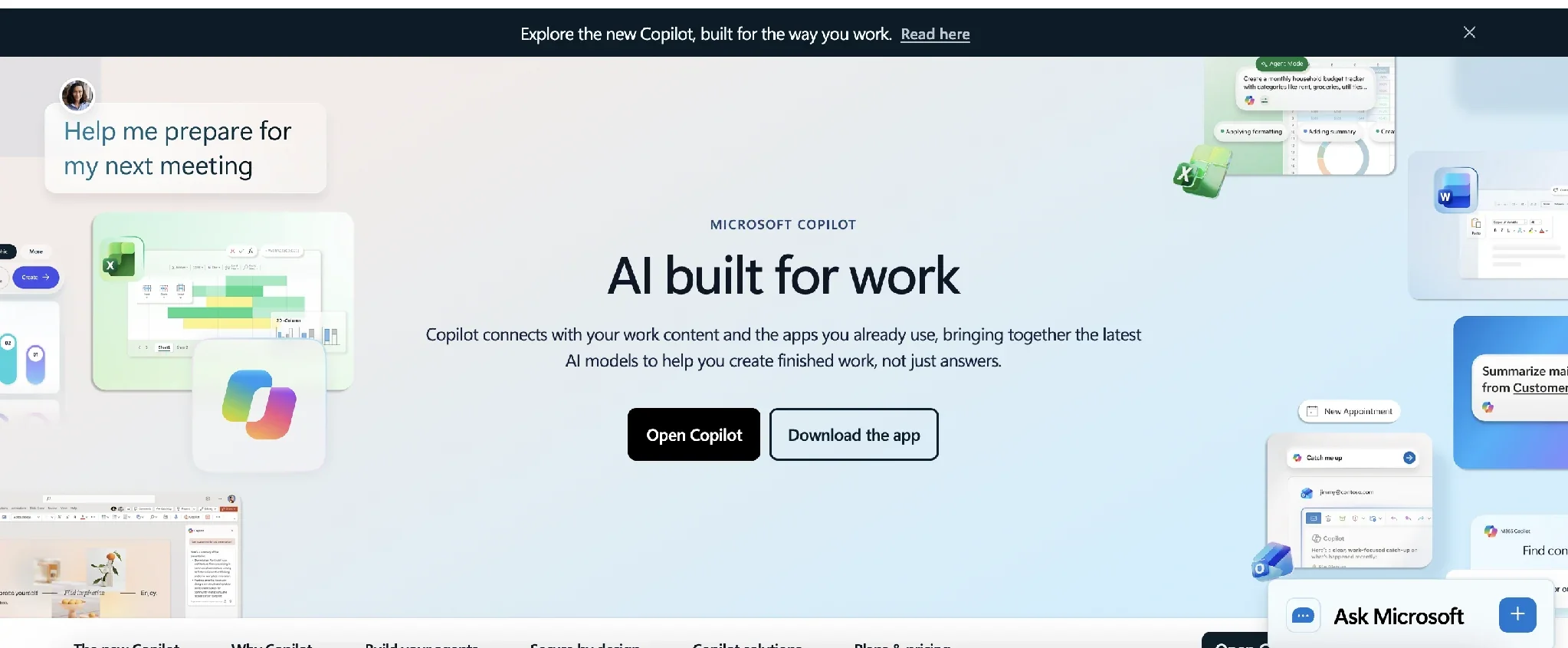
Microsoft 365 Copilot builds into Word, Excel, PowerPoint, Outlook, and Teams, drafting and summarizing using what your organization already has stored there.
The same Copilot name runs through GitHub, Dynamics 365, and Microsoft's security tools, making this one piece of a much larger product family rather than a standalone add-on.
Copilot kept the new-hire scenario entirely inside tools people already had open. It drafted the welcome email and pulled the start date from an existing calendar invite.
It never touched the badge or laptop ticket systems on its own, since this setup had no connector reaching them (Microsoft's Employee Self-Service Agent can bridge Copilot to ticketing, but wasn't set up here). So it never had a real completion status to report for that half of the job, only what it had drafted.
A Copilot rollout immediately exposes anything overshared with "Everyone" permissions across SharePoint and OneDrive. Run a permission audit before you turn on licenses, not after.
Key features
- Work IQ: grounds answers in your organization’s business data and context, including how your records relate to each other.
- Agent Builder: an interactive way to build an agent, with skills you can create in natural language.
- Auto model routing: picks the right model per request, trading off speed against reasoning depth.
Pros and cons
Pros:
- ✅ Already inside the apps your team opens every day.
- ✅ Published, self-serve pricing with no sales call needed.
- ✅ Extends an existing Microsoft 365 subscription, no separate platform to stand up.
Cons:
- ❌ Reaching apps outside Microsoft runs through Copilot connectors that admins control, and depending on the connector type, each user may still need to sign in to each outside app.
- ❌ Needs a permissions audit before rollout, every time.
What users say
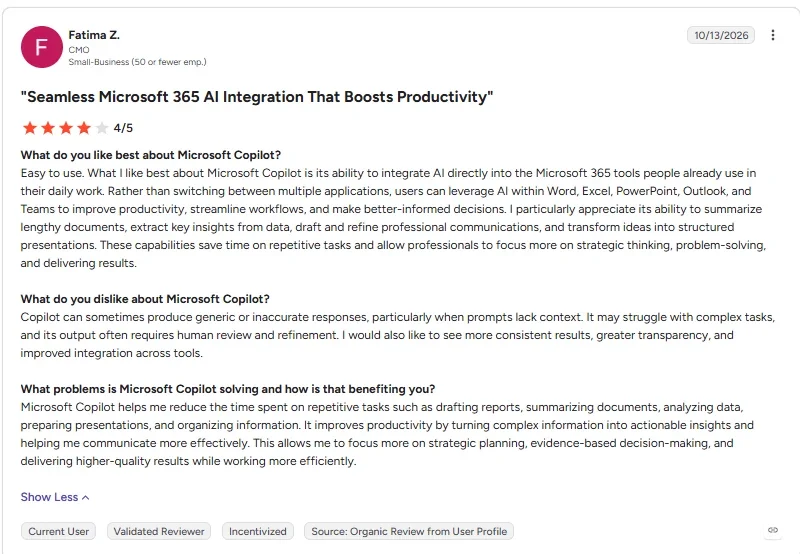
“Rather than switching between multiple applications, users can leverage AI within Word, Excel, PowerPoint, Outlook, and Teams to improve productivity, streamline workflows, and make better-informed decisions.” - Fatima Z., G2
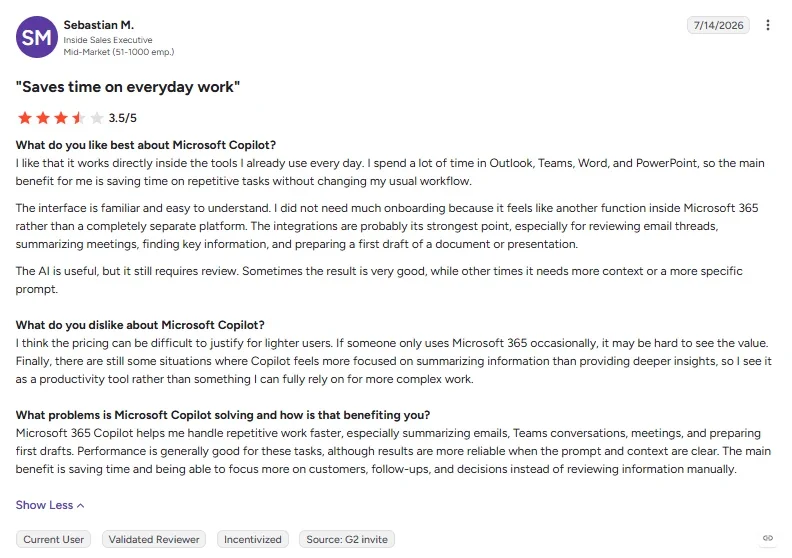
“I think the pricing can be difficult to justify for [light] users.” - Sebastian M., G2
Pricing
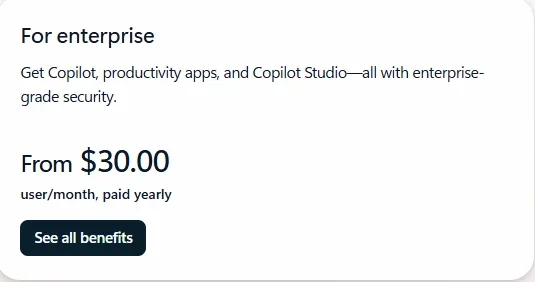
Copilot Chat is a lighter tier included at no extra cost for Microsoft Entra users on an eligible Microsoft 365 account, with agent usage billed as a metered add-on. The full Microsoft 365 Copilot add-on costs $30/user/month, billed annually, on top of a qualifying Microsoft 365 plan.
The subscription auto-renews. Microsoft also sells Copilot on a monthly plan at a higher per-user rate than the annual price, so check the Monthly tab before you budget an annual commitment.
Bottom line
This is the lowest-friction way to get AI into daily work for any team already running on Microsoft 365. Run the permissions audit first.
Best enterprise AI solution for teams standardized on Google Workspace and Google Cloud
Gemini Enterprise
Gemini Enterprise puts one AI agent, run on Google Cloud, to work across Gmail, Drive, Calendar, Chat, and Slack, with over 100 supported integrations in all.
Gemini Enterprise runs on Google’s own Gemini models today, and Google says third-party model choice is in early access. Google’s separate Model Garden lists 200+ models for developers building their own tools.
The 30-day trial tier connected Workspace plus a couple of outside tools, and it pulled the new hire's start date correctly from a calendar entry.
A few minutes later, checking the connected ticket system confirmed the badge request was still open. That matched what Gemini Enterprise had already told me. It never treated "filed" as "done."
Naming is the friction point here. Google uses four labels for overlapping things: Gemini (the model), Gemini Enterprise (the platform), Business edition (the actual self-serve tier), and Gemini for business (a marketing label for that same platform). That overlap makes it hard to tell which page you're even on.
Per-user permissions worked as documented. Google's spend controls require an eligible billing account and an active non-trial subscription, so those controls couldn't be tested through the free trial alone.
Key features
- Dozens of connectors: reaches Microsoft 365, Slack, Jira, Salesforce, ServiceNow, and more from one prompt box.
- Personalization: builds context from your profile, conversation history, and connected data sources to tailor each response.
- Spend caps: on the license-based editions (Standard, Plus, Frontline, EDU), admins can set a monthly limit on pay-as-you-go usage above quota, and that extra usage stops once it’s hit.
Pros and cons
Pros:
- ✅ Checks a connected ticket’s real status before calling a task done.
- ✅ Signing up for the trial took nothing but a work email, no sales call, despite how gated the pricing page looks.
- ✅ Per-user permissions worked smoothly.
Cons:
- ❌ Product naming is confusing enough to make it hard to tell which plan you're even signing up for.
- ❌ Spend controls need a paid, non-trial subscription, so you can’t test them during the trial.
What users say
“What we like most is its flexibility and the possibilities it offers. It allows you to create different AI agents and solutions according to business needs, and it's easy to experiment with different use cases.” - Marketing Associate, Gartner
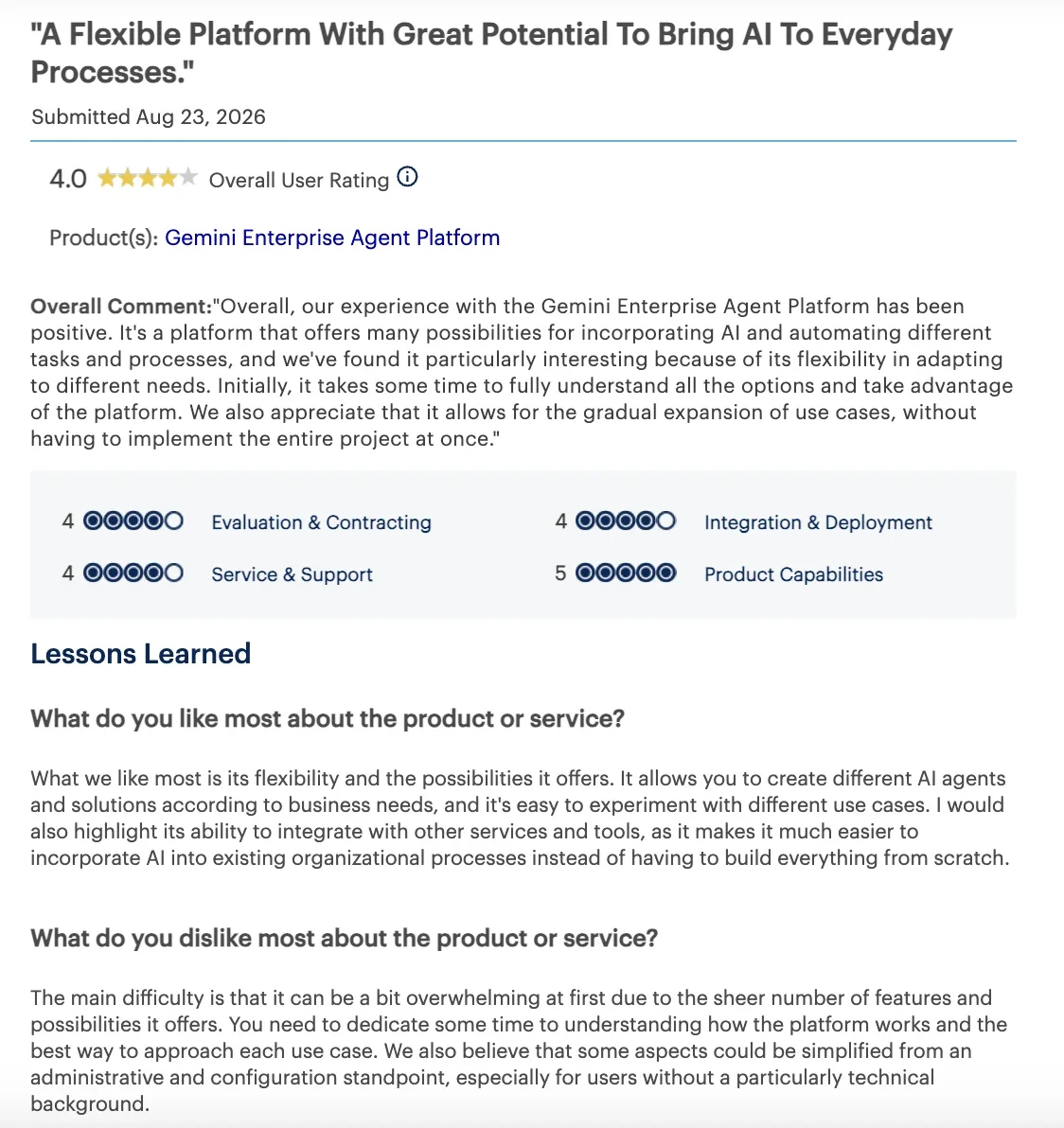
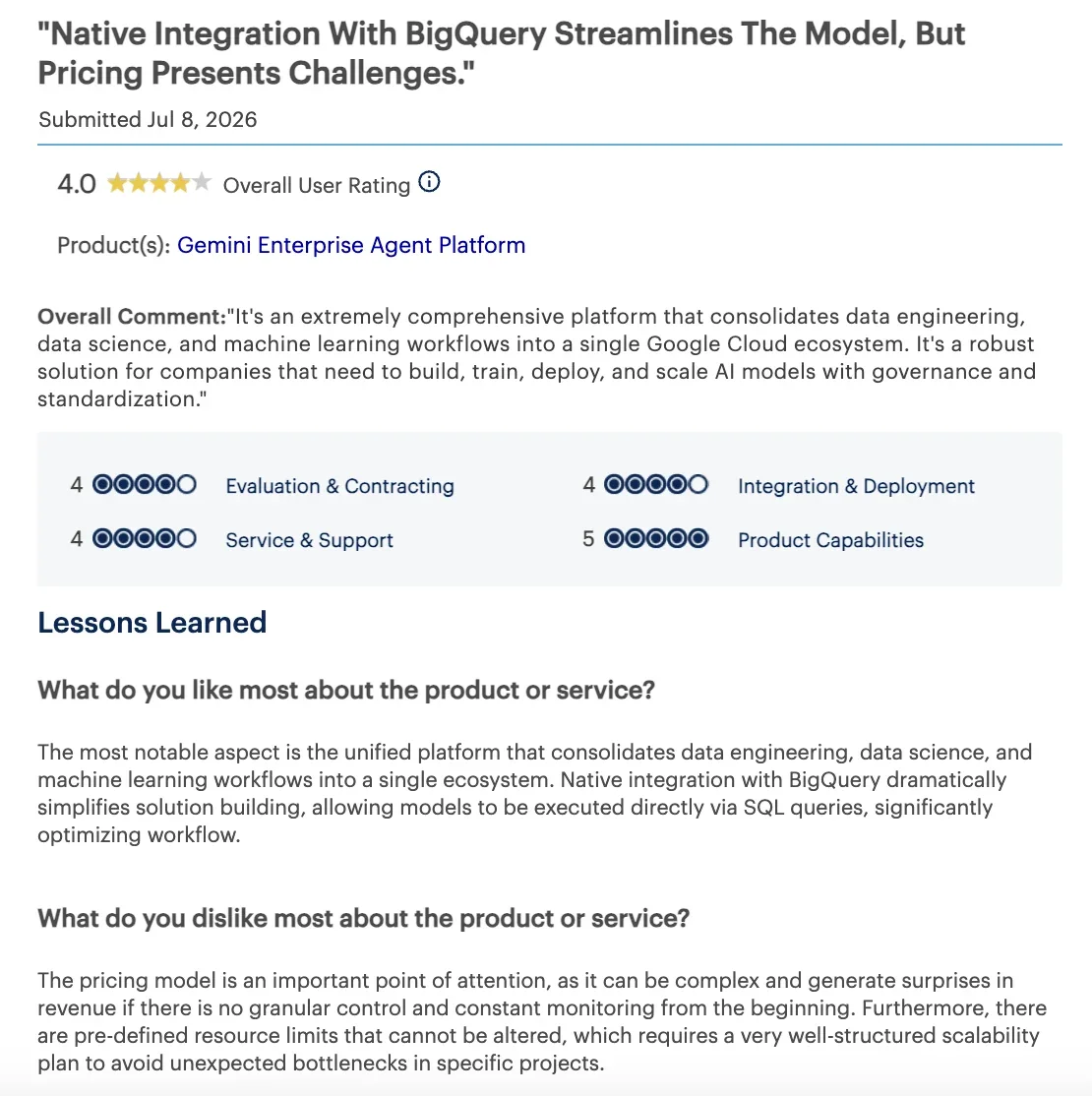
“The pricing model is an important point of attention, as it can be complex and generate surprises in revenue if there is no granular control and constant monitoring from the beginning.” - IT Associate, Gartner
Pricing
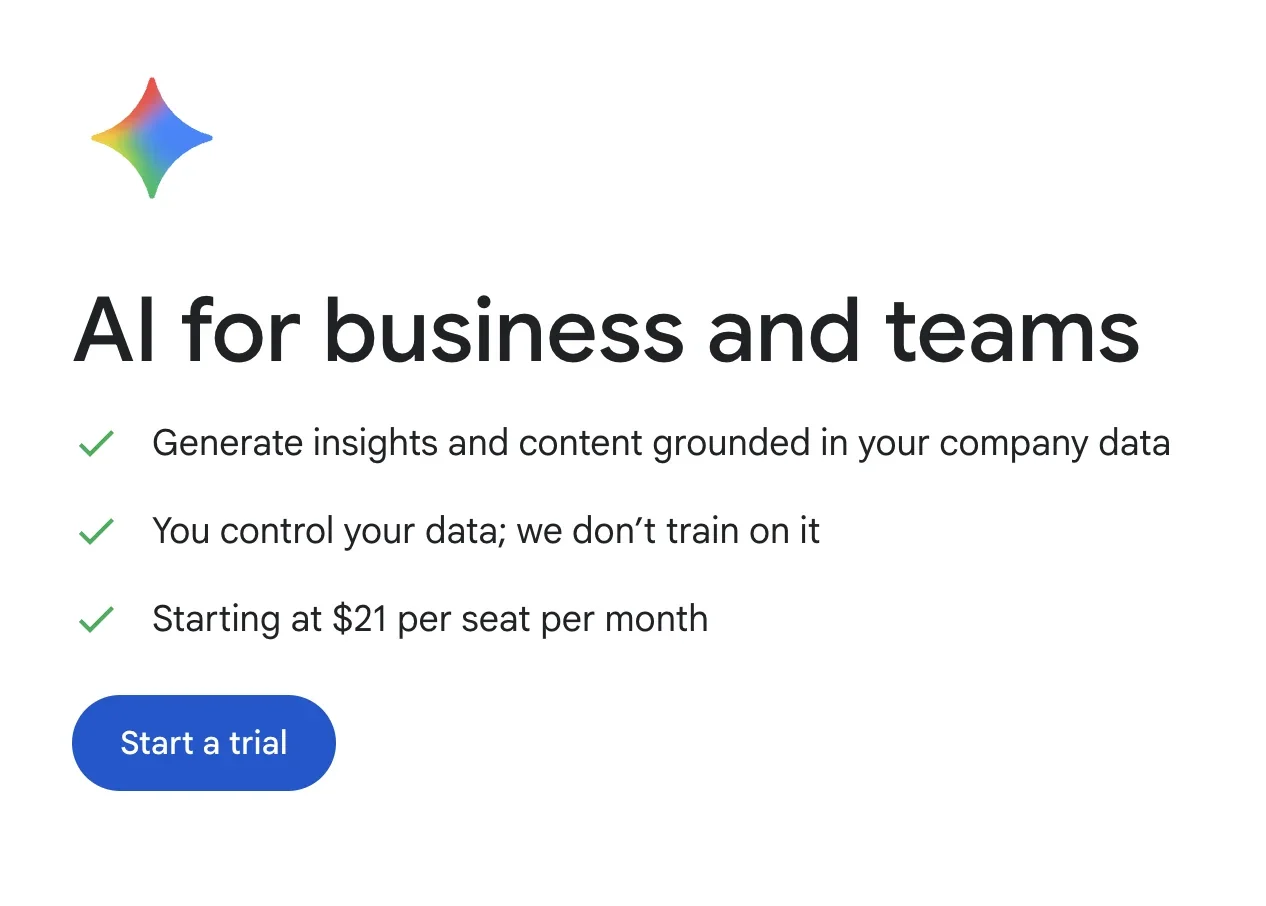
Gemini Enterprise now publishes a price for its Business edition, which starts at $25/seat/month ($21/seat/month on a 12-month commitment), with a free 30-day trial and no IT setup needed to start. The monthly price only shows up once you start sign-up, not on the main pricing page.
Bottom line
Worth it for a company already using Google Workspace willing to live with some naming confusion. At least there's now a real price to budget against.
Best enterprise AI solution for sales and service teams that run their day in Salesforce
Salesforce Agentforce
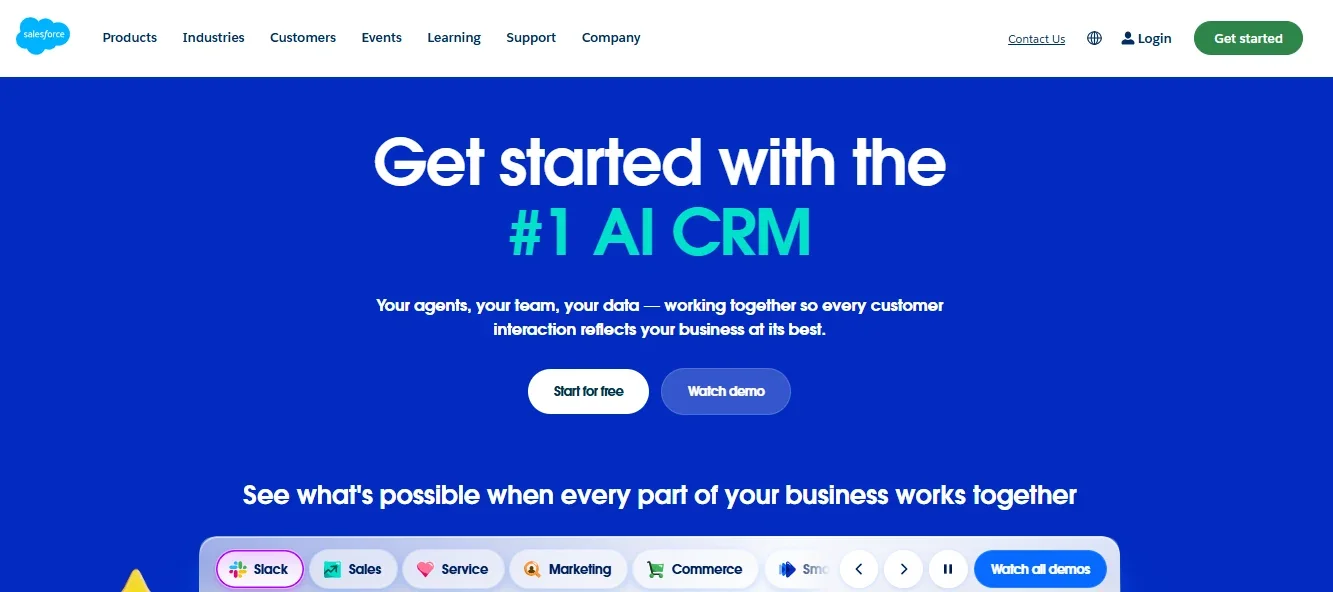
Salesforce Agentforce builds AI agents directly into Salesforce's CRM. Customer-facing service agents run as their own agent user, with a dedicated profile and permission sets an admin configures. Employee-facing agents work within the logged-in user’s own permissions.
Agentforce's reasoning runs on what Salesforce calls its Atlas Reasoning Engine. Each agent works through a loop of reasoning, acting, and observing until the goal is met.
Salesforce can manage service cases, but the badge and laptop requests in my test lived outside its CRM. Agentforce couldn't handle those parts without connecting the external systems.
I ran the one piece Agentforce is built for: updating a case record and notifying the right person. It completed that, inside Salesforce's own data, and counted the task complete only once the record itself changed state.
Salesforce’s Wiley pilot credits Agentforce with more than 40% better case resolution than Wiley’s previous chatbot in its first few weeks. Costs add up once you move past a narrow use case.
A 10-person field service team doing three appointments a day, 20 days a month, spends about $300 a month in Flex Credits alone.
Key features
- Agentforce Builder and Agent Script: build and customize agents without a developer.
- Digital Wallet: tracks Flex Credit usage in near real time so costs don't surprise you.
- Salesforce Foundations: a $0 add-on that lets existing Salesforce customers start building agents before buying Flex Credits.
Pros and cons
Pros:
- ✅ Existing Salesforce customers can add Foundations themselves, without a sales call, for a capped starter allocation of Flex Credits.
- ✅ Acts directly on CRM records with no extra integration step.
- ✅ Salesforce’s own Wiley pilot reports more than 40% better case resolution than Wiley’s previous chatbot.
Cons:
- ❌ Usage-based credits make the monthly cost hard to predict.
- ❌ Switching between Flex Credits and $2-per-conversation pricing means replacing the SKUs, not flipping a switch, so pick carefully up front.
What users say
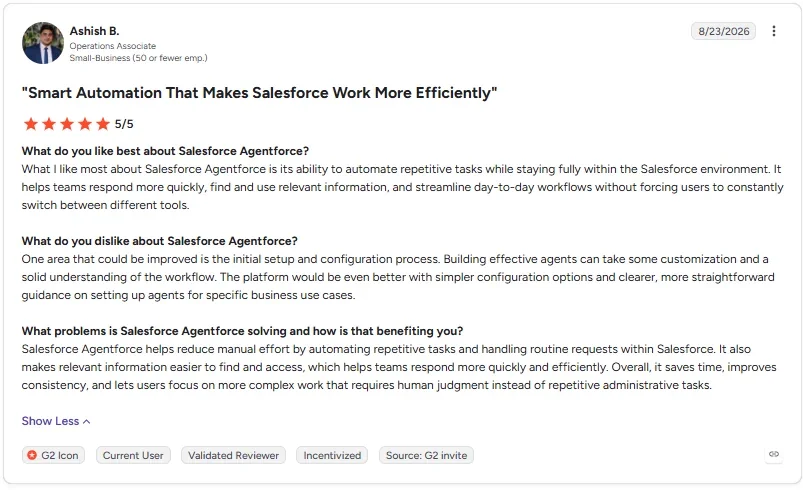
“What I like most about Salesforce Agentforce is its ability to automate repetitive tasks while staying fully within the Salesforce environment.” - Ashish B., G2
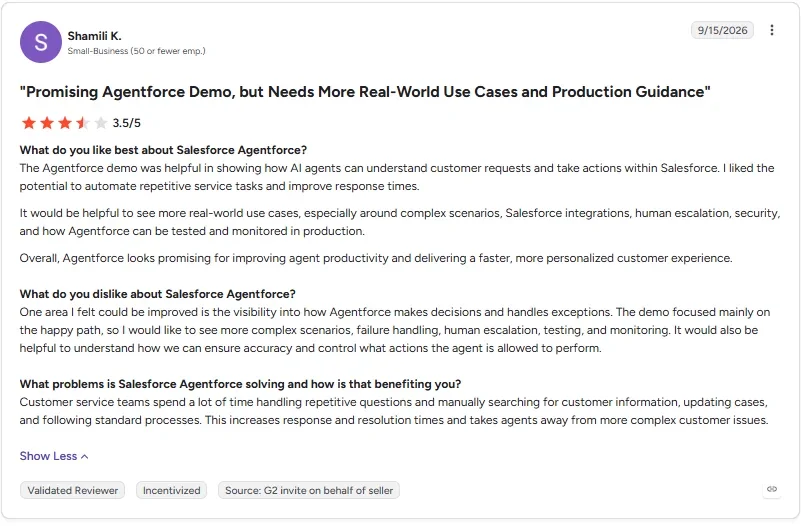
“The demo focused mainly on the happy path, so I would like to see more complex scenarios, failure handling, human escalation, testing, and monitoring.” - Shamili K., G2
Pricing
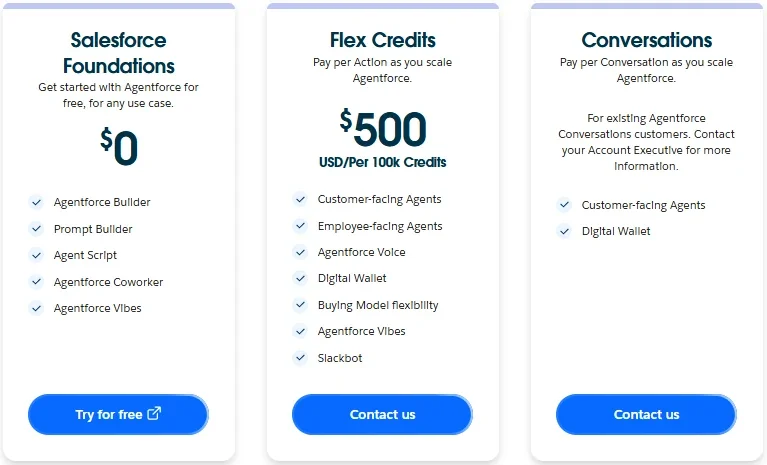
Salesforce Foundations is a free tier, a $0 add-on to an existing compatible org with a set Flex Credit allocation rather than unlimited usage. Paid usage beyond that runs on Flex Credits at $500 per 100,000 credits, plus an optional $5/user/month license for company-wide access.
Bottom line
The free tier is worth starting on if your team already lives in Salesforce. Credit cost is the variable past one use case, and the per-user license for company-wide access stacks on top. Watch both before scaling further.
Best enterprise AI solution for SAP customers who want AI built into the ERP and finance tools they already run
SAP (Joule)
SAP delivers its enterprise AI through Joule, grounded in a company's existing SAP data. Joule Base handles everyday questions, Joule Work is where people use Joule Assistants and Agents to run workflows, and Joule Studio builds new agentic solutions.
SAP builds Joule as role-based assistants aligned to functions like finance and HR, each drawing on specialized agents: one reasons over daily bank statements to automate cash reconciliation, another reasons over succession plans to recommend future leaders.
Base AI is included with any SAP cloud subscription. It covers Joule Base, SAP’s conversational AI assistant, plus AI embedded inside SAP apps. Premium AI is where the agentic work happens.
Joule Agents automate multi-step workflows, billed in AI Units per action. Standard agents use 0.02 AI Units per action; advanced agents use 0.05. Designing custom agents in Joule Studio is free, with no stated end date. Running them in production is billed on resource consumption from the start, not after a free period.
SAP's customer stories give a sense of scale. PostNL reports a 90% cut in payroll processing time after moving to SAP SuccessFactors Employee Central Payroll, and separately piloted Joule to answer payroll questions. Bosch Digital reports 15–20% faster unit test case creation using Joule for Developers.
Key features
- Joule Base and Embedded AI: a conversational assistant plus AI built into SAP apps, included with any SAP cloud subscription.
- Joule Agents and Assistants: automate multi-step ERP, finance, and HR workflows end to end.
- Joule Studio: a free environment for building custom agents.
Pros and cons
Pros:
- ✅ Ships as role-based assistants built for specific jobs, like cash management or talent development.
- ✅ Free to design custom agents in Joule Studio. Production usage is billed on consumption.
- ✅ Runs directly on data SAP already governs, inside the single system you already use.
Cons:
- ❌ Pricing takes some decoding. Agents bill per action in AI Units, and SAP sells AI Units only in yearly blocks of 100.
- ❌ An agent task can take many actions, so your cost depends on how many steps each workflow runs.
What users say
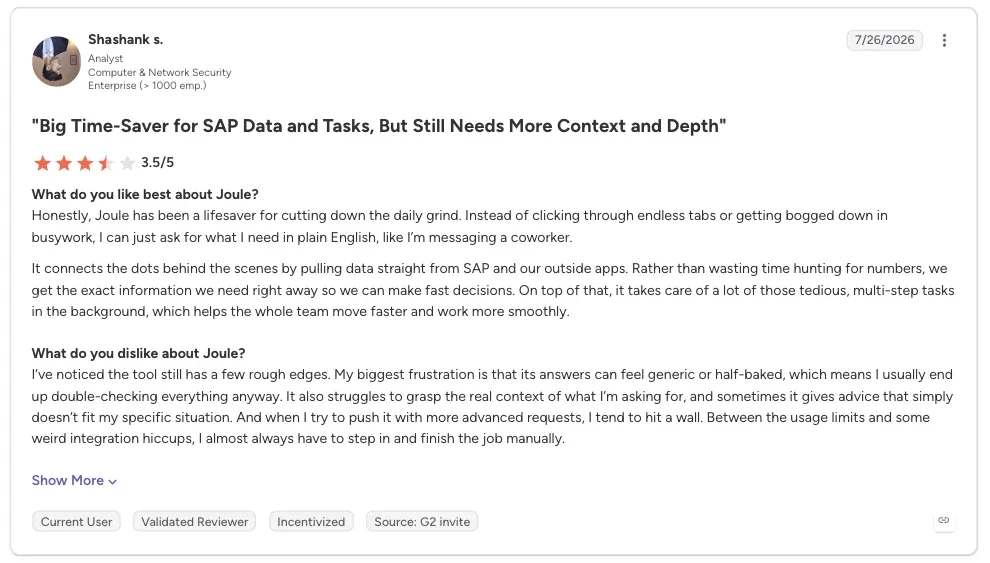
“Honestly, Joule has been a lifesaver for cutting down the daily grind. Instead of clicking through endless tabs or getting bogged down in busywork, I can just ask for what I need in plain English, like I’m messaging a coworker.” - Shashank S., G2
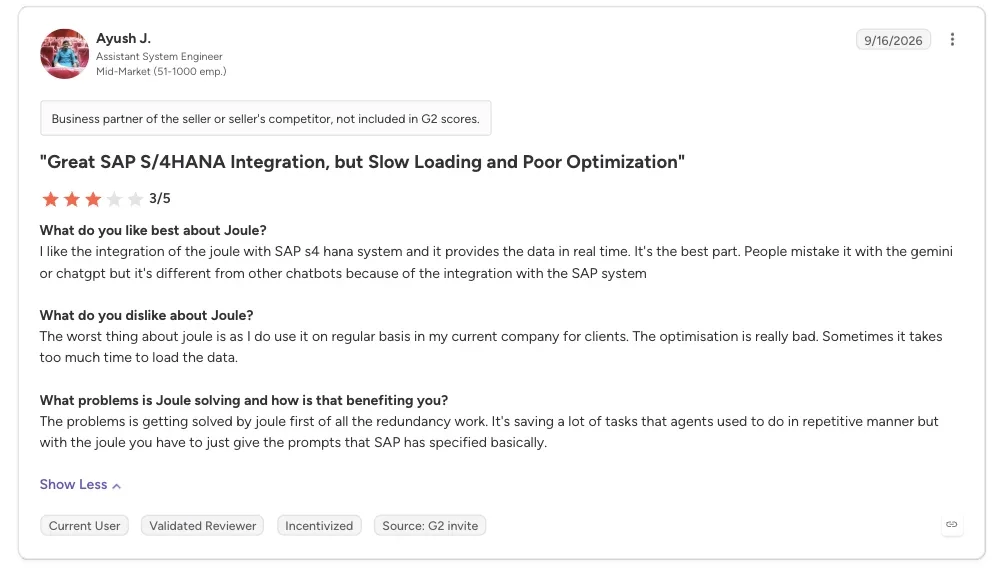
“The optimisation is really bad. Sometimes it takes too much time to load the data.” - Ayush J., G2
Pricing
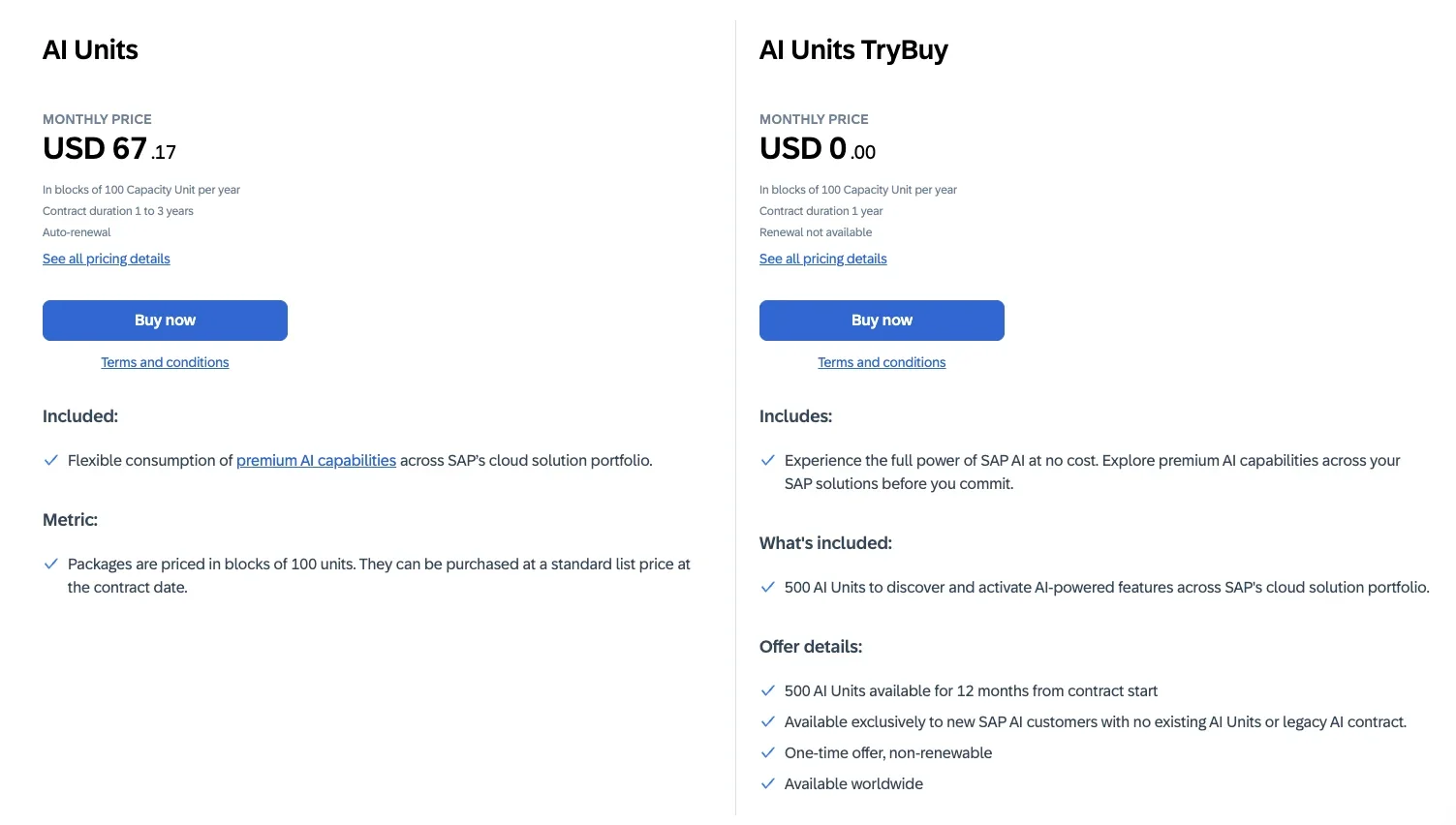
Base AI is included with any SAP cloud subscription. Premium AI runs on AI Units, sold in yearly blocks of 100 on a 12-to-36-month commitment. Standard agents use 0.02 AI Units per action; advanced agents use 0.05. Contact SAP for a quote.
Bottom line
This fits if your company already runs its ERP or CRM on SAP. If your company doesn’t run SAP, Joule has no data to work from.
Best enterprise AI solution for teams that want detailed, published governance controls and self-serve sign-up
Claude Enterprise
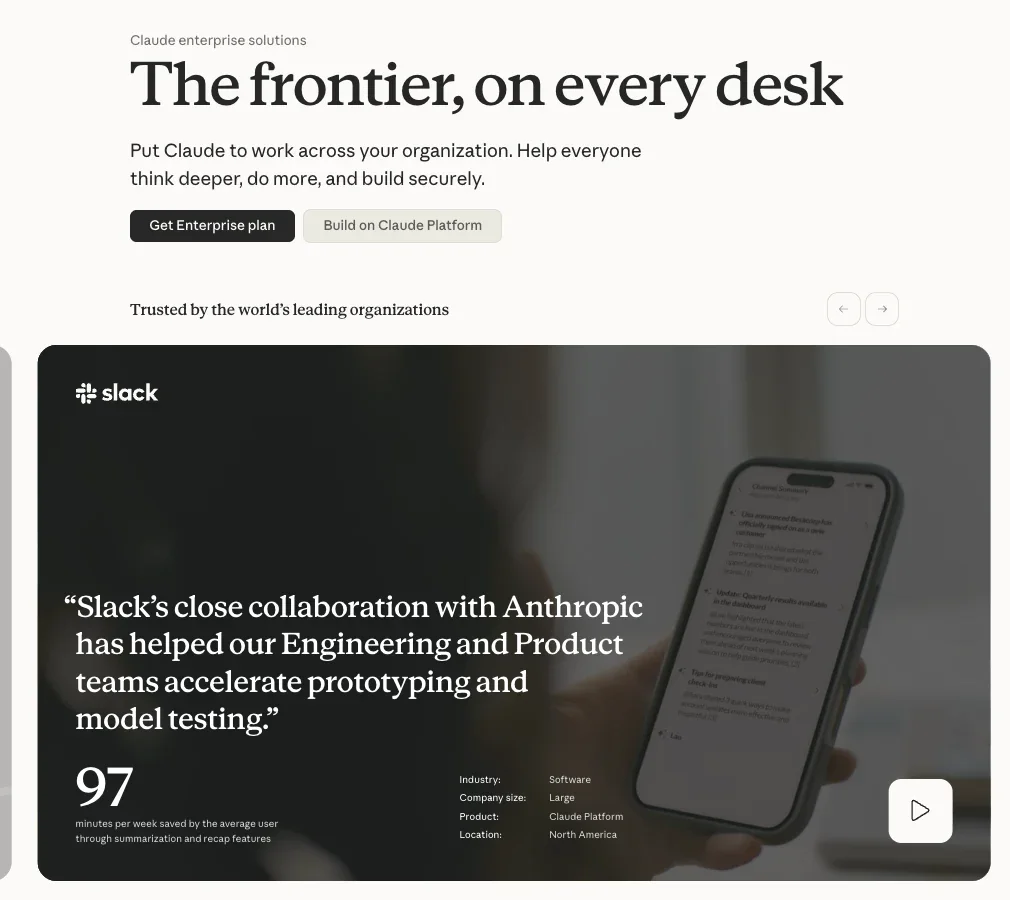
Claude Enterprise gives every employee secure access to Claude's chat, Claude Cowork, and Claude Code. Connectors to Gmail, Drive, Slack, and Microsoft 365 sit under one set of admin controls.
Those connectors run on MCP, an open standard Anthropic introduced in 2024. OpenAI, Google, and Microsoft have each since adopted it for their own agents, so they aren't locked to a closed, Anthropic-only format.
In my test, Claude Cowork drafted the onboarding note correctly. It also flagged on its own that it couldn't confirm the badge request was complete. There was no connector into the real IT ticket system to check. You want that honesty before you roll it out to 500 people without real monitoring already in place.
Anthropic publishes SOC 2 Type I and Type II, ISO 27001:2022, and ISO/IEC 42001:2023 attestations for Claude Enterprise. That covers single sign-on, automated provisioning, role-based access, and audit logs, plus a HIPAA-ready configuration with a BAA available on request.
Key features
- Claude Cowork: for delegating multi-step knowledge work.
- Claude Code: one assistant for engineering work.
- Company connectors: Gmail, Google Drive, Slack, and Microsoft 365, governed by admin permissions.
- Compliance API and audit logs: your security team pulls activity records programmatically, with six years of retained activity. A separate CSV export covers a shorter window.
Pros and cons
Pros:
- ✅ No model training on your data by default.
- ✅ Published, self-serve pricing with a direct sign-up path.
- ✅ Says plainly when it can’t confirm a task is done.
Cons:
- ❌ A 20-seat minimum shuts out a smaller team that wants to try it.
- ❌ Centralizing Claude's compliance data with your other security tools takes a deliberate SIEM (security monitoring) integration, not something that happens by default.
What users say
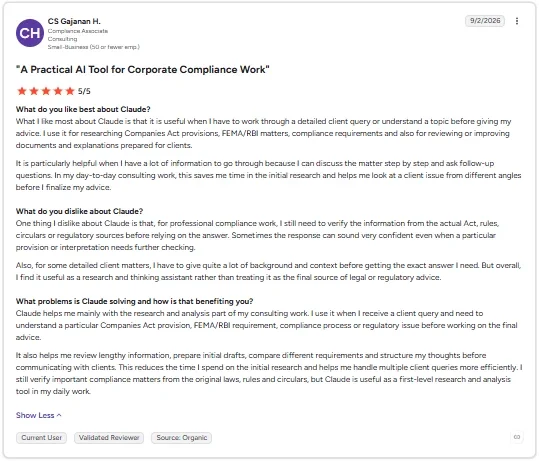
“What I like most about Claude is that it is useful when I have to work through a detailed client query or understand a topic before giving my advice.” - CS Gajanan H., G2
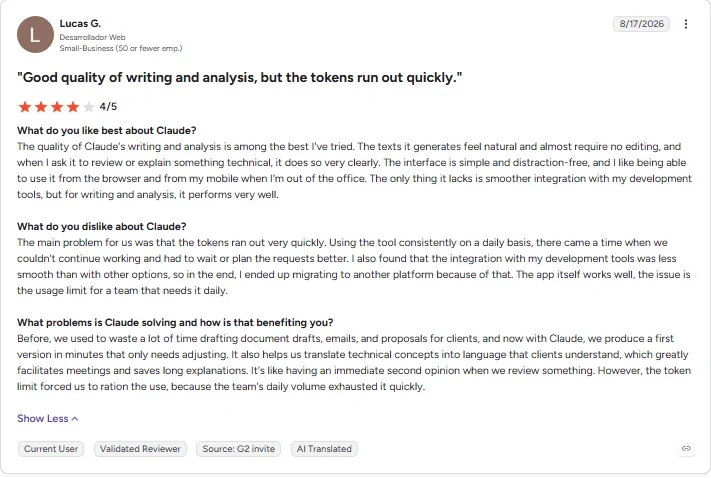
“I also found that the integration with my development tools was less smooth than with other options.” - Lucas G., G2
Pricing
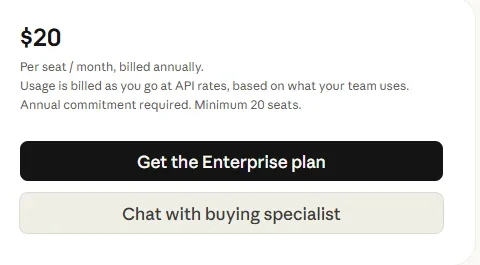
Claude Enterprise costs $20/seat/month, billed annually, with a 20-seat minimum for self-serve signup (50 for a sales-assisted contract). Anthropic publishes no separate month-to-month rate. It bills actual usage on top at standard API rates.
Bottom line
Claude Enterprise has one of the most detailed governance stories on this list. You can connect its compliance data to your existing security monitoring tools for centralized visibility, but nothing about using Claude Enterprise requires that.







Best enterprise AI solution for regulated industries that need deep AI governance and compliance options
IBM watsonx Orchestrate
IBM watsonx Orchestrate handles agent orchestration and governance, and it’s the piece priced below. Model training and model choice live in a separate product, watsonx.ai.
It runs open-source models (Meta’s Llama, Mistral, and OpenAI’s open-weight line) alongside Granite, so a regulated team isn’t locked into one vendor. That’s a separate purchase from the Orchestrate tiers.
Three tiers (Essentials, Standard, and Premium) step up in user capacity, with the governance additions arriving only at Premium. Agent orchestration, workflow tooling, and the control plane are included at every tier, including Essentials.
The tool handled the agent-building and workflow side of the task fine; access control was included. I still had to check the connected ticket system myself to confirm the badge ticket's real completion. Orchestrate only tracks its own workflow state.
A regulated team needs data isolation and a HIPAA-ready option. Both are available only at Premium, which drops you straight into a sales call with no public price. That is a gap between what the entry tier can do and what the marketing around "enterprise-grade AI governance" implies.
Key features
- Agent building and orchestration: build and run agents across connected systems.
- Workflow and document processing: built in at every tier, including Essentials.
- Control plane: manages agents and tools centrally.
Pros and cons
Pros:
- ✅ A real, published entry-tier price.
- ✅ Deep governance tooling built for regulated industries, with FedRAMP authorization covering watsonx Orchestrate itself.
- ✅ A built-in catalog of ready-made agents and tools is included at the entry tier, cutting down on building every agent from scratch.
Cons:
- ❌ Data isolation and HIPAA-readiness only arrive at the sales-gated Premium tier.
- ❌ Documentation-heavy setup that assumes IT involvement from day one.
What users say
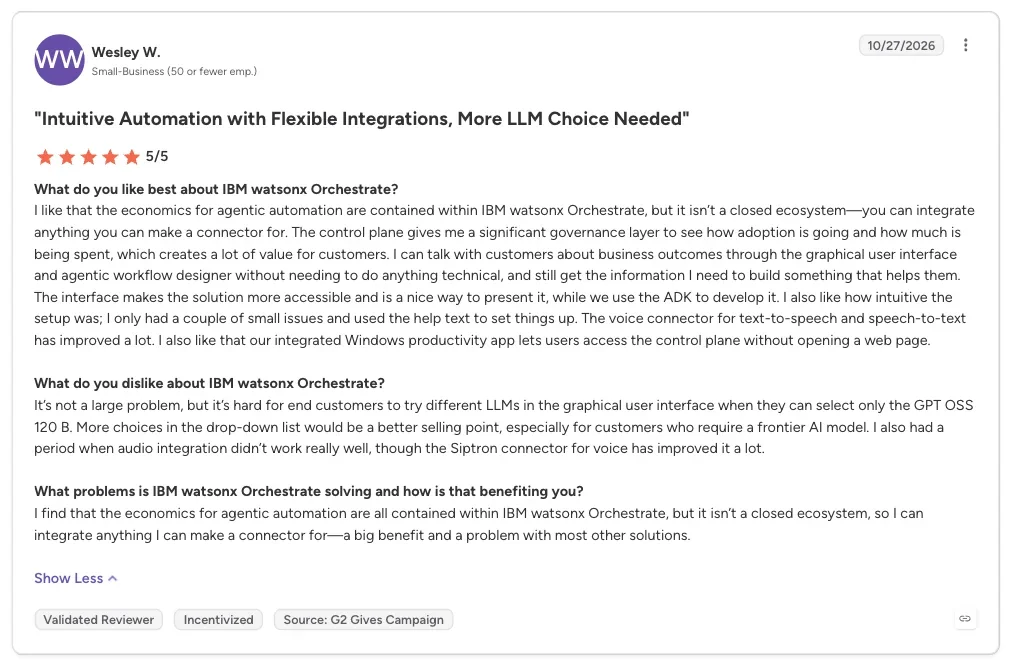
“I like that the economics for agentic automation are contained within IBM watsonx Orchestrate, but it isn’t a closed ecosystem—you can integrate anything you can make a connector for.” - Wesley W., G2
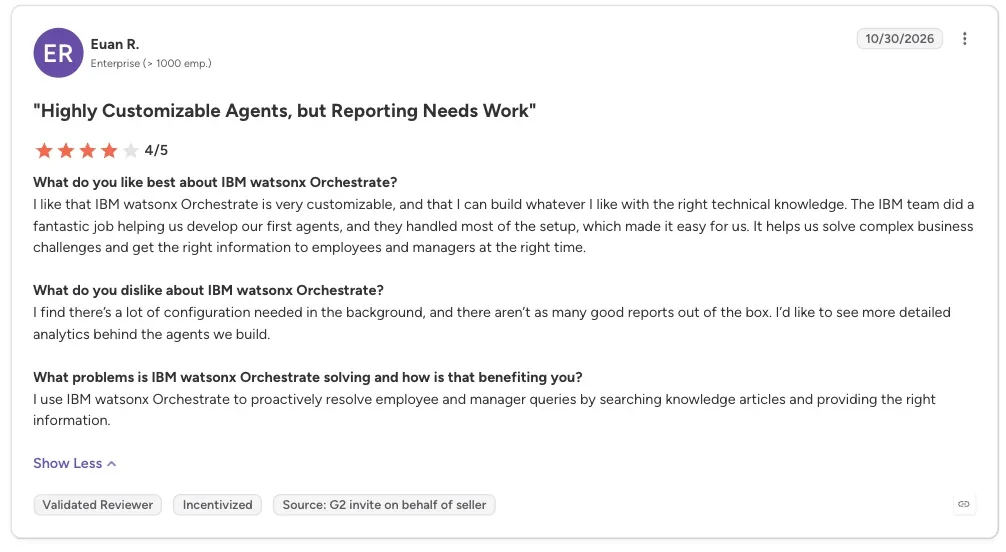
“I find there’s a lot of configuration needed in the background, and there aren’t as many good reports out of the box.” - Euan R., G2
Pricing
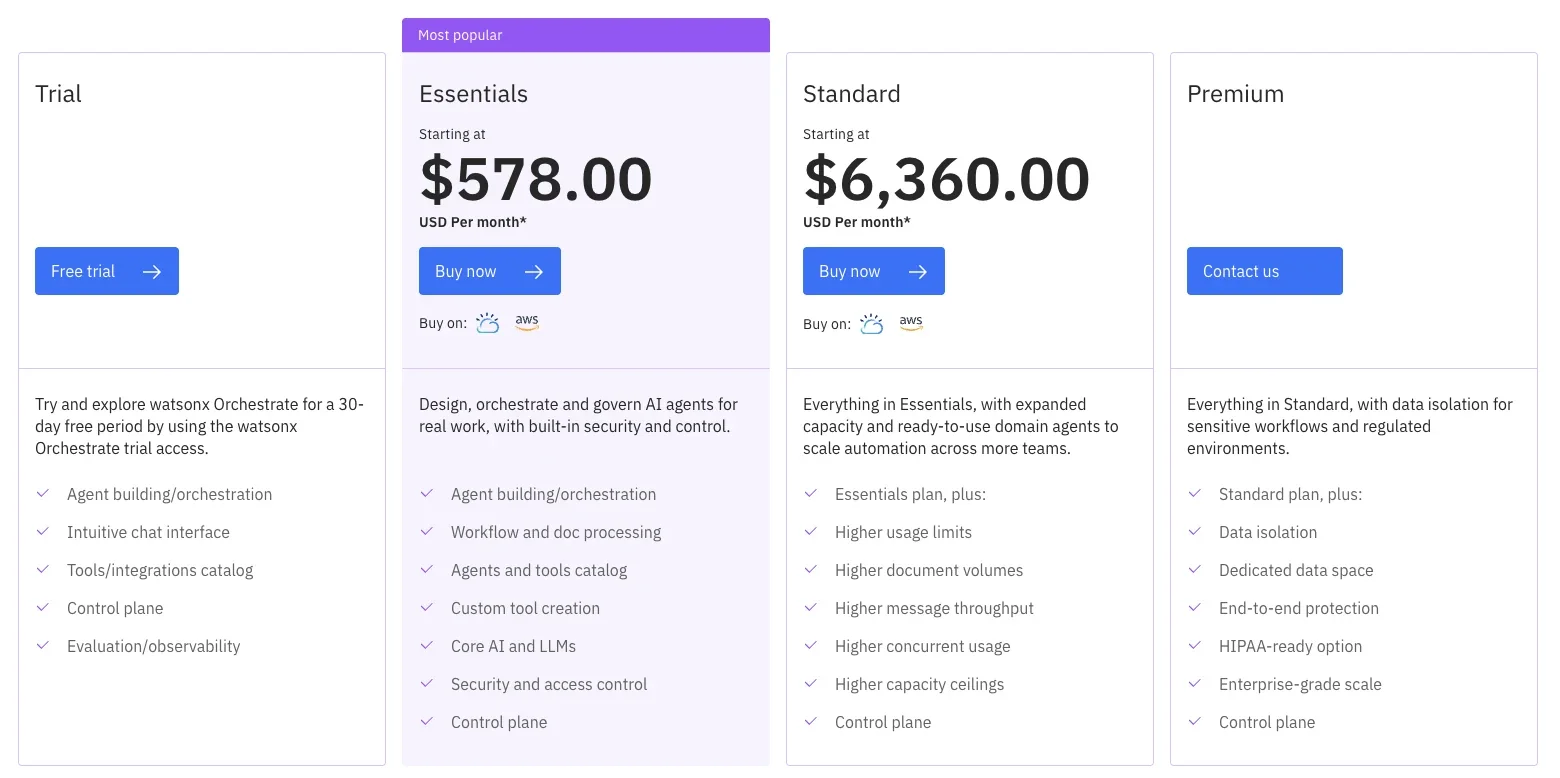
Essentials starts at $578/month for up to 4,000 monthly active users. IBM also offers a free trial before any paid tier starts. Standard starts at $6,360/month for up to 40,000 monthly active users. Premium has no public price. IBM sets its user cap during the sales call. Contact IBM directly.
Bottom line
Worth it for regulated teams that need governance and compliance depth. Check which tier fits before you commit.
Best enterprise AI solution for engineering teams that build custom agents on AWS
AWS (Bedrock and AgentCore)
Amazon Bedrock gives developers pay-as-you-go access to models from Anthropic, Meta, OpenAI, and others. AgentCore adds the runtime, memory, identity, and tool gateway needed to run agents on top of them in production.
Amazon Bedrock Managed Knowledge Base handles the retrieval pipeline, ingesting documents from sources like SharePoint, Confluence, or S3, so you’re not building vector-database infrastructure from scratch for every agent.
AWS needs more technical setup than the ready-to-use platforms I tested, though AgentCore Gateway includes integration templates for popular business tools. Running the complete new-hire scenario would still require engineering work, so the AWS figures below are drawn from AWS's documentation rather than a hands-on run.
AgentCore's Gateway and Identity pieces link to the HR system and the ticket queue, but someone has to wire that up first. You also have to build the step that confirms the badge ticket closes, since getting it filed is only step one.
The pricing is hard to read. AgentCore’s rate card lists about $0.09 per vCPU-hour for the runtime, plus separate charges for memory, identity, and tool calls. Memory storage and tool indexing bill monthly whether or not the agent runs.
The Runtime Instances option bills per instance-hour from boot until you stop it. Either way, your bill stays hard to predict until you’ve actually run a workload.
Key features
- Model choice: on-demand access to models from multiple providers, including OpenAI, in one place.
- AgentCore Gateway: connects agents to outside tools and systems through one managed layer.
- AgentCore Identity and Memory: handles credentials and keeps context across a long-running task.
- Policy in Amazon Bedrock AgentCore: rules that govern what each agent can do, with Bedrock Guardrails evaluated inside them at the gateway, outside the agent’s own code.
Pros and cons
Pros:
- ✅ True pay-as-you-go, no seat price, no sales call.
- ✅ Up to $200 in free-tier credit for new customers.
- ✅ Every AgentCore piece works independently.
Cons:
- ❌ Needs cloud and developer expertise, even with built-in integration templates.
- ❌ Many line items make the total hard to predict.
What users say
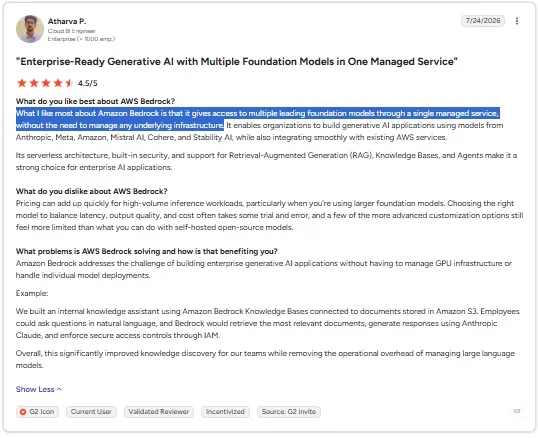
“What I like most about Amazon Bedrock is that it gives access to multiple leading foundation models through a single managed service, without the need to manage any underlying infrastructure.” - Atharva P., G2
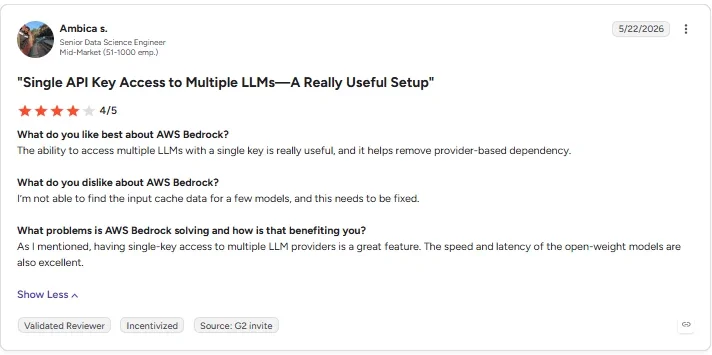
“I’m not able to find the input cache data for a few models, and this needs to be fixed.” - Ambica S., G2
Pricing
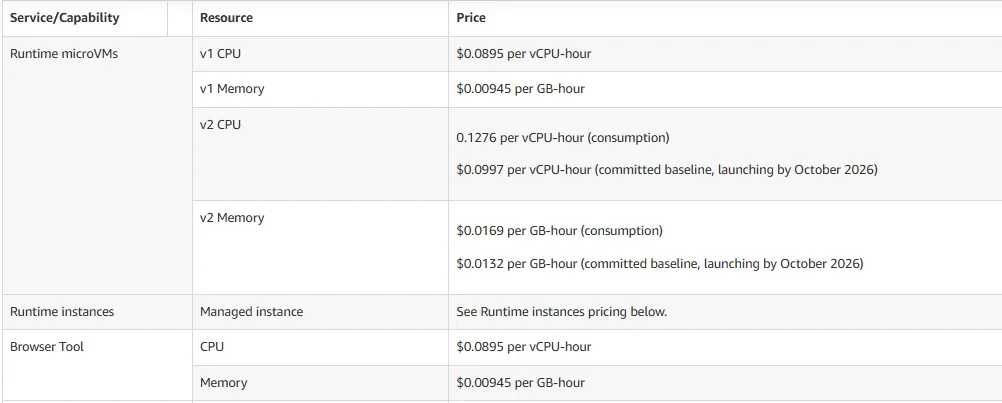
Pay-as-you-go. AgentCore's standard runtime starts near $0.09 per vCPU-hour, a newer v2 runtime tier is priced higher, and new customers get up to $200 in free-tier credits.
Bottom line
The right call for a team with engineering capacity that wants to build its own agent from scratch.
Best enterprise AI solution for teams that already run on Oracle Cloud Infrastructure
Oracle (AI Data Platform)
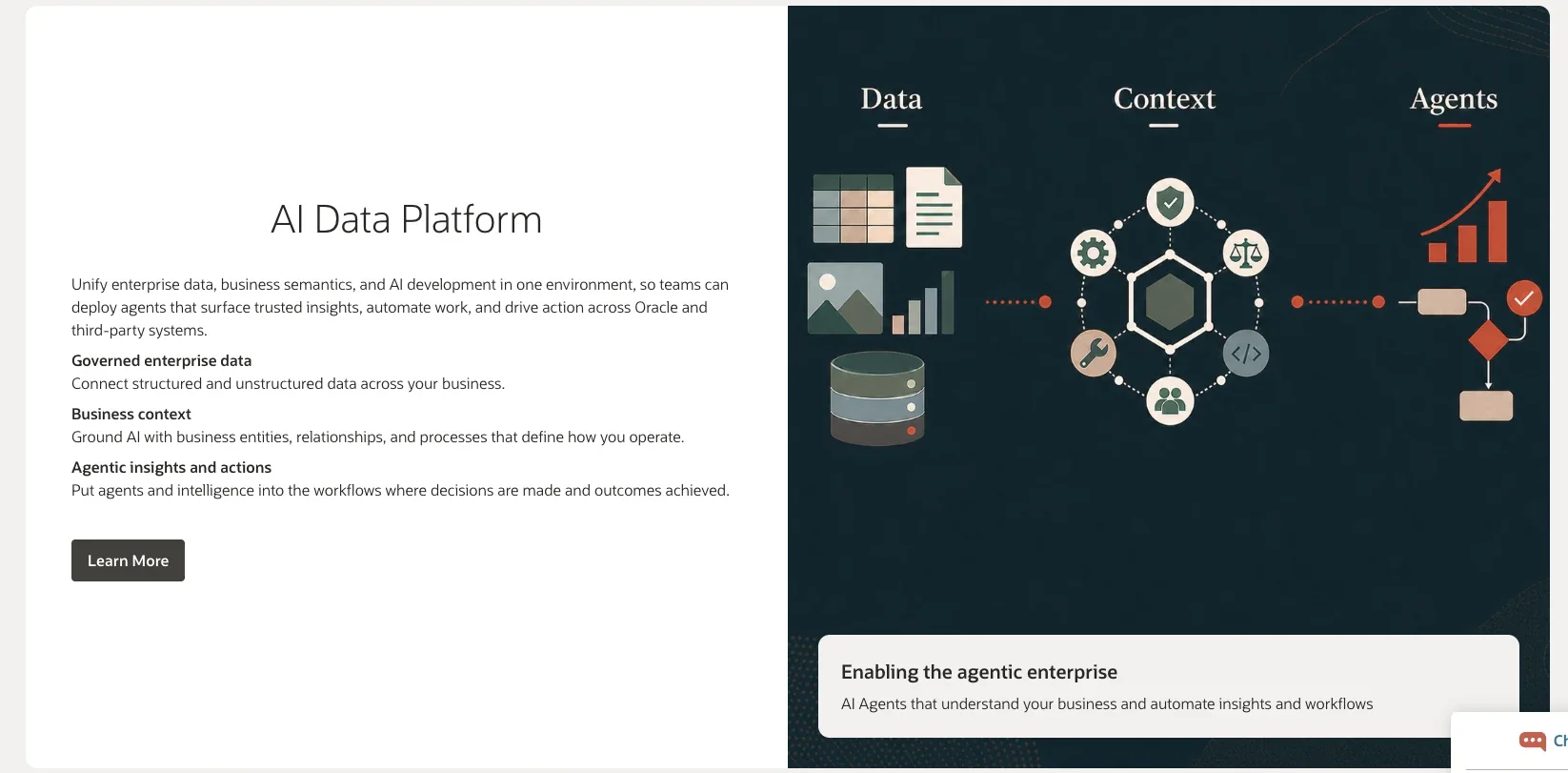
Oracle combines Oracle Cloud Infrastructure, the Autonomous AI Database, and its OCI Generative AI service into one AI Data Platform, so a company's own data gets AI-ready without building that pipeline from scratch.
Through its Database@ offerings, Oracle runs its Autonomous AI Database inside AWS, Azure, and Google Cloud data centers today. A team whose systems sit mostly in another cloud can use Oracle’s database layer without migrating first.
The AI Data Platform catalog lays out every connected data source and AI agent in one view.
Oracle AI Data Platform provides data infrastructure alongside agent-building tools, but Zero-ETL is about getting data in, not acting on it. Connecting the HR system, ticket queue, and calendar for actual operational actions would still need separate APIs or agent tools.
When I ran the new-hire scenario here, nothing in the platform checked on its own whether the badge request closed once it went out.
Oracle launched AI Data Platform at Oracle AI World in October 2025, with NVIDIA-accelerated computing built in. Fusion data flows in directly today. Oracle has said a NetSuite version is planned, but it hasn’t shipped yet.
Key features
- AI Data Platform catalog: one governed view across connected data and AI agents, using open standards like Agent2Agent and MCP (Model Context Protocol).
- Zero-ETL and Zero Copy: connects to Oracle’s own finance, HR, and supply chain data without duplicating it first.
- Agent Hub: interprets a request, picks the right agent, and recommends the next action.
Pros and cons
Pros:
- ✅ Pay-as-you-go with no seat minimum, though each instance carries a baseline catalog charge of about $171 a month while it runs.
- ✅ Open formats like Delta Lake and Iceberg avoid locking data into one proprietary shape.
- ✅ Runs Oracle’s database layer inside AWS, Azure, and Google Cloud, so a team on another cloud doesn’t migrate first.
Cons:
- ❌ Outside Oracle’s own apps, connections to tools like your ticket queue or calendar are custom work.
- ❌ A NetSuite version of AI Data Platform is announced but not yet available.
What users say
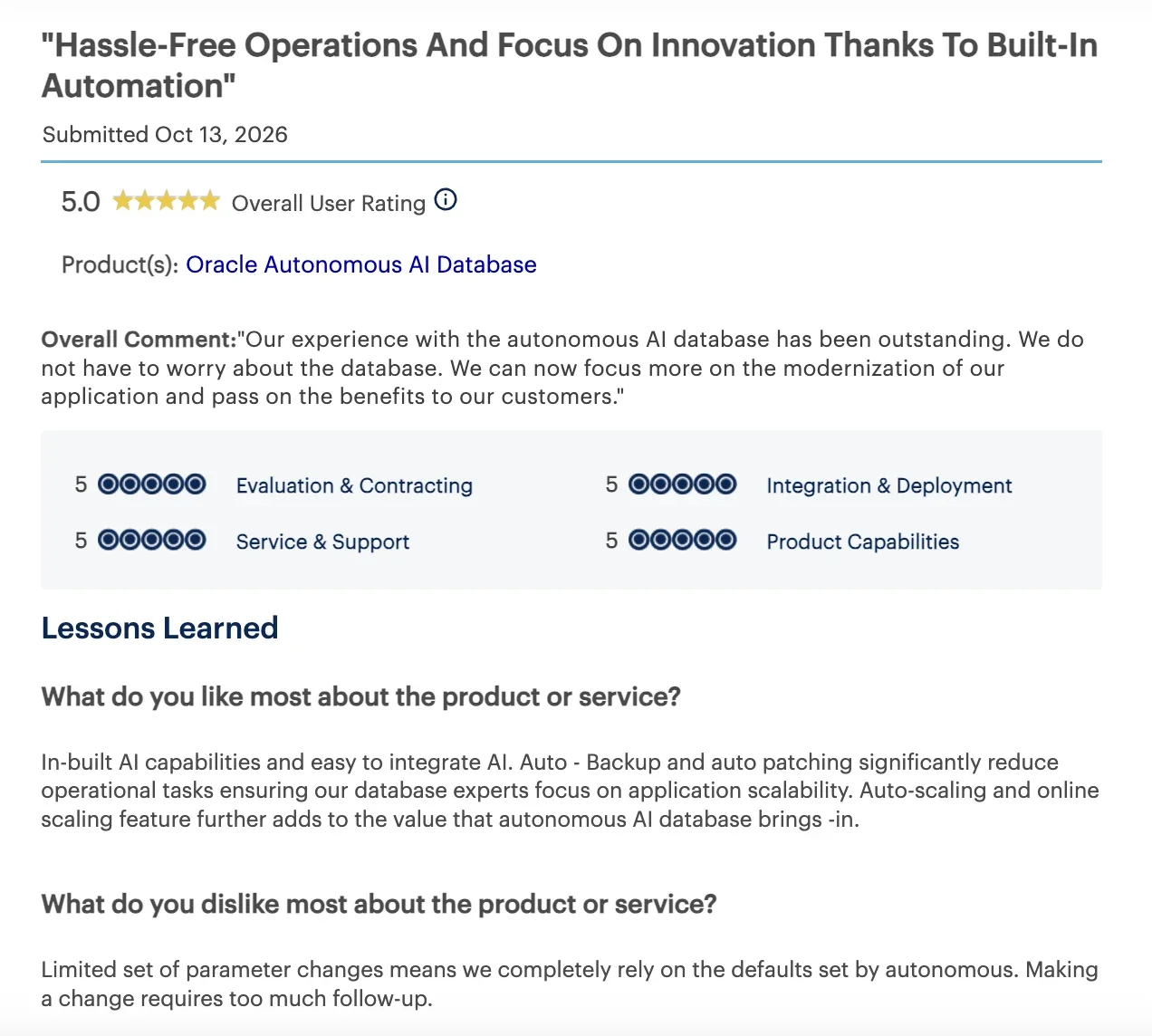
“In-built AI capabilities and easy to integrate AI. Auto-backup and [auto-patching] significantly reduce operational tasks ensuring our database experts focus on application scalability.” - Partner, Gartner
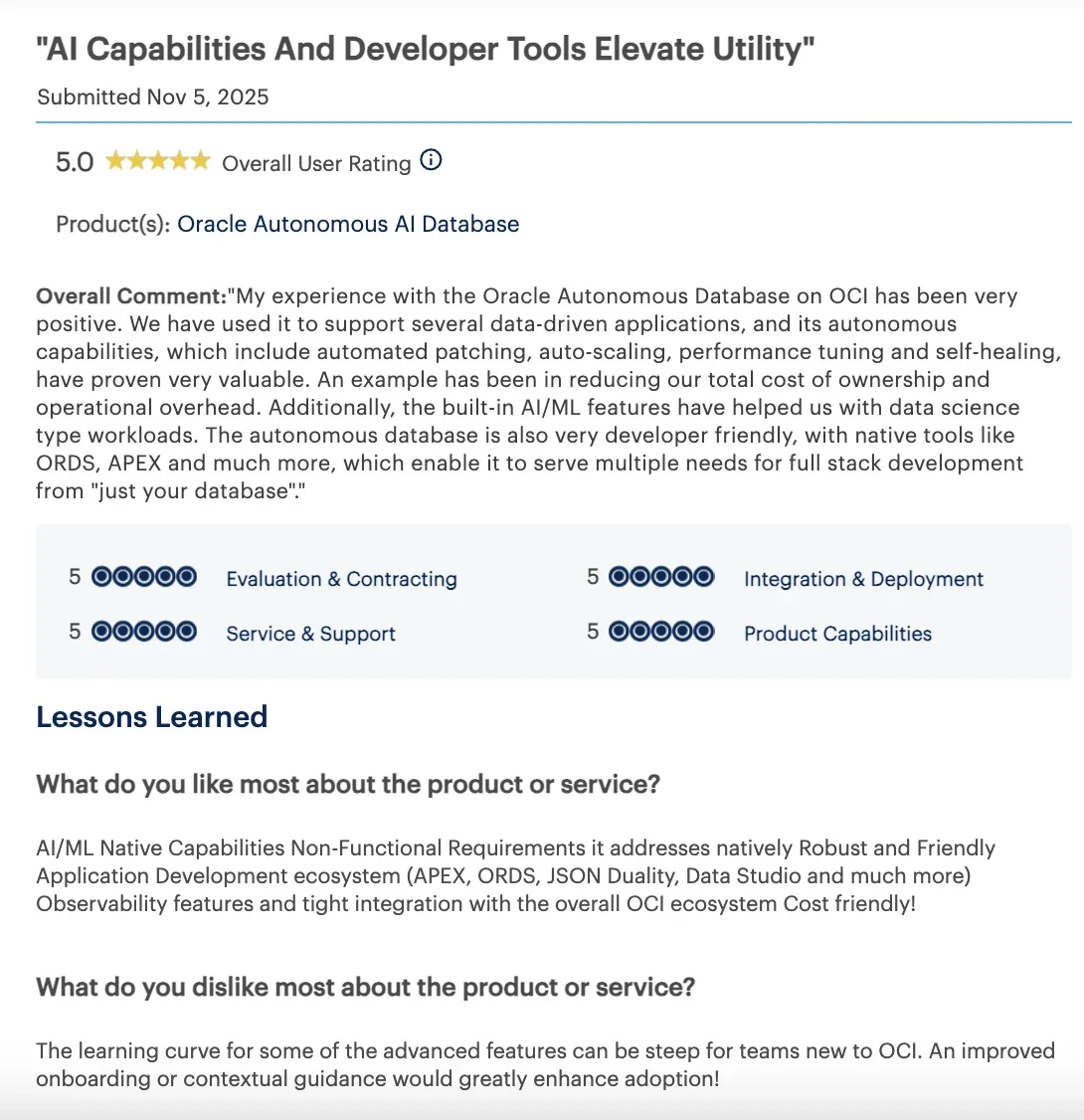
“The learning curve for some of the advanced features can be steep for teams new to OCI. An improved onboarding or contextual guidance would greatly enhance adoption!” - Sr. Manager, Software Development and PR, Gartner
Pricing
Oracle AI Data Platform bills compute in its own AI Data Platform Units, pay-as-you-go. Storage, AI models, and databases bill separately on OCI. New sign-ups get a $300 credit for the first 30 days before Always Free services take over.
Bottom line
Oracle makes the most sense once the rest of your stack already runs on Oracle Cloud Infrastructure. Connections to non-Oracle tools still get built by hand. Plan for that before you commit.
Best enterprise AI solution for large enterprises and governments that need industry-specific AI applications fast
C3 AI
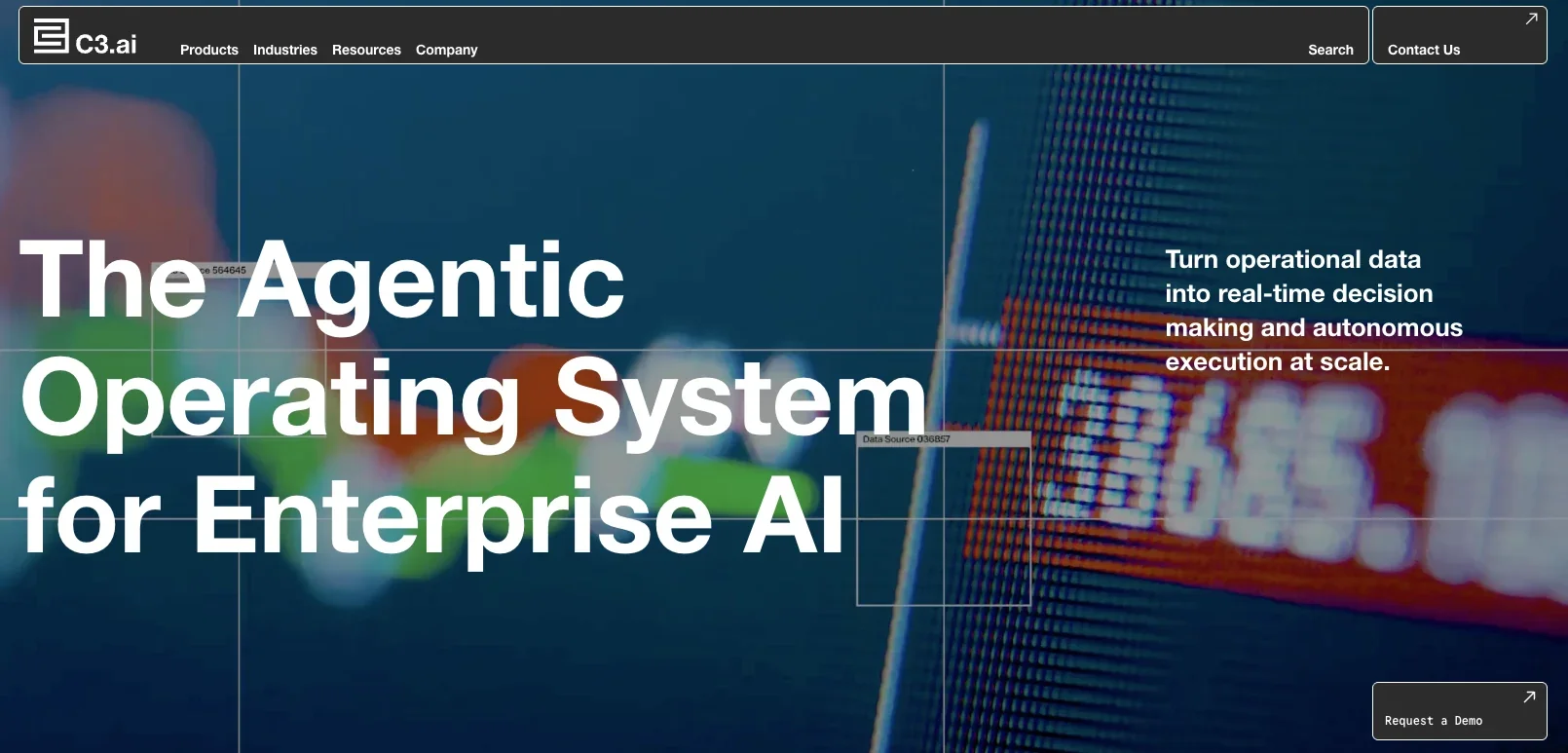
C3 AI is an agentic operating system for enterprise AI, built around a shared data model that plugs into pre-built, industry-specific applications, so most builds start with real industry groundwork already in place.
C3 AI keeps most pricing behind a sales process. Its own site only offers “Request a Demo,” but its AWS Marketplace listings show pilot fees starting at $250,000. What follows is drawn from what C3 AI documents publicly about itself, with real depth across a small number of industries.
The C3 Agentic AI Platform is the shared data-model base every application runs on. C3 AI Studio is where engineers and analysts build and deploy new applications on top of it.
C3 AI's customer stories show the list leans toward asset-heavy industries. Dow runs AI-powered predictive maintenance across more than 50 steam cracker furnace operations. Holcim signed a four-year deal with C3 AI in 2024. It had already scaled to 45 cement plants, and the deal covers 1,200 critical assets across more than 100 plants.
C3 AI also lists federal and defense agencies, including the US Army, among its customers. None of C3 AI's customer use cases look like the new-hire scenario tested elsewhere on this list.
Key features
- C3 Agentic AI Platform: the shared data-model base for building, deploying, and governing enterprise AI at scale.
- Enterprise AI Applications: pre-built, industry-specific applications covering use cases like predictive maintenance and demand planning.
- C3 Code: turns a plain-language request into a production-ready AI application built by autonomous agents.
Pros and cons
Pros:
- ✅ Proven depth in asset-heavy industries like manufacturing, energy, and utilities.
- ✅ Listed on AWS Marketplace, including the AWS Secret Region, so government teams can buy through AWS.
- ✅ Named a Leader in The Forrester Wave: AI Platforms, Q3 2026, with the top score for current offering.
Cons:
- ❌ No pricing on C3 AI’s own site, and no free trial. AWS Marketplace pilots run $250,000 to $500,000.
- ❌ Built for deep industry verticals, a different job than the general office workflow this list tests.
What users say
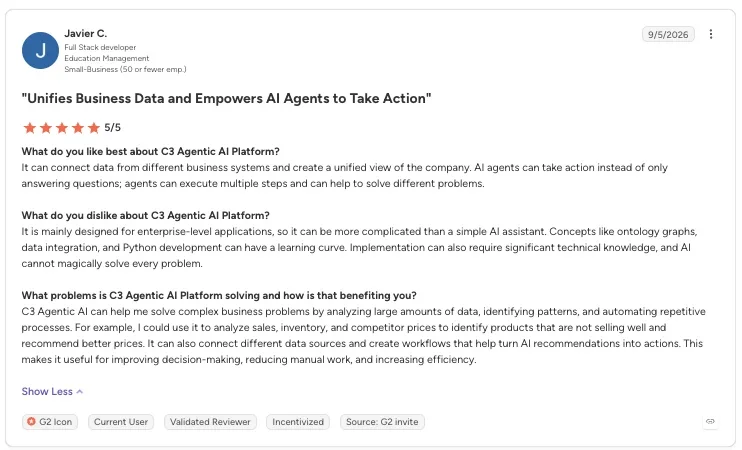
“It can connect data from different business systems and create a unified view of the company. AI agents can take action instead of only answering questions; agents can execute multiple steps and can help to solve different problems.” - Javier C., G2
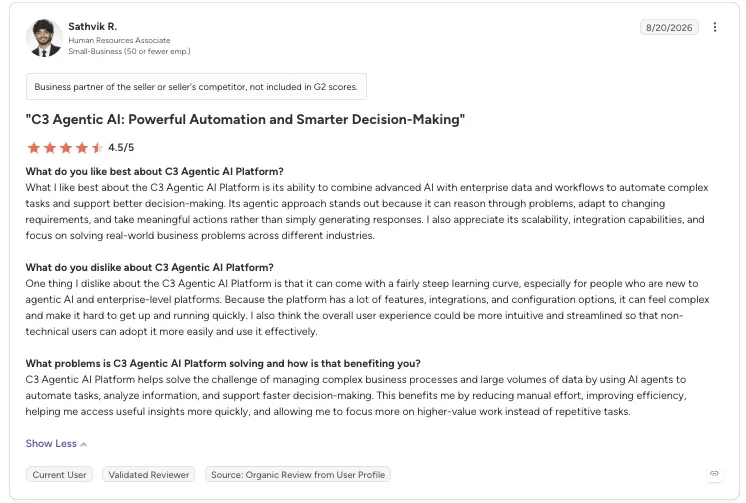
“One thing I dislike about the C3 Agentic AI Platform is that it can come with a fairly steep learning curve, especially for people who are new to agentic AI and enterprise-level platforms.” - Sathvik R., G2
Pricing
C3 AI doesn’t list prices on its own site. Its AWS Marketplace listings show pilot fees of $250,000 to $500,000. Contact sales for a full quote.
Bottom line
Book the call if you run a large, asset-heavy operation in one of C3 AI's core industries. Otherwise, it's overkill for a general office workflow.
Best enterprise AI solution for teams already running IT, HR, or customer service on ServiceNow
ServiceNow AI Agents
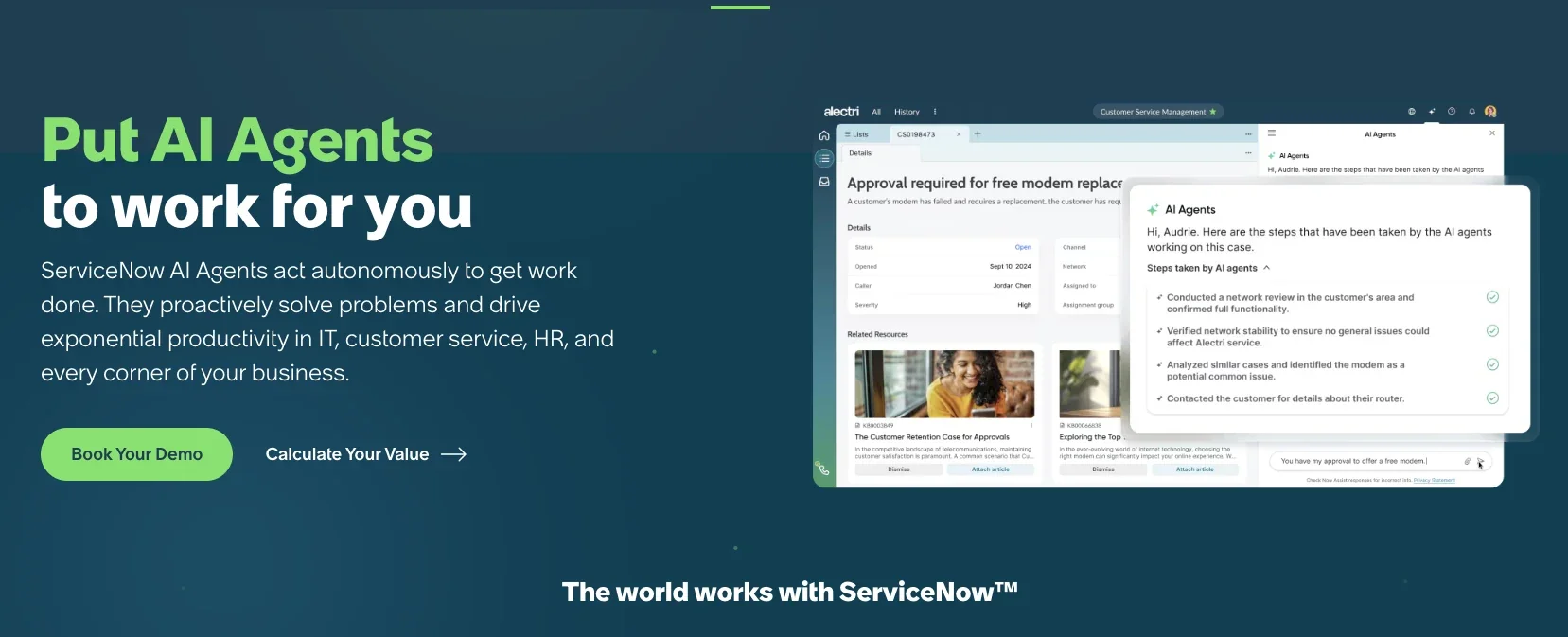
ServiceNow AI Agents run natively inside the ServiceNow AI Platform. They're built on the same configuration database and workflow data that IT, HR, and customer service teams already use. So agents start with the context already in place, instead of needing a separate data layer wired in first.
The AI Agent Orchestrator coordinates specialist agents across departments. Action Fabric opens that same system to outside agents and tools, so a non-ServiceNow agent can trigger a governed ServiceNow workflow directly.
The tool doesn't offer a self-serve trial for AI Agents, and every path starts with a sales call.
ServiceNow offers agents built for employee onboarding, covering HR, IT, and scheduling. ServiceNow Otto for HR Service Delivery and ServiceNow Otto for ITSM run through a shared orchestrator instead of three separate systems.
Key features
- AI Agent Studio: builds and customizes agents using natural-language instructions and guardrails, no separate dev environment required.
- AI Agent Advisor: analyzes a company's own business data to flag high-impact agent use cases and test them before rollout.
- Action Fabric: the connection layer that lets third-party agents and tools plug into ServiceNow without custom integration work.
- Super Intelligence Control Tower: central governance with identity and access tracking across every agent on the platform, plus continuous monitoring of each one’s performance.
Pros and cons
Pros:
- ✅ Runs on the CMDB and workflow data IT and HR teams already maintain, so there’s no separate system to set up.
- ✅ More than 85% of the Fortune 500 use ServiceNow, as per their claim, so this isn’t an unproven platform for an enterprise buyer.
- ✅ Governance runs through the Super Intelligence Control Tower from the start, so a security team isn’t bolting on monitoring after agents are already live.
Cons:
- ❌ ServiceNow reserves the most autonomous agent capabilities for the top tier of each product line.
- ❌ Predictive Intelligence needs a large backlog of past records, 30,000 to 300,000 by ServiceNow’s own recommendation, before suggestions get reliable.
What users say
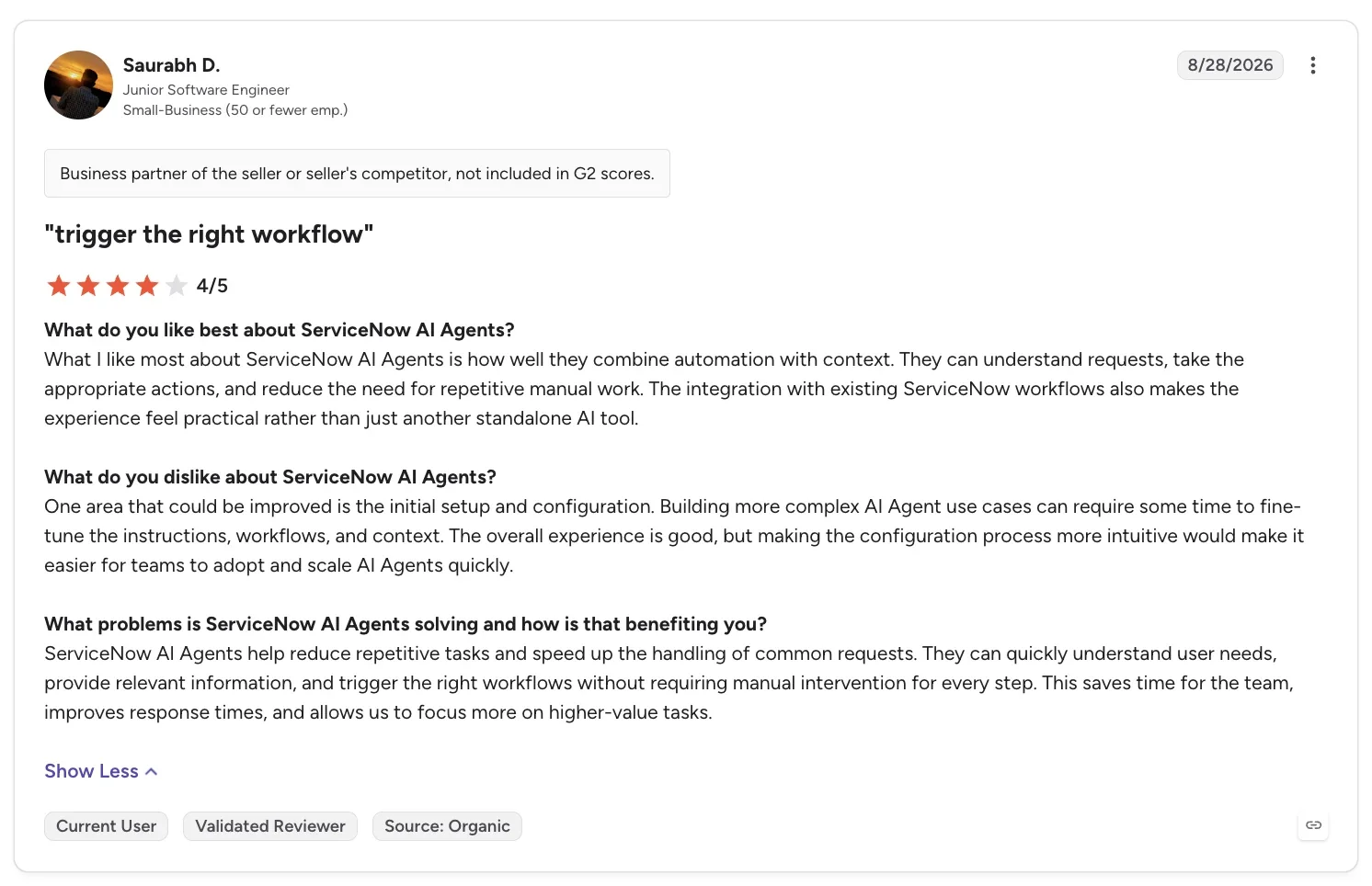
“What I like most about ServiceNow AI Agents is how well they combine automation with context.” - Saurabh D., G2
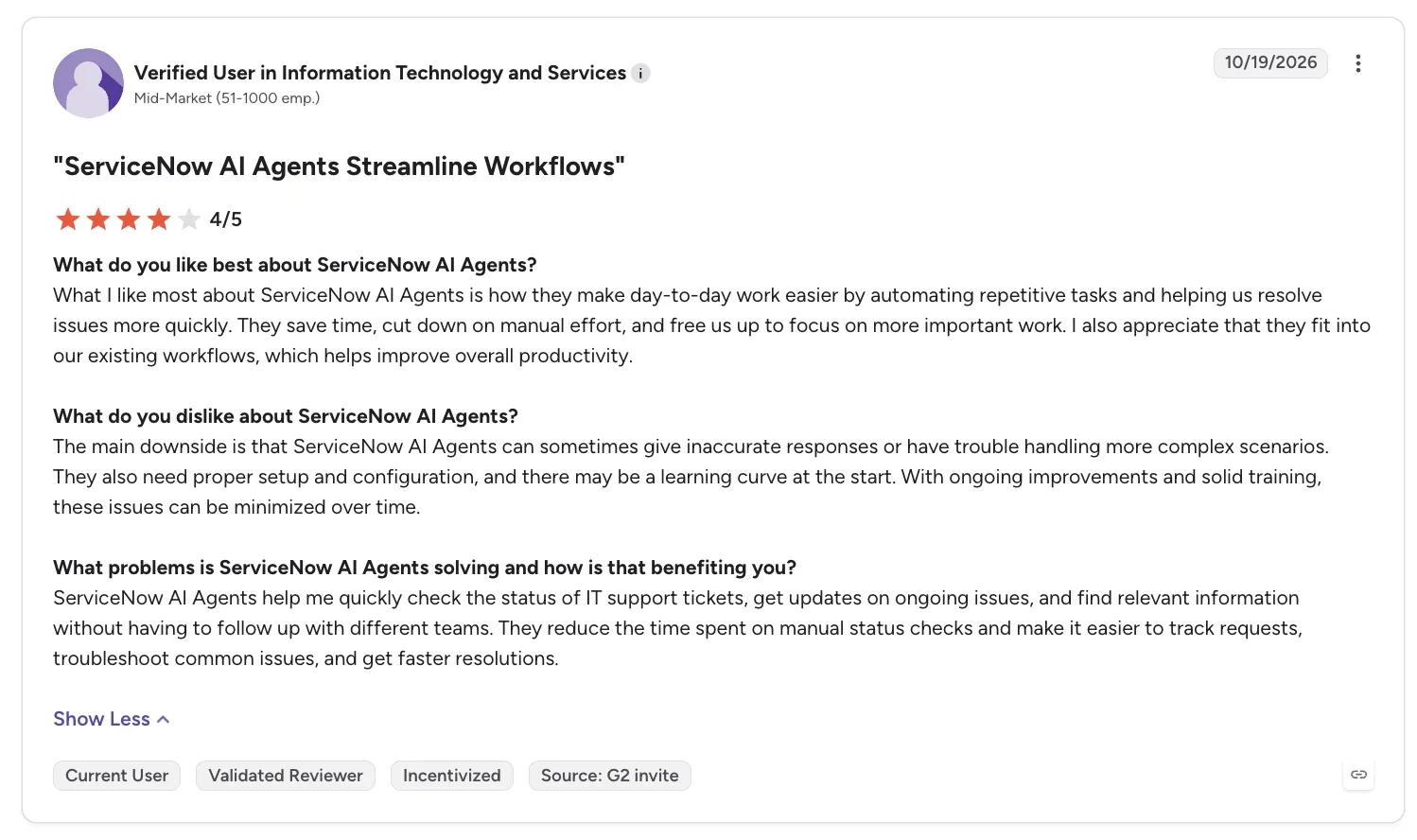
“The main downside is that ServiceNow AI Agents can sometimes give inaccurate responses or have trouble handling more complex scenarios.” - Verified User in Information Technology and Services, G2
Pricing
ServiceNow doesn't publish prices for AI Agents. Contact sales for a quote. Autonomous agent features typically sit in the top tier of whichever ServiceNow product line you're buying.
ServiceNow bills usage in assists, its own consumption unit, so cost scales with how much the agents actually do.
Bottom line
Worth a look if your IT, HR, or customer service desk already runs on ServiceNow. You already have the data, so there's no new integration to build. Skip it if you're not already a ServiceNow customer. Setting up the platform for its AI agents alone is a much bigger lift than any of the self-serve options above.
How to choose an enterprise AI solution
Weigh these five factors before picking a platform:
- Platform vs. point solution: A point solution like Agentforce handles one job, such as CRM, while a platform covers your whole organization. Pick the point solution when that one job is the actual bottleneck you need to fix.
- Security and compliance: Security and compliance comes down to two things: whether the platform respects permissions you already have, and what it publishes to prove it. Claude Enterprise and IBM watsonx publish full detail; SAP and C3 AI publish some certifications, including C3 AI's FedRAMP Moderate, but gate the rest behind sales calls.
- Data readiness: None of these platforms work well on messy or siloed data. A stale calendar entry can hand the AI agent the wrong date before anyone notices.
- Governance: Ask who reviews what the AI agent did, not just what it was told. Audit trails, role-based access, and human oversight matter most for anything touching money or jobs.
- Integrations and time to value: Platforms with many prebuilt connectors, like Gemini Enterprise, move faster. AWS and Oracle take longer, since most connections to your own systems are still custom-built.
Part of what you need might not fit neatly into one of the three categories above. Check this broader list of AI business tools or this roundup of AI platforms before assuming one of these 10 has to stretch to cover it.
Smaller day-to-day requests often suit a lighter AI teammate like Lindy better than a seat on one of these 10 platforms: mention it in Slack, or ask it to triage your inbox or update a record.
By category, pick a workplace copilot suite if the job lives mostly inside documents and email, or embedded business AI if it lives inside records you track in Salesforce, SAP, or ServiceNow.
Pick a foundation-model or agent-building platform instead if your team needs to build or customize its own AI applications: raw infrastructure like AWS or Oracle, governance-first access like Claude Enterprise or IBM watsonx, or an industry-specific tool like C3 AI.
Final verdict
No single enterprise AI solution wins outright, because each category does a different job. Microsoft 365 Copilot or Gemini Enterprise fits work that lives in documents and email. Agentforce, SAP, or ServiceNow fits work that lives in CRM, ERP, or IT/HR service records.
Claude Enterprise or IBM watsonx fits teams that need governance first, and AWS fits teams with developers to build their own. Start with the job, then test which platform in that category can finish it across your existing systems.
Frequently asked questions
What is an enterprise AI solution?
An enterprise AI solution is a software platform that connects to a company's existing systems. That includes its CRM, IT service desk, HR records, and email. Some platforms complete multi-step work across those systems on their own. Others give developers the infrastructure to build that behavior themselves, inside company security rules.
Who are the top enterprise AI solution providers?
The top enterprise AI solution providers span three categories. Microsoft 365 Copilot and Gemini Enterprise lead copilot suites. Salesforce Agentforce, SAP, and ServiceNow sit inside CRM, ERP, and IT/HR workflows instead. Claude Enterprise, AWS, IBM watsonx, Oracle, and C3 AI round out the list as foundation-model and agent-building platforms.
What's the difference between a copilot and an agentic AI system?
The main difference between a copilot and an agentic AI system is what happens after the question. A copilot answers questions and drafts content right where you're already working. An agentic AI system plans the steps and takes the action itself across multiple systems.
How do enterprises measure ROI from AI?
Enterprises measure ROI from AI by tracking concrete numbers, such as hours of manual work removed, faster case or ticket resolution, fewer repeat requests, and lower cost per interaction. Weigh that against what the platform costs once usage-based pricing is included.
Can enterprise AI work alongside existing RPA tools?
Yes, enterprise AI can work alongside existing RPA tools. UiPath, which I left off this list, already combines RPA with agent building in one product.
About the editorial team

Marvin is a Growth Engineer at Lindy focused on AI agents, automation, and product-led growth.

Lindy leads GTM at Lindy and is the team’s most prolific automation builder. She publishes weekly educational videos and articles on building AI assistants – And yes, she’s a real person!
