
No-code automation tools all promise effortless setup, but founders with lean teams need to know which ones hold up once a workflow gets complicated.
I’ve spent years inside no-code automation tools. Most of that time goes into wiring a form, a chat channel, and a tracking sheet together, so nobody on a small team has to copy and paste between them manually. I used that same job to test these nine.
I picked one plain, realistic workflow and ran it the same way in every tool that let me sign up and build it myself. A sign-up form posts to a chat channel and logs a row in a tracking sheet. I built in one trap: a duplicate submission that should never post or log twice.
I grouped these tools into six builder types so you can match one to how you’d rather build. The six types are an AI teammate in Slack, app connectors, a records-first tool, self-hosted builders, suite-based platforms, and an approval-chain tool.
No-code automation tools: TL;DR
- Lindy: Best for a one-sentence job description.
- Zapier: Best for a huge app library with almost no setup.
- Make: Best for deep, branching visual logic.
- Airtable: Best for automations that live right alongside your own records.
- n8n: Best for self-hosted, full technical control.
- Activepieces: Best for an open-source Zapier swap with flat pricing.
- Microsoft Power Automate: Best for a team that already lives in Microsoft 365.
- Zoho Creator: Best for a team already inside the Zoho suite.
- Kissflow: Best for multi-person approval chains.
What are no-code automation tools?
No-code automation tools connect apps and run repeat tasks through visual steps or written instructions, without requiring you to write code.
How I researched and tested these no-code automation tools
I tested each tool past its clean demo, on what happens the moment real data gets messy. A form gets submitted twice, or a trigger fires before the data it needs is ready.
I also checked whether a coworker who has never opened the tool could follow the automation software setup.
Here's the test scenario I ran through every self-serve tool on this list, in plain words:
I'm running a weekend workshop and need help keeping the sign-up list straight without doing it by hand. Set up something that watches a sign-up form. The moment someone submits it, post a short note in our team chat channel with their name and which session they picked. Then add a new row to our tracking sheet with the same details.
A few people always hit submit twice by accident. If the same email shows up again the same day, it has to recognize that and skip posting or logging it a second time instead of letting it through. The list also needs to be something our two co-organizers can both open and check without asking me first, since neither has touched this tool before.
By the end, I want to point at one place, the channel or the sheet, and see exactly who is coming, with no duplicate entries for the same email on the same day. If the first attempt catches the duplicate but a second accidental re-submission slips through later the same day, that still counts as a miss.
I tested eight of these tools hands-on over five days. Kissflow has no self-serve signup, so I assessed it from its own documentation. I looked at 13 candidates and cut four before writing this up.
Relay.app shut down in September 2026, taking every account, workflow, and run history with it.
Pipedream stopped taking new signups for Workflows, its automation product, which shuts down on March 31, 2027. The company is now focused on Connect, which developers use to add app integrations to their own products and AI agents.
UiPath centers on AI-driven automation built in UiPath Studio or its SDKs (software development kits), built for enterprise-scale programs that take more than an afternoon to stand up.
Workato is an enterprise platform for governing AI and orchestrating workflows and agents, with separate development, test, and production environments. It’s built for enterprise IT teams, which is more than a small team’s sign-up list needs.
No-code automation tools: Quick comparison
How the nine stack up, grouped by how you build:
| 💻 Tool | 🧩 Builder type | 🎯 Best for | 💰 Monthly starting price | 🔌 Integrations | 🧠 AI features |
|---|---|---|---|---|---|
| Lindy | AI teammate | Describing the job in one sentence | $49.99/user/month | 3,000+ integrations + MCP | Built-in, core product |
| Zapier | App connector | Huge app library, near-zero setup | $29.99/month | 9,000+ apps | AI steps, Zapier MCP |
| Make | App connector | Deep, branching visual logic | $16/month | 3,500+ apps | AI agents, MCP |
| Airtable | Records-first | Automations beside your own records | $24/seat/month | Native + webhooks | AI credits, Field agents |
| n8n | Self-hosted | Self-hosted, technical control | $24/month | Any app, direct | AI agent nodes |
| Activepieces | Self-hosted | Open-source Zapier swap | $20/month | Open-source library | MCP, AI agents |
| Microsoft Power Automate | Suite-based | Teams already on Microsoft 365 | $15/user/month, billed annually | Microsoft 365 + more | AI Builder |
| Zoho Creator | Suite-based | Teams inside the Zoho suite | $12/user/month | Zoho apps + more | AI Agents (Zia) |
| Kissflow | Approval-chain | Multi-person approval chains | No public price; blog cites $2,500/month Basic | Enterprise connectors | AI-enabled forms |
Best no-code automation tool for a one-sentence job description
Lindy

Lindy is an AI teammate that works in your team’s Slack, iMessage, or browser. You @mention it, and it gets the job done.
Lindy caught the duplicate after one added line. I typed the sign-up workflow into Lindy as one written instruction: check the form’s responses every few minutes, and for anything new, post it to the channel and log it in the sheet. The first run posted the duplicate anyway, so I added one line telling it to check the sheet first. The next two runs, including a deliberate repeat, both behaved correctly.
You describe the outcome and skip the steps. There’s no canvas. You hand Lindy the request, and it works out the steps from there.
Your co-organizers would never have to open Lindy, since the results arrive as an ordinary chat post and sheet row.
Key features
- One-sentence setup: Describe the task, and Lindy works out the steps.
- 3,000+ integrations: Reaches a chat channel, a sheet, and a calendar directly.
- Proactive updates: Lindy can send daily briefs and nudges on a schedule, or flag an important email when it lands.
Pros and cons
Pros:
- ✅ Lindy itself carries SOC 2 Type II, GDPR, and PIPEDA compliance, without needing the Enterprise tier.
- ✅ Lindy works in Slack, iMessage, and the browser, so results reach your team where it already talks.
- ✅ Credits pool across the whole team, so everyone draws from one shared balance.
Cons:
- ❌ Edge cases like a duplicate submission need to be spelled out in the instructions.
- ❌ Billing is per active user, so a bigger team costs more each month: there's no flat, per-workspace rate.
What users say
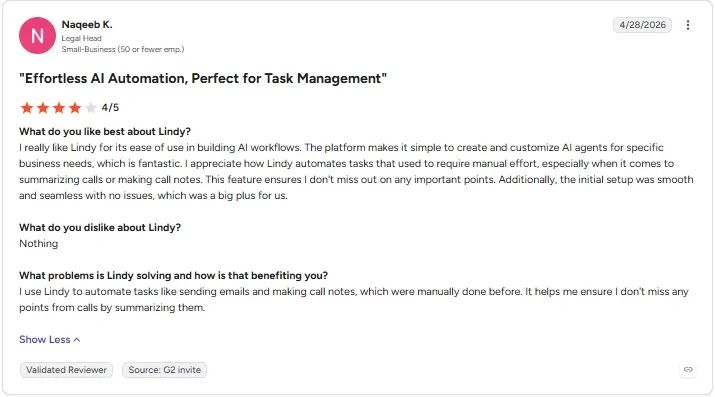
“I appreciate how Lindy automates tasks that used to require manual effort, especially when it comes to summarizing calls or making call notes.” - Naqeeb K., G2
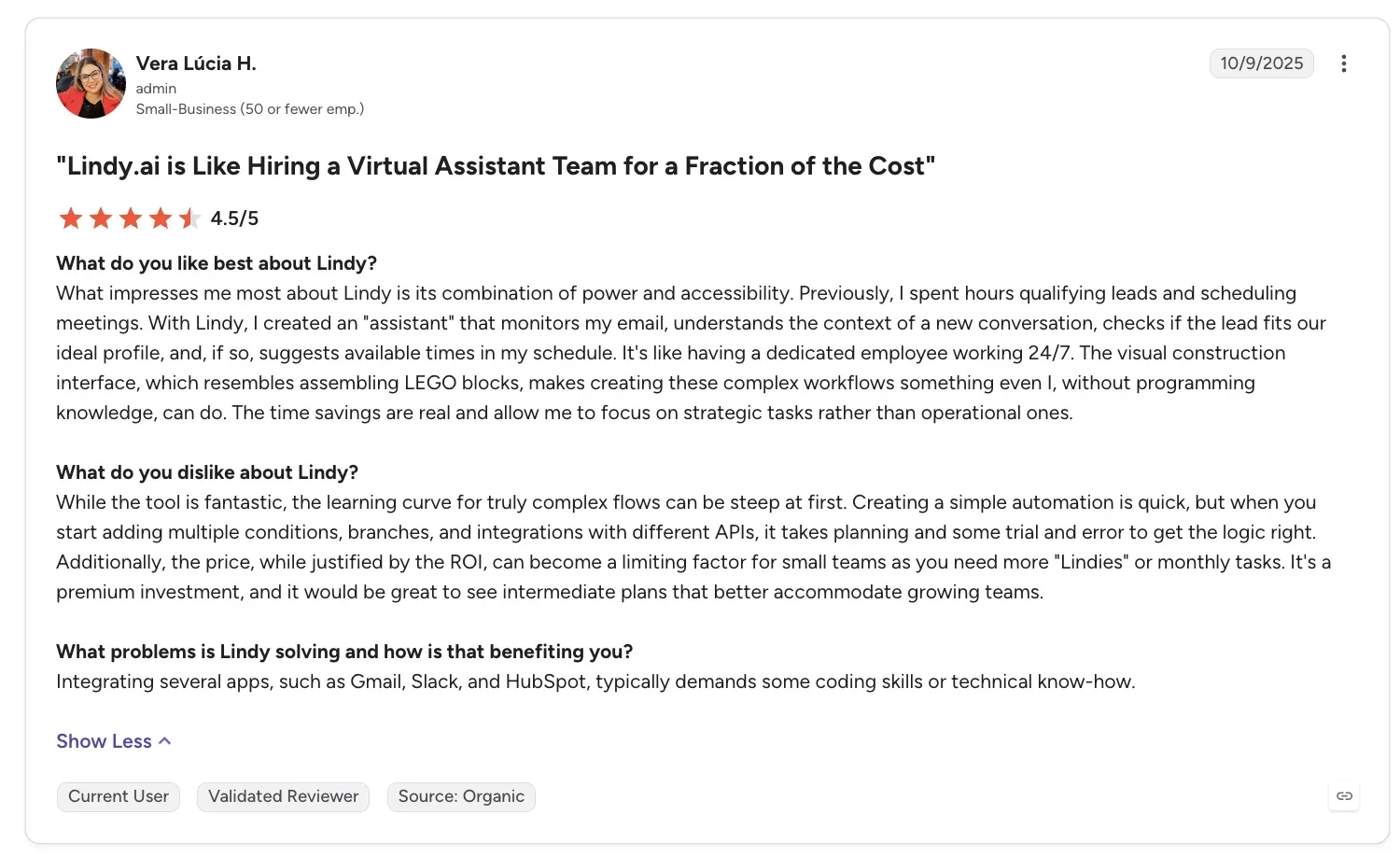
“The learning curve for truly complex flows can be steep at first.” - Vera Lúcia H., G2
Pricing
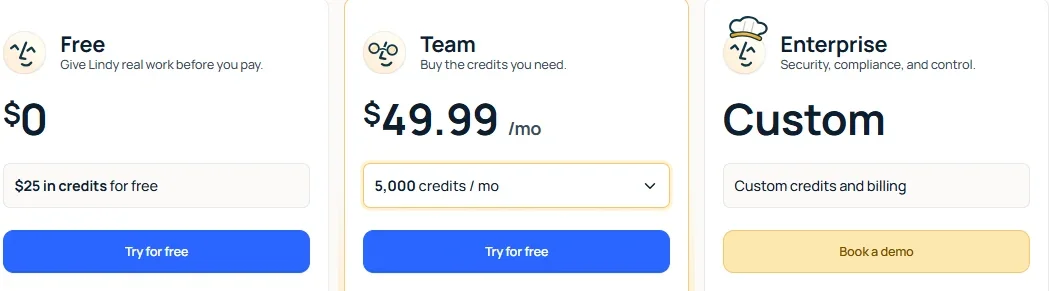
Team, Lindy’s only self-serve paid plan starts at $49.99/month per user and includes 5,000 credits per user each month. There's no annual plan. Credits pool across the team, and Lindy pauses any action that uses credits once the pool runs dry.
Free gives $50 in credits for seven days. Lindy itself is SOC 2 Type II, GDPR, and PIPEDA compliant. Enterprise is custom, sales-only, and adds HIPAA compliance with a signed BAA, plus SSO, SCIM, and audit logs.
Bottom line
If dragging triggers onto a canvas has never been the fun part, Lindy skips that step. Zapier and Make, the next two tools on this list, use a visual builder if you’d rather keep one.
For more canvas-based options, this rundown of Gumloop alternatives is worth a look.
Best no-code automation tool for a huge app library with almost no setup
Zapier
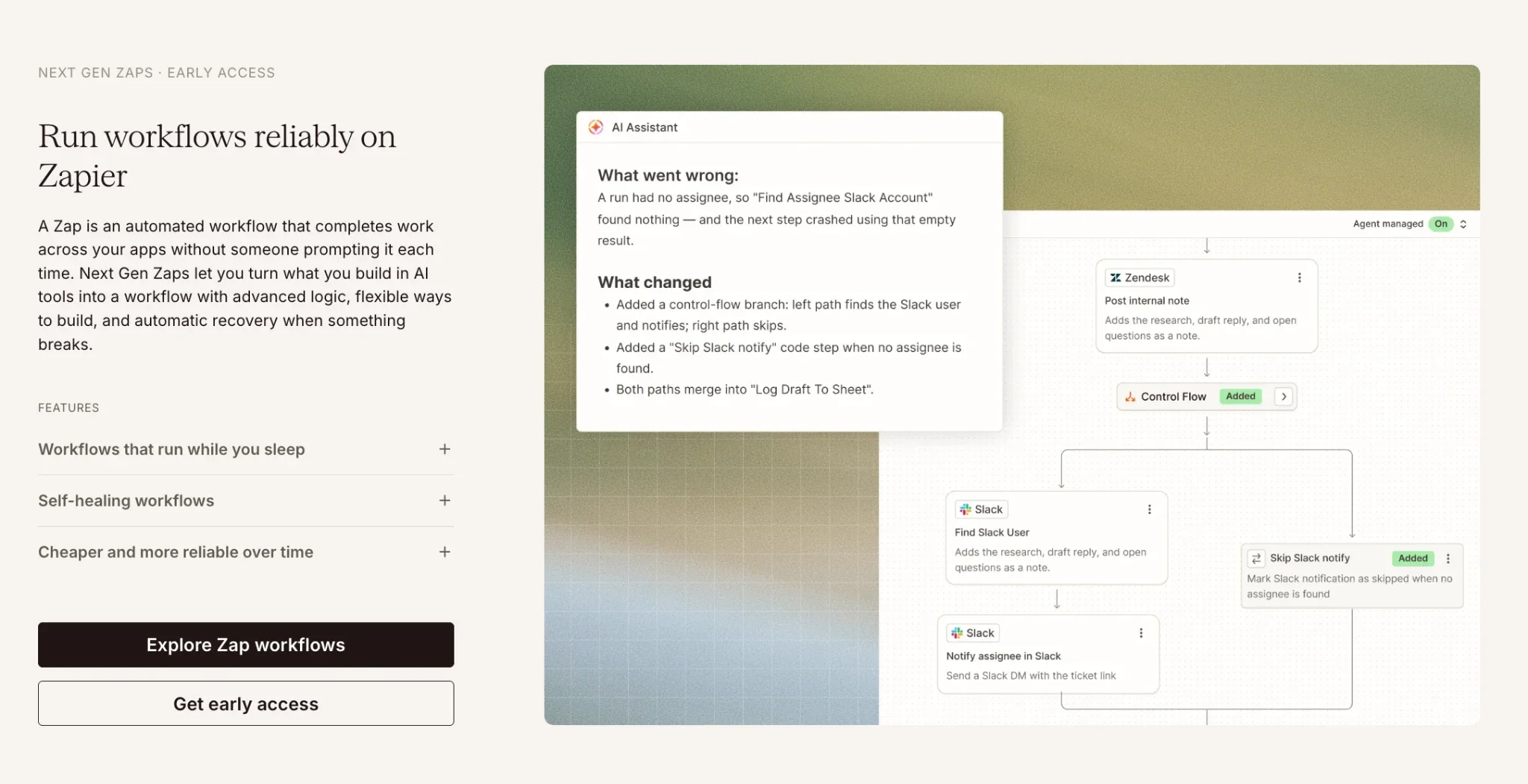
Zapier connects apps using a visual trigger-and-action model, where something in one tool fires a step in another.
Catching the duplicate sign-up in Zapier worked on the first try. A Lookup Spreadsheet Row step in Google Sheets searched the tracking sheet for a matching email first. A Filter step right after it let the Zap continue only when the lookup came back empty.
Filter is a Professional-plan feature. Zapier’s free plan also caps a Zap at two steps, so running this build took the Professional plan.
Zapier gets harder to use once a workflow needs several paid steps or branches beyond one simple chain. If you hit that ceiling, a roundup of Zapier alternatives is worth reading.
Zapier keeps a plain-language log of every Zap run, so a co-organizer could follow what happened without having built it themselves.
Key features
- Massive app catalog: 9,000+ apps, plus a library of ready-made Zap templates.
- Filter plus lookup: A Lookup Spreadsheet Row step checks the sheet first, then Filter decides whether to continue, on Professional and up.
- AI steps: Summarize or classify data inside an existing workflow.
Pros and cons
Pros:
- ✅ Zapier MCP comes on every plan, so AI tools can run your Zaps.
- ✅ Filter steps don’t count toward your task usage, so the duplicate check adds no task cost.
- ✅ New accounts get an automatic 14-day Professional trial with no card, so you can try Filters and multi-step Zaps before paying.
Cons:
- ❌ Free plan caps out at 100 tasks a month. Past that, Zapier holds new Zap runs until the next billing cycle, since pay-per-task billing only covers paid plans.
- ❌ Cost climbs fast once a workflow needs several paid steps.
What users say
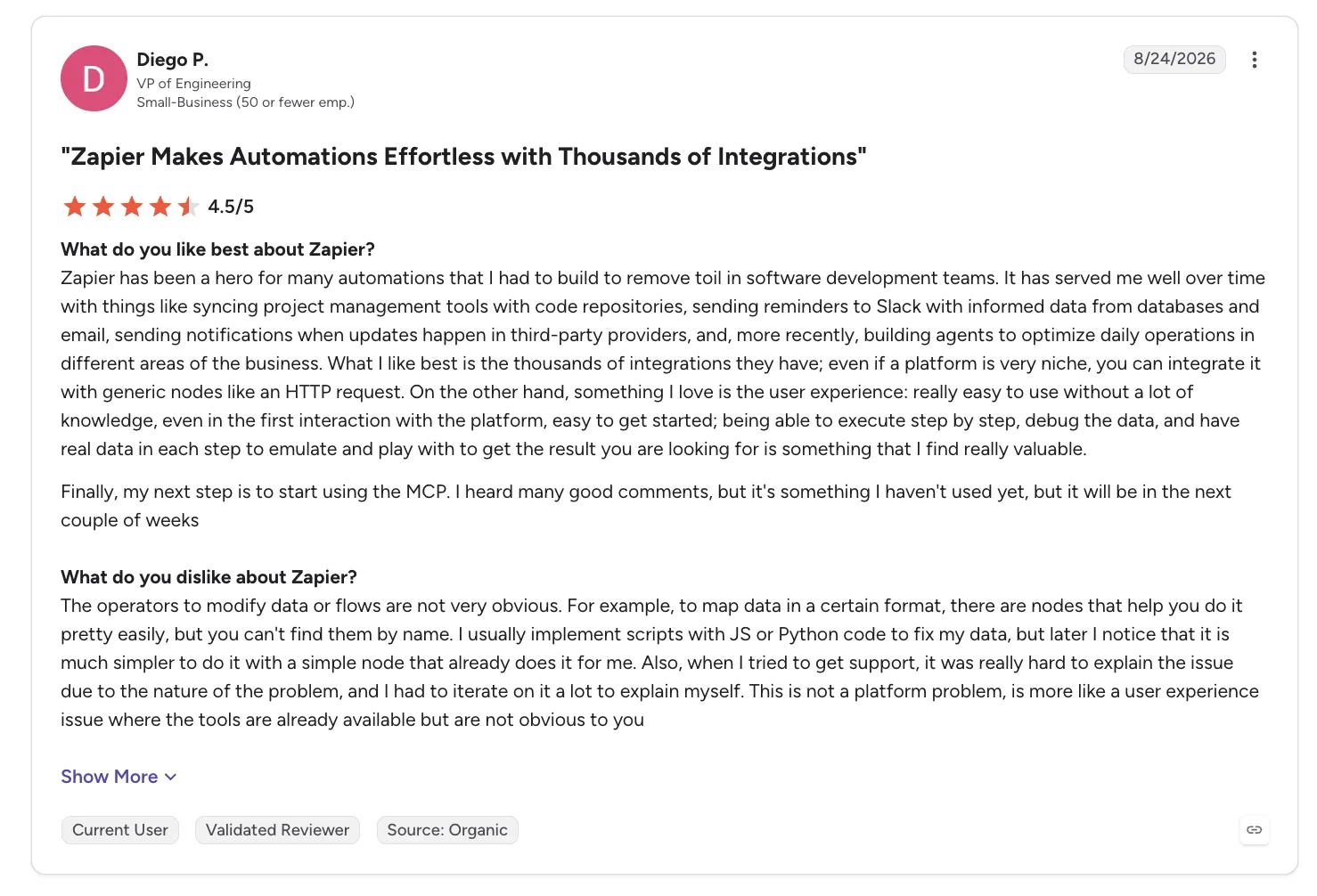
“Zapier has been a hero for many automations that I had to build to remove toil in software development teams.” - Diego P., G2
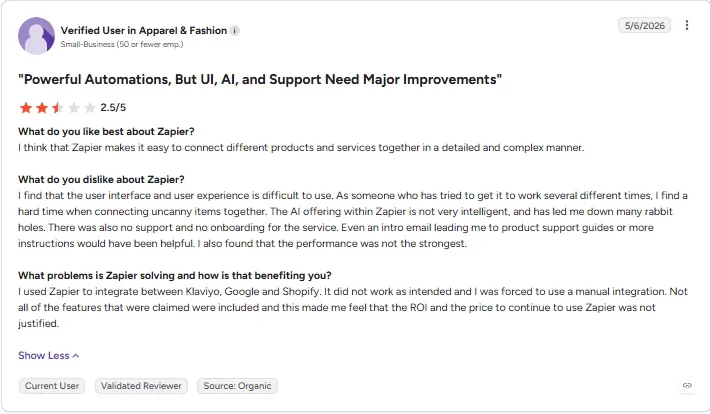
“The AI offering within Zapier is not very intelligent, and has led me down many rabbit holes.” - Verified User in Apparel & Fashion, G2
Pricing
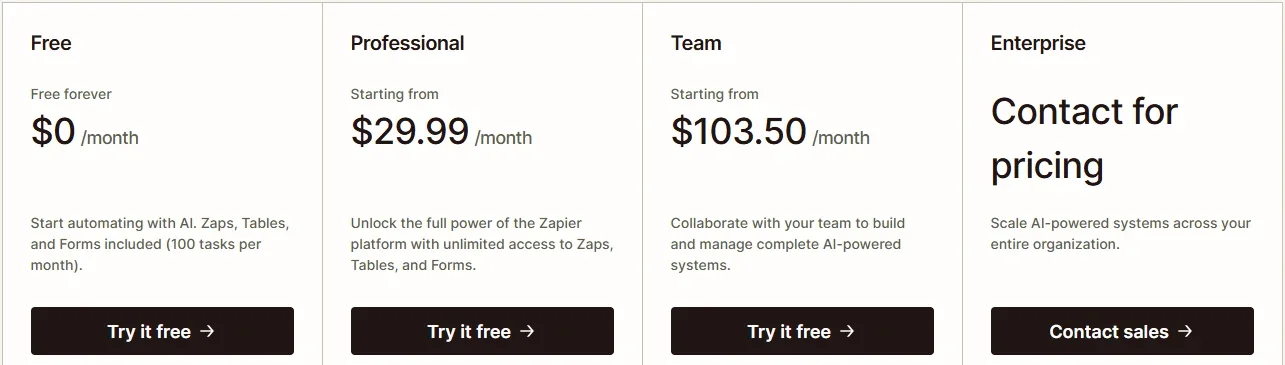
- Free: $0/month, 100 tasks a month.
- Professional: $29.99/month for 750 tasks ($19.99/month, billed annually), rising with task volume.
- Team: $103.50/month for 2,000 tasks and up to 25 users ($69/month, billed annually).
- Enterprise: Custom, through sales.
Bottom line
The safest pick if you want the widest app coverage and the least setup effort. Once branching gets heavier than a simple trigger, Make is the next place to look.
Best no-code automation tool for deep, branching visual logic
Make
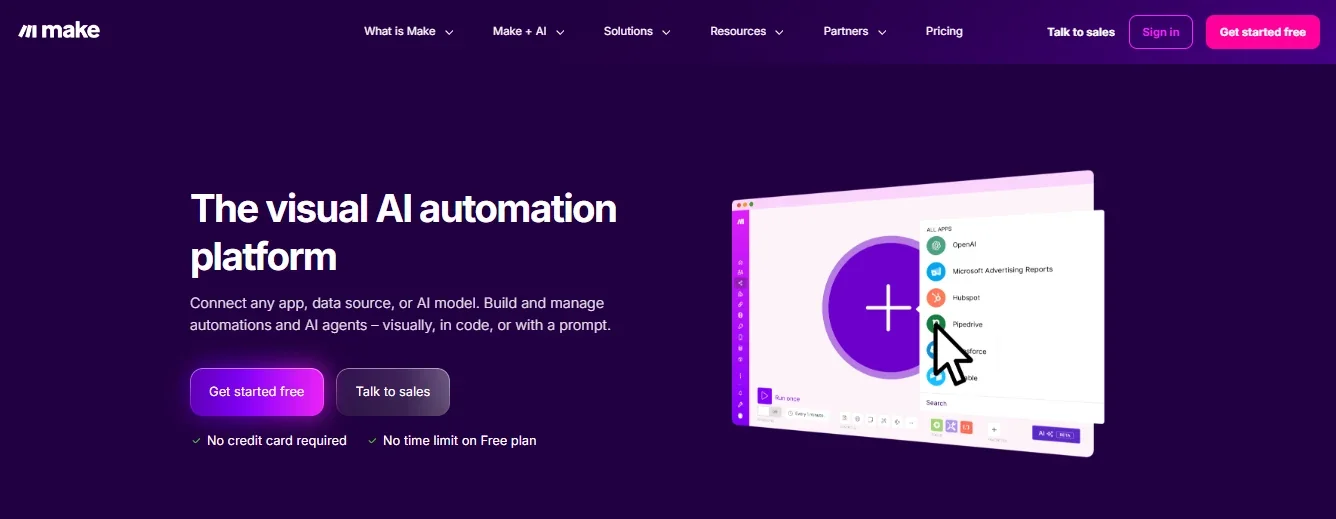
Make builds automations on a visual canvas, where every step and branch is a module you can watch run.
Make's canvas didn't catch the duplicate right away. I had to add a Router step and a lookup against the sheet before the workflow would skip the repeat sign-up. After that, a second accidental submission didn’t get through either.
The first hour of setup was steeper than Zapier's. A closer side-by-side on how Make and Zapier differ covers that extra setup time against the added visibility in more depth.
The finished sheet and channel would need no explanation for either organizer to check. Understanding the Router and lookup modules would take extra guidance if they needed to edit the workflow.
Key features
- Visual scenario builder: See every branch and data transform as it runs.
- Routers and iterators: Routers split workflows into different paths, while iterators repeat a step once for each item in a list.
- 3,500+ apps: Covers most common business tools, with 3,000+ of them built as native apps.
Pros and cons
Pros:
- ✅ Cheapest paid starting price of the app connector group.
- ✅ AI Agents and an MCP Server come built in, so AI steps don’t need another tool.
- ✅ Pricing is by credit volume with unlimited users, so adding a teammate doesn’t raise the bill.
Cons:
- ❌ A duplicate check or any other branch needs a Router and a lookup you build by hand.
- ❌ A steeper learning curve in that first hour than a trigger-and-action tool.
What users say
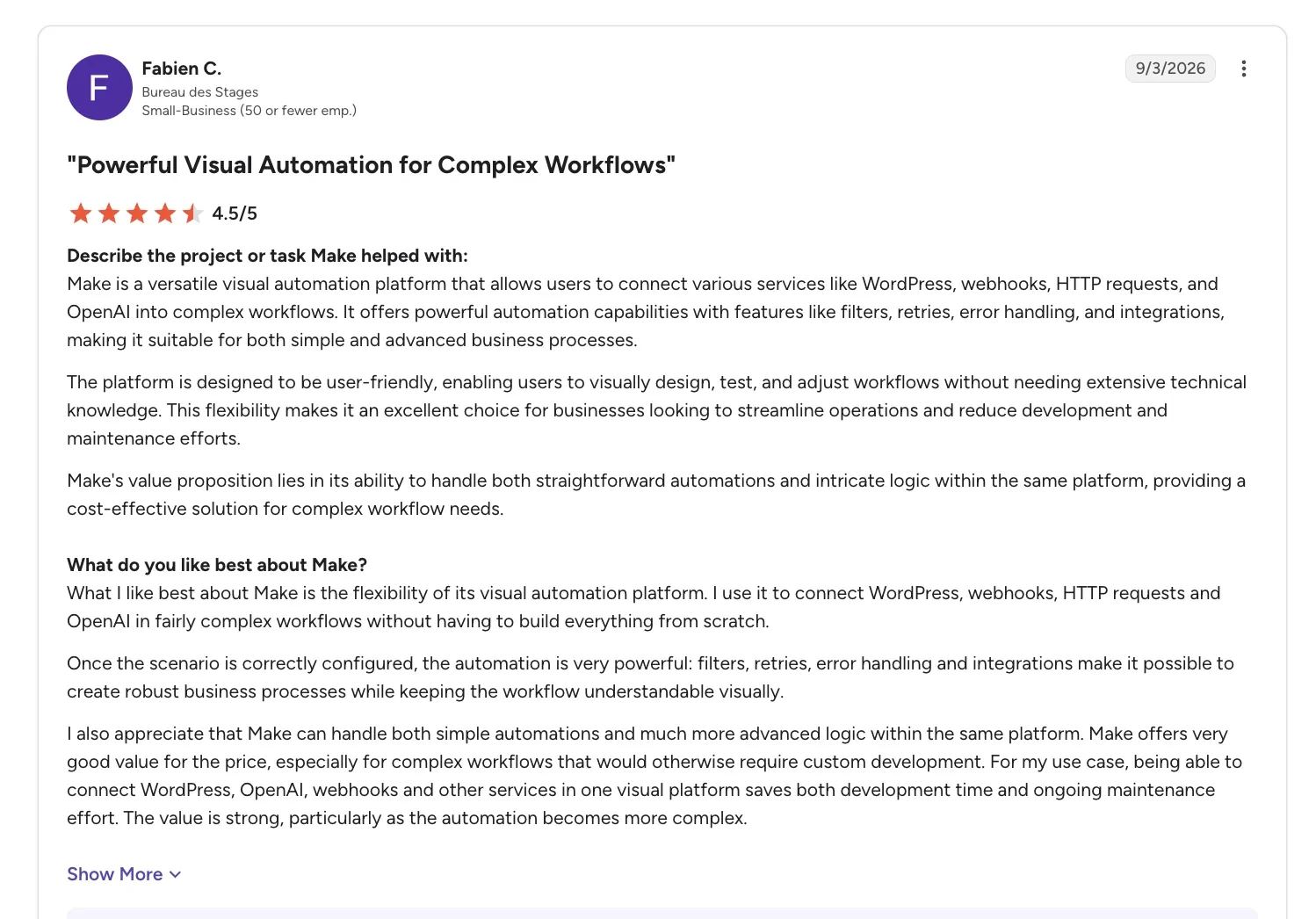
“Make is a versatile visual automation platform that allows users to connect various services like WordPress, webhooks, HTTP requests, and OpenAI into complex workflows.” - Fabien C., G2
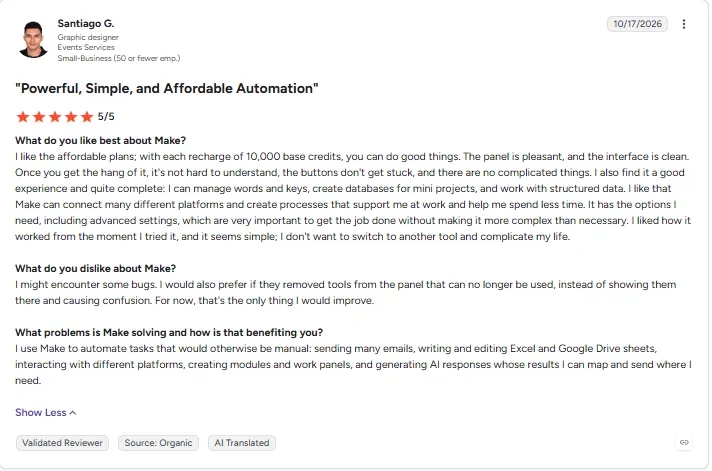
“I would also prefer if they removed tools from the panel that can no longer be used, instead of showing them there and causing confusion.” - Santiago G., G2
Pricing
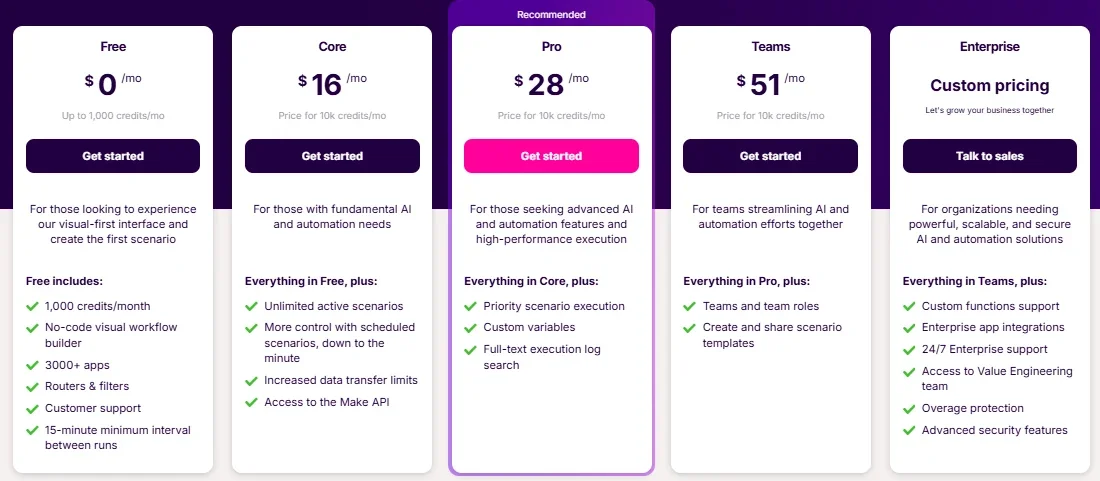
- Free: $0/month, 1,000 credits a month.
- Core: $16/month ($12/month, billed annually), 10,000 credits a month.
- Pro: $28/month ($21/month, billed annually).
- Teams: $51/month ($38/month, billed annually).
- Enterprise: Custom pricing.
Bottom line
Worth the slightly steeper setup once your automation needs more than one path through the data.
Best no-code automation tool for automations that live right alongside your own records
Airtable
Airtable keeps records and automation logic in the same base, so a trigger reads and writes the table a person is already looking at.
A native "Find records" step checks the base for a matching email, then a conditional action stops "Create record" from firing when a match turns up. Airtable didn't need a separate automation tool to catch the duplicate, since the records and the automation live in the same product.
Airtable's own base doubled as the tracking sheet, so the automation ran directly against those records. On the Team plan, that setup bills per seat, so a list with more than one or two co-organizers who need to edit it costs more than a flat, per-workspace price would.
The automation lives right inside the same base as the records, so there’s nothing separate for a co-organizer to open or learn.
Key features
- Native automations: Triggers and actions run inside the same base as your data.
- Find records step: Checks for an existing row before creating a new one.
- Field agents: Generate or summarize data directly inside a table column.
Pros and cons
Pros:
- ✅ Team plans include 15,000 AI credits per paid user each month.
- ✅ A webhook trigger lets outside tools start an Airtable automation on every plan.
- ✅ 100 free automation runs per workspace each month.
Cons:
- ❌ Team-plan automations cap out at 25,000 runs per workspace each month, and automated emails can reach only 100 unique non-collaborator addresses a day. Both are hard caps, with no overage billing.
- ❌ Pricing is per seat, which adds up for a bigger organizing team.
What users say
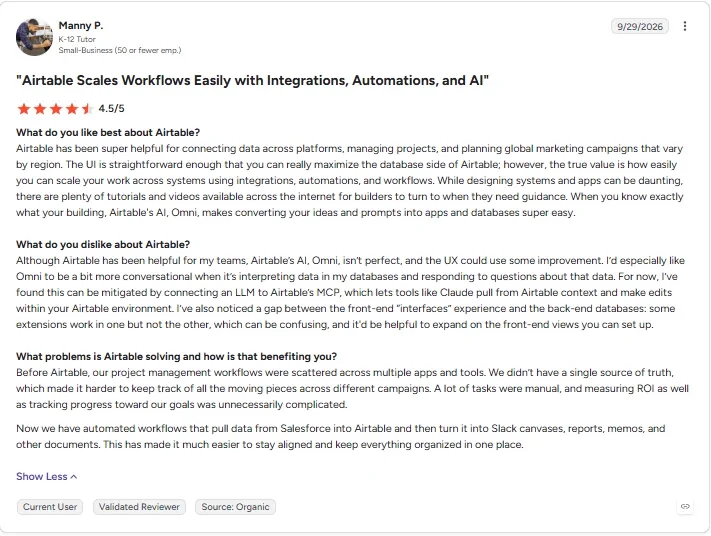
“The true value is how easily you can scale your work across systems using integrations, automations, and workflows.” - Manny P., G2
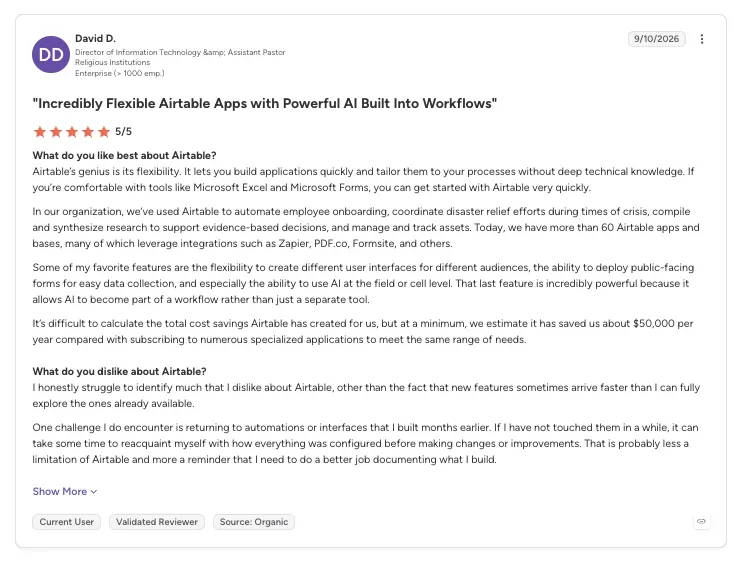
“One challenge I do encounter is returning to automations or interfaces that I built months earlier.” - David D., G2
Pricing
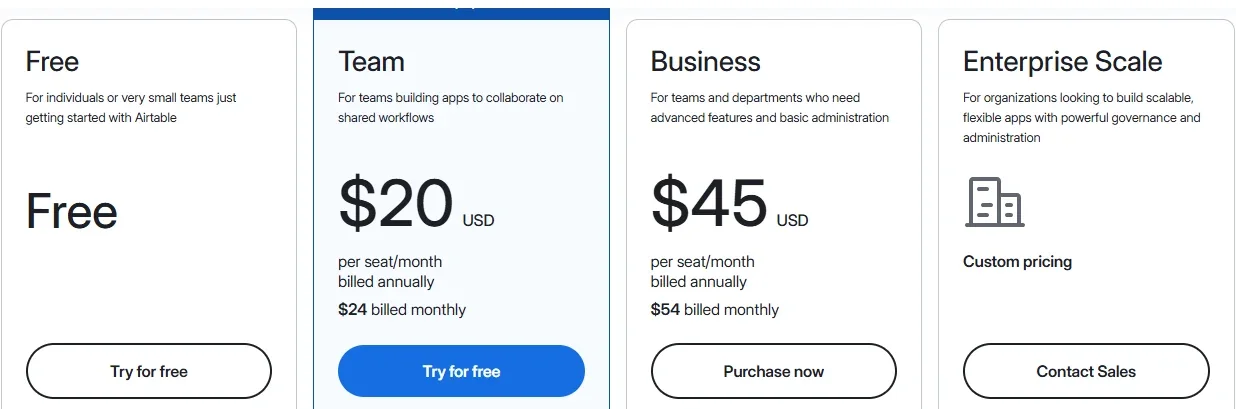
- Free: $0/seat/month, 100 automation runs a month.
- Team: $24/seat/month ($20/seat/month, billed annually).
- Business: $54/seat/month ($45/seat/month, billed annually).
- Enterprise Scale: Custom pricing.
Bottom line
A strong pick when what you're automating needs to live right beside your own records, inside the same base you're already updating.







Best no-code automation tool for self-hosted, full technical control
n8n
n8n is a self-hostable workflow editor where every step is a visual "node," wired together one by one.
A conditional node, wired manually to a prior lookup step, caught the duplicate on n8n, in a build that leans closer to light scripting than drag-and-drop. Once wired, it skipped the second submission too.
n8n’s node-based approach suits someone comfortable mapping out logic step by step.
Either organizer could read the sheet, but neither would know why the conditional node blocked a submission.
Key features
- Fair-code license: The Community Edition runs under n8n’s Sustainable Use License, built for internal business use.
- Node-based editor: Full control over every condition and data path.
- Reaches almost any app: The integrations library lists 2,000+ apps, plus a custom HTTP call for anything outside it.
Pros and cons
Pros:
- ✅ Free forever if you self-host it, no trial window.
- ✅ AI agent nodes add an AI-driven step directly inside the workflow itself.
- ✅ Once wired, the conditional node caught the duplicate every time, including a deliberate second attempt.
Cons:
- ❌ A duplicate check or any other branch needs lookup and conditional nodes wired by hand.
- ❌ Cloud plan caps the entry Starter tier at 2,500 workflow executions a month, with only five concurrent runs. Past that concurrency limit, n8n queues extra runs in the order they arrived, until capacity frees up.
What users say
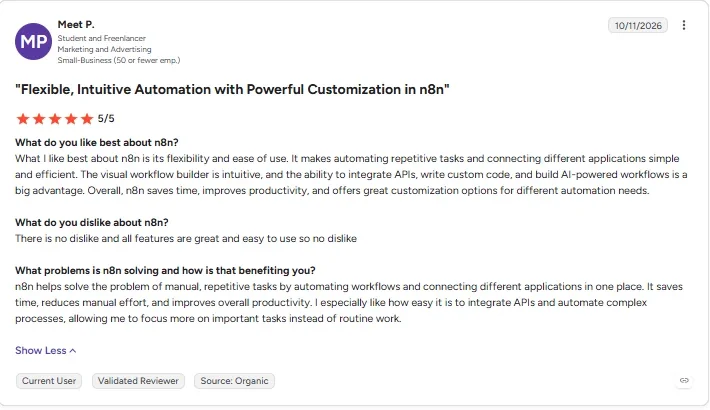
“The visual workflow builder is intuitive, and the ability to integrate APIs, write custom code, and build AI-powered workflows is a big advantage.” - Meet P., G2
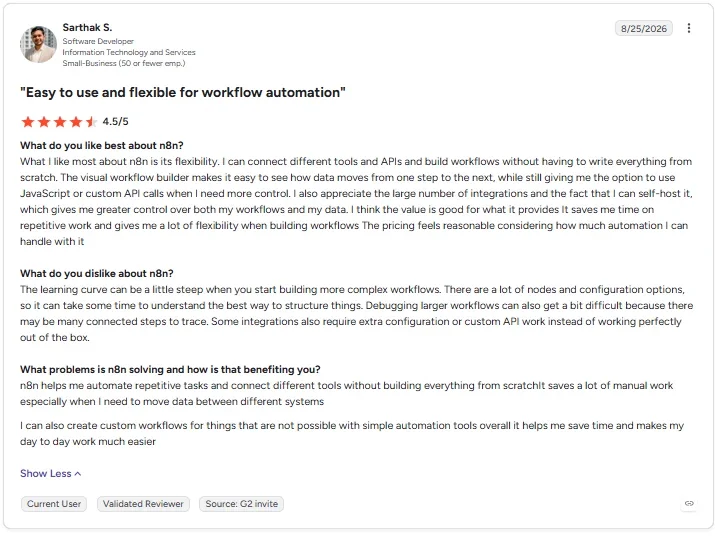
“There are a lot of nodes and configuration options, so it can take some time to understand the best way to structure things.” - Sarthak S., G2
Pricing
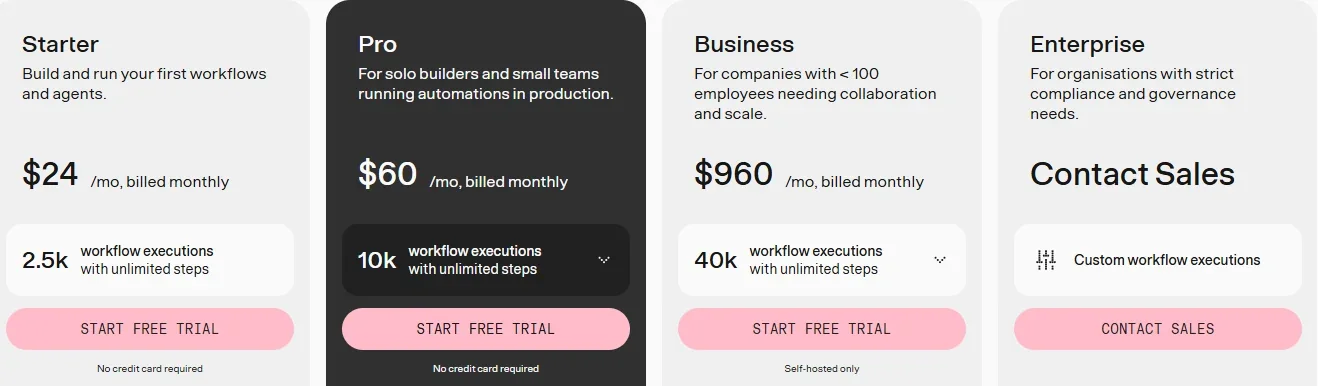
- Community Edition: Free forever, self-hosted.
- Starter: $24/month ($20/month, billed annually), cloud-hosted.
- Pro: $60/month ($50/month, billed annually).
- Business: Self-hosted only, $960/month ($800/month, billed annually).
- Enterprise: Custom pricing.
Bottom line
If wiring every condition by hand sounds like too much setup, Activepieces is the easier landing spot. n8n earns its place when a technical teammate wants full control and doesn't mind doing that wiring themselves.
Best no-code automation tool for an open-source Zapier swap with flat pricing
Activepieces
Activepieces is an open-source automation builder with a drag-and-drop canvas, self-hostable for free or run from its flat-priced cloud.
Activepieces needed a Find Rows lookup against the tracking sheet to skip the duplicate sign-up. That lookup result fed into a Router step, which only continued the flow when no matching row came back.
The setup is a lighter lift than n8n's hand-wired version, and it needed no plan upgrade, unlike Zapier's Filter. With both steps in place, the repeat submission was caught every time.
Activepieces is open source, while n8n uses a source-available, fair-code license. Activepieces bills one flat monthly fee per plan, then charges $0.007 per credit on Plus and Team once included credits run out.
Either organizer could also follow the canvas's labeled boxes and arrows without having built it themselves.
Key features
- Open-source core: Self-hostable for free, with a flat-priced cloud option.
- MCP support: Connect AI agents directly into a workflow using MCP (Model Context Protocol), a shared standard for linking AI tools together.
- Drag-and-drop builder: Closer to Zapier's style than a raw node editor.
Pros and cons
Pros:
- ✅ The free self-hosted Community Edition costs nothing beyond the server, though projects, global connections, SSO, and role controls need a paid plan.
- ✅ Free and Plus cover up to five users each, and Team covers 25.
- ✅ The duplicate check ran on the free self-hosted plan, with no upgrade needed.
Cons:
- ❌ A duplicate check or any other branch needs a manual lookup and a Router step.
- ❌ Smaller template library than Zapier or Make.
What users say
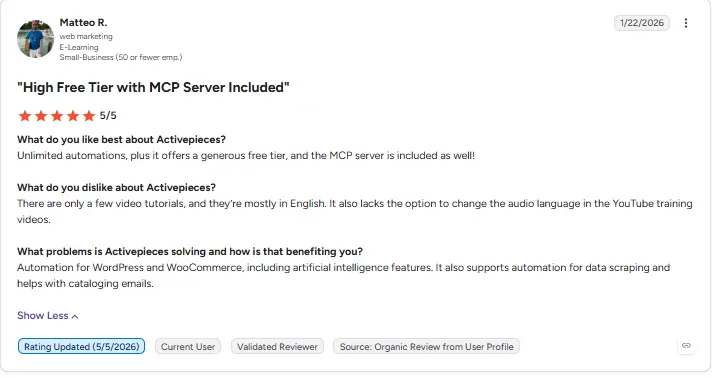
“Unlimited automations, plus it offers a generous free tier, and the MCP server is included as well!” - Matteo R., G2
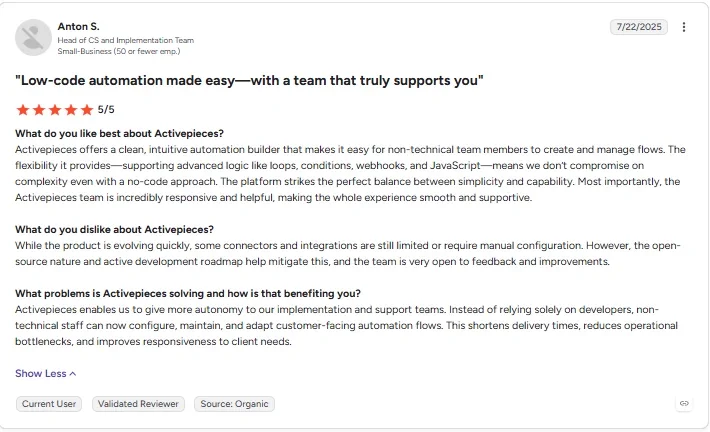
“While the product is evolving quickly, some connectors and integrations are still limited or require manual configuration.” - Anton S., G2
Pricing
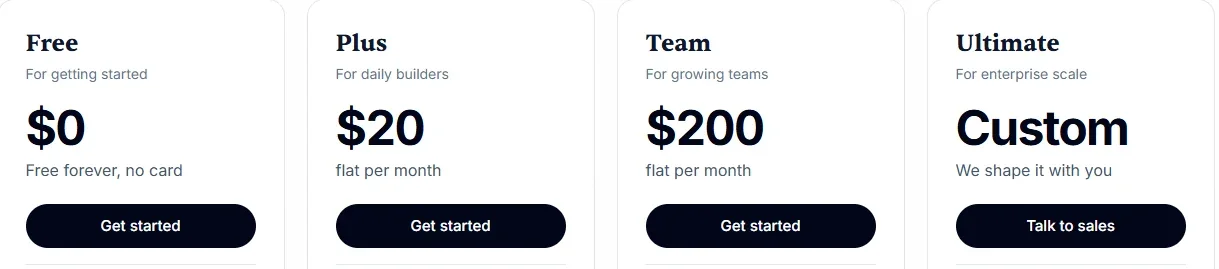
- Free: $0/month, 1,000 credits a month, no card required.
- Plus: $20/month, with two months free on annual billing.
- Team: $200/month.
- Ultimate: Custom pricing.
Bottom line
If n8n's setup feels like too much work but you still want one flat monthly fee for the whole team, Activepieces is the middle ground.
Best no-code automation tool for a team that already lives in Microsoft 365
Microsoft Power Automate
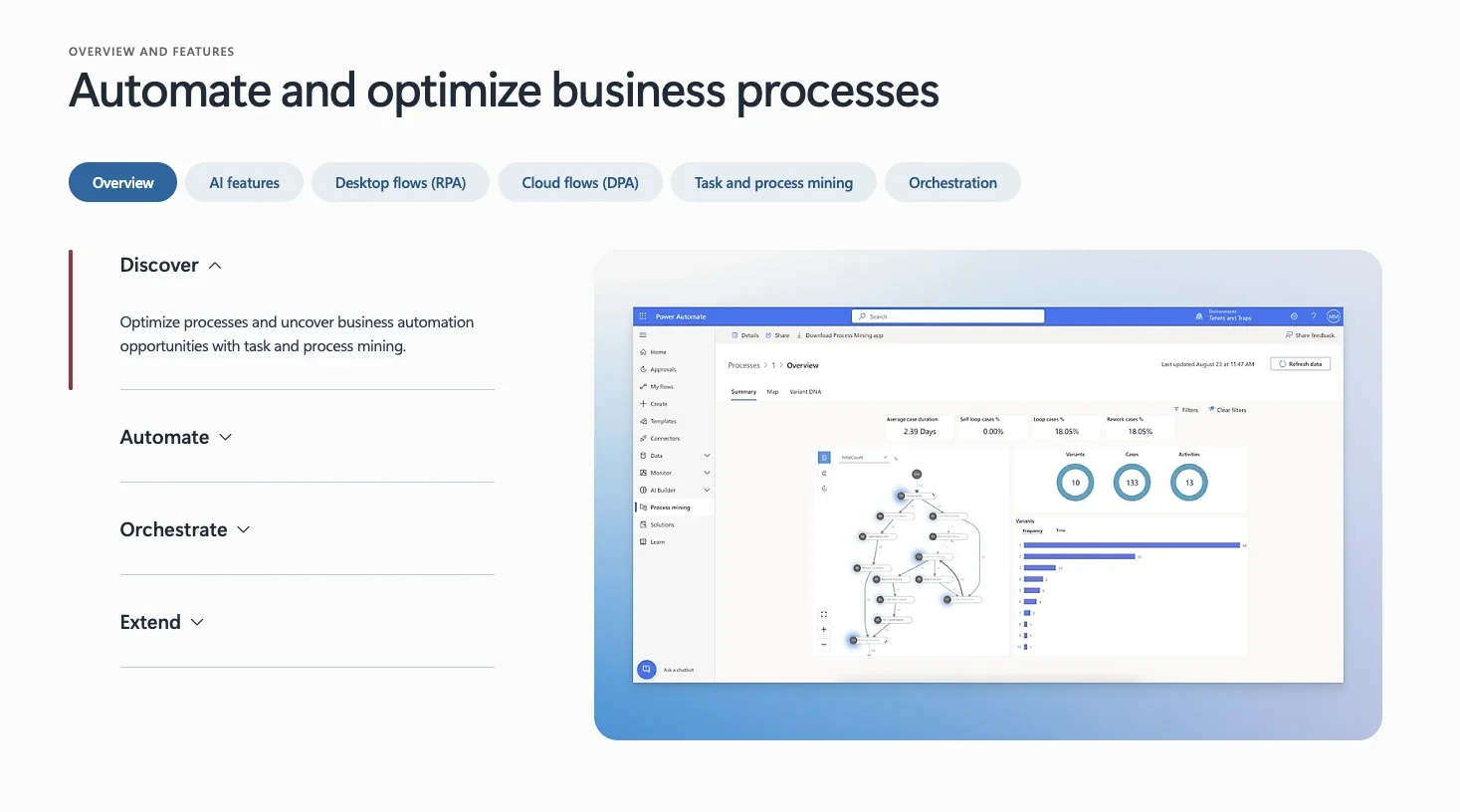
Microsoft Power Automate connects Microsoft 365 apps through cloud flows, with desktop bots for anything not web-based.
Power Automate’s built-in row-lookup step (called “List rows present in a table”), paired with a condition, caught the duplicate cleanly. The lookup was fully native, following the same find-then-skip pattern as Airtable’s, just running against a different sheet.
Approvals and Teams notifications work within Microsoft’s own apps. AI Builder pulls data out of forms. New customers can no longer buy AI Builder credits and must use Copilot Credits instead. On November 1, 2026, Microsoft stopped seeding AI Builder credits into licenses like Power Automate Premium, though existing seeded credits last until each contract’s term ends.
That Microsoft 365 tie-in still comes with more licensing complexity once the account grows past the basics.
Key features
- Native Microsoft 365 ties: Teams, Outlook, and SharePoint connect with no setup.
- AI Builder: Pull structured data out of forms and documents.
- Built-in lookups: Catch a duplicate without a third-party step.
Pros and cons
Pros:
- ✅ Work and school Microsoft accounts get Power Automate Free, which runs cloud flows on standard connectors.
- ✅ Desktop bots cover non-web tasks that Power Automate's cloud flows don't reach.
- ✅ Approvals run inside the same Microsoft 365 account your team already uses.
Cons:
- ❌ Licensing and plan choices get confusing fast once you add bots.
- ❌ Every Power Automate plan is billed yearly. The only monthly option is pay-as-you-go through Azure, at $0.60 per cloud flow run.
What users say
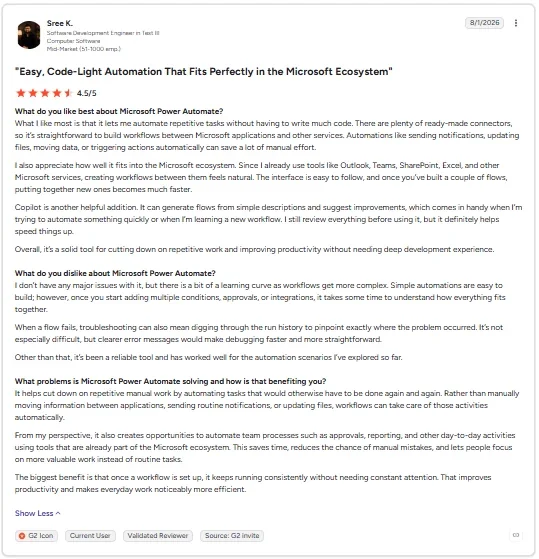
“There are plenty of ready-made connectors, so it’s straightforward to build workflows between Microsoft applications and other services.” - Sree K., G2
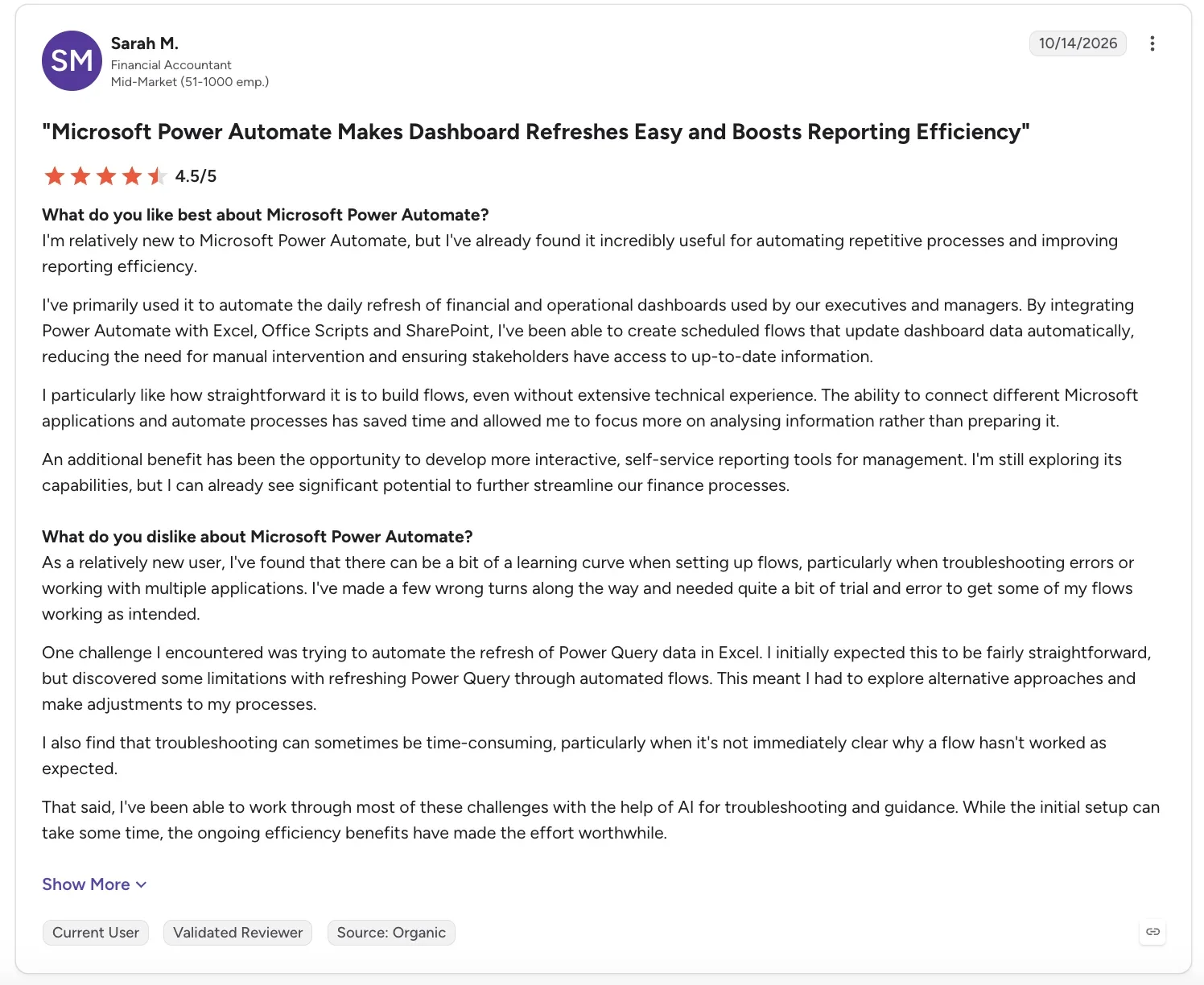
“As a relatively new user, I've found that there can be a bit of a learning curve when setting up flows, particularly when troubleshooting errors or working with multiple applications.” - Sarah M., G2
Pricing
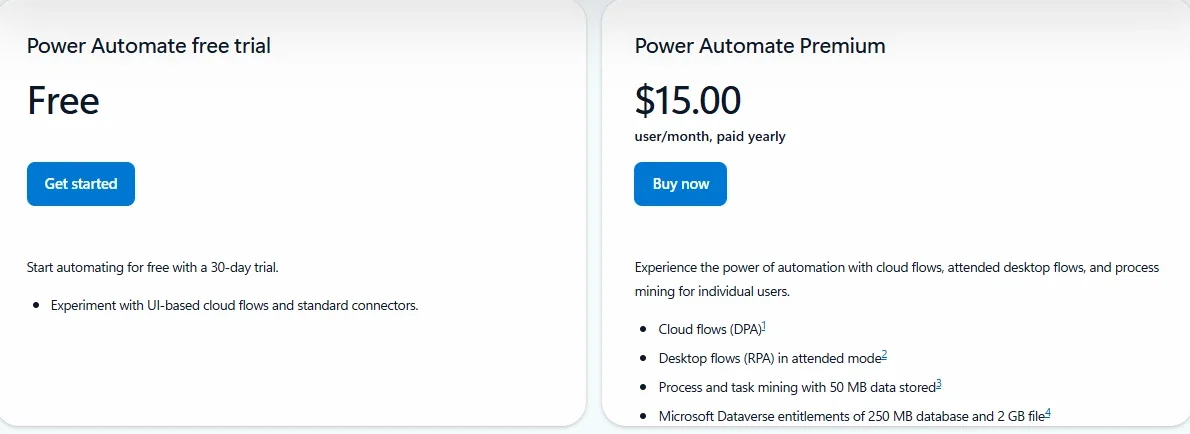
- Free trial: 30 days, covers cloud flows and standard connectors.
- Premium: $15/user/month, billed annually.
- Pay-as-you-go (Azure): $0.60 per cloud flow run, the only monthly-billed option.
- Process: $150/bot/month, billed annually, for unattended automation.
- Hosted Process: $215/bot/month, billed annually, adds a Microsoft-managed VM.
Bottom line
Power Automate fits best when your team already pays for Microsoft 365 and wants approvals in the same account. A team starting from nothing takes on more setup than it needs to.
Best no-code automation tool for a team already inside the Zoho suite
Zoho Creator
Zoho Creator is a low-code app builder with Deluge, Zoho's own scripting language, for anything a native rule can't handle.
Zoho Creator was the only tool here where catching the duplicate sign-up took actual code. A short custom Deluge script did it in a few lines and held on the repeat test. Zoho Creator does have a native No duplicate values field setting, but it stops the form with an error message. This workflow needed the repeat to be skipped quietly, so the Deluge script handled that instead.
Zoho Creator keeps the app, records, and automation logic in one low-code platform, like Airtable does. That setup helps most if your team already runs on other Zoho apps.
Reading the sign-up list was easy, but explaining a blocked row meant reading the few lines of Deluge script neither organizer had written.
Key features
- Low-code app builder: Build the data structure and the automation together.
- Deluge scripting: A short custom script when a native rule isn't enough.
- AI Agents (powered by Zia): Build AI agents that act on your app’s data on paid plans. The in-app Chat Agent is an early-access Enterprise feature.
Pros and cons
Pros:
- ✅ Cheapest per-seat starting price of the suite-based group.
- ✅ Connects natively to the rest of the Zoho suite, so a team already on Zoho apps skips a separate integration layer.
- ✅ Standard, Professional, and Enterprise plans each come with a 15-day free trial.
Cons:
- ❌ The Standard plan caps out at one app. A second app needs Professional or higher.
- ❌ Any rule the built-in settings can’t handle needs a short Deluge script.
What users say
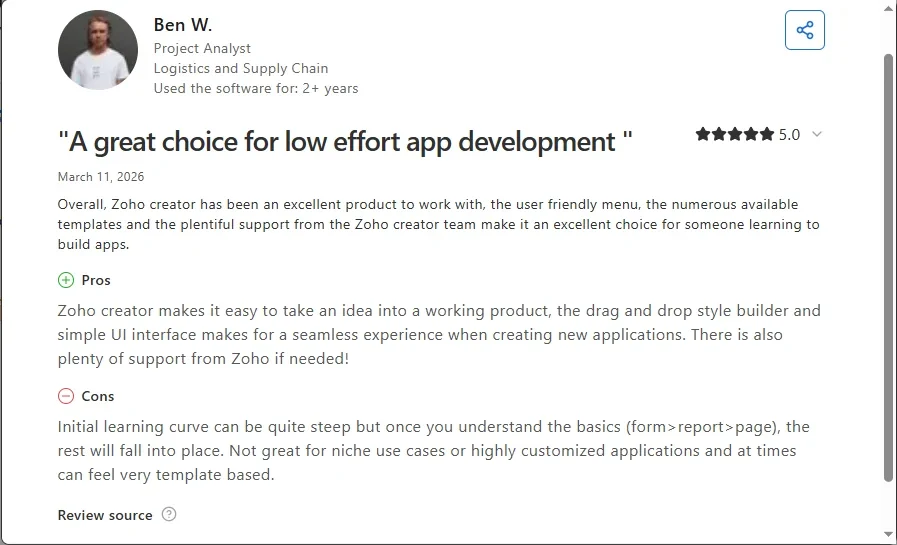
“Zoho Creator makes it easy to take an idea into a working product, the drag and drop style builder and simple UI interface makes for a seamless experience when creating new applications.” - Ben W., Capterra
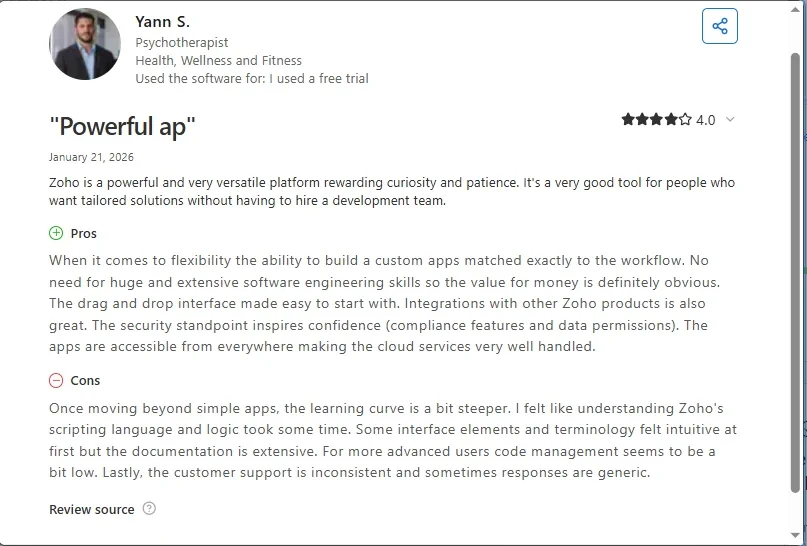
“The customer support is inconsistent and sometimes responses are generic.” - Yann S., Capterra
Pricing
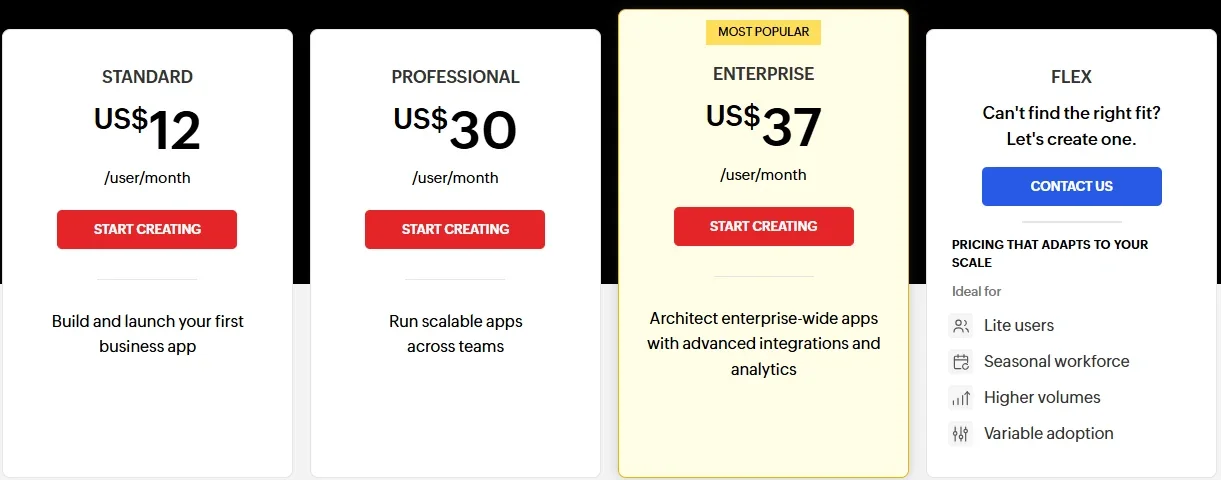
- Free Edition: $0/user/month, limited to one app.
- Standard: $12/user/month ($8/user/month, billed annually), 15-day free trial.
- Professional: $30/user/month ($20/user/month, billed annually), 15-day free trial.
- Enterprise: $37/user/month ($25/user/month, billed annually), 15-day free trial.
- Flex: Custom pricing.
Bottom line
Zoho Creator is the pick for a team that already lives inside the suite and wants the automation to stay there. The moment that team's primary suite becomes Microsoft 365 instead, Power Automate becomes the better fit.
Best no-code automation tool for multi-person approval chains
Kissflow
Kissflow is an enterprise platform that uses AI to build applications from natural-language descriptions, including workflows that route requests through multiple approvers.
Kissflow’s own pricing page lists no prices. Its “Get Started” button opens a lead-capture form that asks for a name, a business email, and a phone number. That request goes straight to its sales team.
Kissflow is built around multi-stakeholder approval chains and process rollouts. It is closer to a business-process tool than a solo builder's automation app, with AI app-building and AI-assisted forms built in. Kissflow wasn’t run on the sign-up list, since it has no self-serve account.
Rules can reassign a request by role or priority, or escalate it elsewhere, without rebuilding the workflow. IT also keeps oversight of workflows that business users build themselves, with controls over who can create or change a process.
Key features
- Approval chains: Routes a request through multiple stakeholders in sequence.
- Dynamic routing: Reassigns or escalates a request by role or priority instead of a fixed chain.
- Governance controls: IT sets who can create or change a workflow, even one business users build themselves.
Pros and cons
Pros:
- ✅ A Nucleus Research report cited on Kissflow’s pricing page found a 451% ROI for one power company.
- ✅ Enterprise connectors reach other systems beyond the approval chain itself.
- ✅ No separate enterprise product needed for a company-wide rollout.
Cons:
- ❌ The pricing page itself doesn’t list a price, though one exists on Kissflow’s blog.
- ❌ Built and marketed for large, multi-department rollouts, more commitment than most small teams need.
What users say
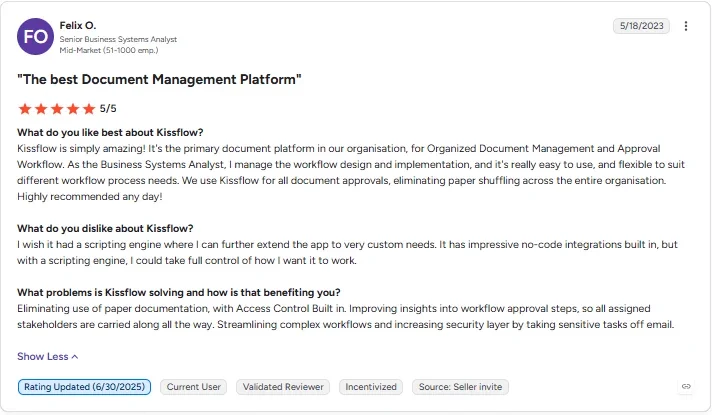
“Kissflow is simply amazing! It's the primary document platform in our organisation, for Organized Document Management and Approval Workflow.” - Felix O., G2
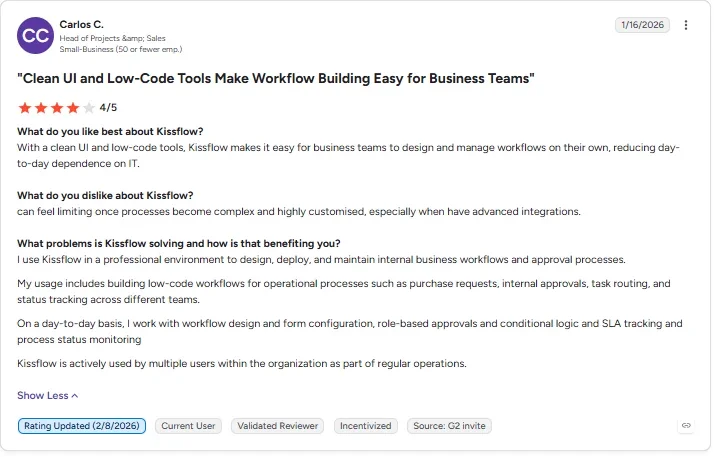
“[Kissflow] can feel limiting once processes become complex and highly customised, especially when [you] have advanced integrations.” - Carlos C., G2
Pricing
Kissflow’s pricing page lists no prices and offers only a sales consultation, so contact its team directly for a quote. Its own blog puts the Basic plan at $2,500 per month, sold on a fixed annual agreement.
Bottom line
Kissflow makes the most sense here for enterprises that need structured approval workflows or other tightly controlled business applications. The simple sign-up list tested in this piece is a small-team job. The other tools on this page fit it better than Kissflow does.
Which no-code automation tool should you choose?
Start with how you want to build, then compare prices once you've narrowed it down.
Choose Lindy if you:
- Want to describe a task in a sentence and let it handle the steps
- Don't want to learn a canvas, a node editor, or a scripting language
Choose Zapier or Make if you:
- Need the widest possible app coverage with minimal setup (Zapier)
- Need deeper branching logic once a workflow outgrows a simple trigger (Make)
Choose Airtable if you:
- Want the automation logic to live right alongside the records it's updating
- Already use Airtable as your system of record and don't want a second tool in the loop
Choose n8n or Activepieces if you:
- Have a technical teammate who wants to self-host and own the stack (n8n)
- Want open source without n8n's steeper node-by-node build curve (Activepieces)
Choose Microsoft Power Automate or Zoho Creator if you:
- Already pay for Microsoft 365 and want approvals in the same account, with AI Builder available if you buy Copilot Credits (Power Automate)
- Already run on the Zoho suite and want the automation layer built into the same low-code platform (Zoho Creator)
Choose Kissflow if you:
- Need a structured, multi-person approval chain for an enterprise rollout
- Don’t mind a sales call, since the pricing page lists no prices
If you need a self-serve approval gate with a record of decisions, Power Automate is an option to consider. Kissflow is better suited to enterprise approval chains that justify a sales conversation.
Final verdict
Zapier is the stronger choice if you want the widest possible app coverage, with Make and Airtable worth a look for deeper branching logic or records-based automation. If you’d rather describe the job in a sentence than build it on a canvas, Lindy is the pick among these nine no-code automation tools.
Frequently asked questions
What is the best no-code automation tool?
Zapier is the best no-code automation tool for most people who want the widest app library with little setup. Make is better for deep branching logic, Airtable for automations beside your records, and Lindy for a one-sentence instruction.
What are the top five automation tools?
The top five no-code automation tools are Zapier, Make, Lindy, Airtable, and n8n. Each is best at a different job, from one-sentence setup and app coverage to branching logic, record-based automations, and self-hosted control. All five have a free way to start.
What is better than n8n?
Zapier and Activepieces are both easier starting points than n8n for most people. Zapier needs almost no setup effort, and Activepieces gives you open source with an easier learning curve. The full tool-by-tool look at n8n alternatives breaks down those setup-time and control differences.
Do I need to know how to code?
No, every one of these no-code automation tools includes a drag-and-drop or conversational way to build without writing code. n8n and Zoho Creator also offer an optional scripting step for an edge case a native rule can’t handle, like skipping a duplicate entry quietly instead of blocking it with an error.
What's the difference between no-code and low-code automation?
The main difference is scripting. No-code automation needs no scripting at all, and everything happens through a visual interface or a written instruction. Low-code automation still uses a visual builder for most of the work. It lets you drop in a short custom script, like Zoho Creator’s Deluge, when the built-in options run out.
About the editorial team

Marvin is a Growth Engineer at Lindy focused on AI agents, automation, and product-led growth.

Lindy leads GTM at Lindy and is the team’s most prolific automation builder. She publishes weekly educational videos and articles on building AI assistants – And yes, she’s a real person!
